AI to Human Text: A Practical Guide to Authentic Content
When we talk about converting AI to human text, we're discussing the craft of refining a machine-generated draft until it feels completely natural. It’s the process where you take that raw, often robotic output, breathe life into it, and give it a personality that connects with your readers.
Why Humanizing AI Content Is No Longer Optional
AI writing tools are incredibly useful, and for good reason. They can generate a first draft in seconds, saving you a massive amount of time. But stopping there is a mistake that can alienate your audience and damage your credibility.
This isn't just about a quick grammar check; it's about weaving in the personality, empathy, and unique insights that make writing feel real. Raw AI text often contains obvious tells, and fixing those is key to building trust with your audience and creating content that stands out.
The AI Boom and the Craving for Authenticity
The growth of AI writing assistants has been explosive. With over 1.8 billion people worldwide having tried an AI tool, our digital world is flooded with machine-generated content. A recent study found that nearly 40% of marketers are already using AI for content creation.
What does this mean for you as a creator? It means that genuinely human-sounding content is now a premium. Your audience is getting savvier and can easily spot the stiff, predictable cadence of unedited AI text.
Your audience doesn't want to read content written by a machine; they want content written for a human. That final editing pass is where you make the magic happen, turning a generic script into a message that truly connects.
Common Flaws in Raw AI Text
If you want your content to rise above the noise, you have to break free from that default AI voice. From our experience at PureWrite, here are a few dead giveaways that a piece of text needs a human touch:
- Repetitive Phrasing: AI models often fall back on the same sentence starters ("In conclusion," "Furthermore," etc.), which makes the writing feel clunky.
- Zero Emotional Depth: An AI can state an emotion ("This was a sad event"), but it can't truly convey it. The writing often feels sterile and detached as a result.
- Overly Formal Tone: Many tools produce text that is technically perfect but reads like a textbook, lacking the conversational warmth that builds rapport.
Fixing these weak spots is fundamental to a solid digital content strategy. If you want to dig deeper, this comparison of AI content writing vs. traditional methods is a great resource. Ready to see how easy it can be? Try PureWrite to start humanizing your content today.
Spotting the Robot in Your Draft
Before you can humanize a piece of text, you first have to play detective. The initial draft from any AI tool is usually sprinkled with tells—some obvious, some subtle—that give away its origin. Learning to spot these clues is your most important first step.
Think of it as a quick diagnostic check. When you can pinpoint the specific robotic traits in a draft, your edits become precise and effective, rather than just a random shuffling of words.
The Unnatural Rhythm and Tone
One of the biggest giveaways is the text's rhythm. AI models often generate sentences that are all roughly the same length and structure, creating a monotonous cadence that can bore a reader. If every sentence follows the same subject-verb-object formula, you've found a major area for improvement.
Another dead giveaway is an overly formal or academic tone. AI often avoids common contractions (like "it's" or "you're") and tends to choose complex words when simple ones would work better. For instance, an AI might say, "It is imperative to undertake this action," when you would just write, "You need to do this."
The goal isn't just to fool an AI detector; it's to create something that actually connects with a human being. Real authenticity comes from a natural flow, varied sentence structures, and a voice that feels genuine, not assembled from a database.
Predictable Vocabulary and Flawless Grammar
AI language models are trained on massive amounts of text, which can lead them to overuse certain words. If your draft is stuffed with phrases like "delve into," "leverage," "unleash," or "tapestry of," it's a huge sign it needs a human touch. These are often filler words that sound fancy but add little real meaning.
Ironically, grammar that's too perfect can also be a red flag. Real human writing has quirks and stylistic choices that make it feel authentic. AI text is often grammatically flawless to a fault, stripping it of the natural voice that builds a connection with the reader. For students, this is especially important, as understanding what Turnitin checks for can offer insight into how platforms analyze text for originality.
The image below gives a great side-by-side look at the difference between a raw AI draft and thoughtfully humanized content.
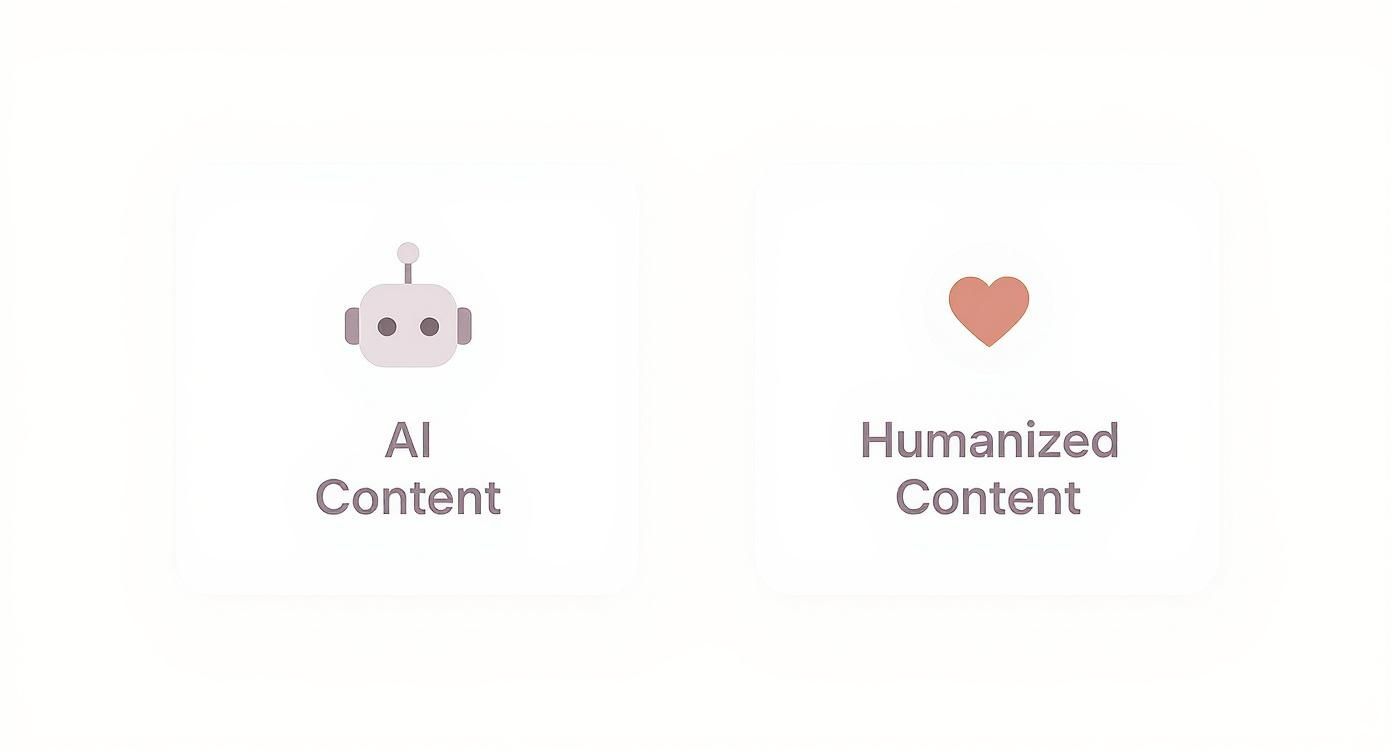
This visual really drives home the point: moving from AI to human text is all about trading predictable patterns for unique, personal expression.
The table below offers a quick reference guide to spot the differences between generic AI output and authentic human writing.
AI vs Human Text Characteristics
| Characteristic | Typical AI Text | Desired Human Text |
|---|---|---|
| Tone & Voice | Formal, neutral, overly academic. | Conversational, personal, has a distinct personality. |
| Sentence Structure | Monotonous, repetitive, similar lengths. | Varied, with a mix of short, punchy, and long sentences. |
| Vocabulary | Predictable buzzwords ("delve," "harness"). | Natural, specific, and uses idioms or slang where appropriate. |
| Perspective | Lacks personal stories, opinions, or emotions. | Includes unique insights, anecdotes, and a clear point of view. |
| Grammar | Flawless, avoids contractions and common speech patterns. | Natural, uses contractions, and reflects how people actually talk. |
Spotting these AI habits in your drafts will get easier with practice.
A Lack of Personal Perspective
Ultimately, the most telling sign is the absence of a personal touch. An AI can't share a personal story from a lived experience. It can only remix the information it was trained on, which results in content that feels hollow.
Here’s a practical checklist to run on your draft:
- Read it Aloud: Does it sound like a real person talking, or more like a GPS giving directions?
- Hunt for Buzzwords: Find and replace those classic AI words ("pivotal," "tapestry," "leverage").
- Vary Your Sentences: Are all the sentences the same length? Chop some up. Combine others.
- Inject Some Personality: Is there any humor, emotion, or a unique point of view? If not, it's time to add your own flavor.
Running your draft through this mental filter gives you a clear roadmap for your edits, turning an overwhelming task into an actionable list of fixes.
Infusing Your Content with a Human Voice
Once you've spotted the robotic weak points in your draft, the creative work begins. This is where you go beyond fixing mistakes and start injecting the personality and nuance that make your content memorable. Turning AI text into human text is where your unique value as a creator truly shines.
Think of this stage as reclaiming the draft as your own. An AI can give you a solid foundation of facts and structure, but it's up to you to add your perspective, your brand's voice, and the subtle emotional cues that build a real connection.
Define and Inject Your Unique Voice
Every piece of great writing has a distinct voice. Is your brand witty and a little irreverent, or more empathetic and supportive? An AI draft almost always defaults to a neutral tone, so your first job is to bring your unique voice to the forefront.
Read through the draft line by line and ask yourself, "Does this actually sound like me (or my brand)?"
For example, an AI might write, "It is advisable to consider multiple factors." You could change it to, "Don't just look at one thing," for a more direct voice. For a witty brand, you might say, "If you only look at one factor, you're driving with one eye closed." If you want to dive deeper, our guide on what is tone in writing is a great resource.
Weave in Personal Stories and Anecdotes
Facts and data give you credibility, but stories create a connection. AI-generated text is famously sterile because it has no personal experiences to draw from. This is your secret weapon.
Look for opportunities to swap out generic examples with your own anecdotes. For example, instead of a generic statement about customer feedback, you could add:
"I'll never forget launching our first product. We were so proud, but the initial feedback was brutal. One user emailed us saying, 'I love the idea, but using it feels like a chore.' That single, honest sentence was a wake-up call that completely changed how we approached user experience."
This short story does more to drive the point home than a dozen paragraphs of dry explanation. It adds a human element an AI simply can't fake.
Vary Your Sentence Structure and Rhythm
One of the biggest AI giveaways is a monotonous sentence structure. To create a dynamic reading experience, you need to break up that pattern.
Try to mix things up:
- Short, punchy sentences: Use these for emphasis. They grab attention. They make a point.
- Medium sentences: These are your workhorses, explaining ideas clearly and moving the piece forward.
- Longer, complex sentences: Use these sparingly to connect related ideas or add descriptive detail.
By consciously varying your sentence length, you create a natural rhythm that feels more like human speech and keeps your readers engaged.
Use Contractions and Conversational Language
AI models tend to lean formal, which means they avoid contractions like "it's," "you're," and "don't." One of the fastest ways to make a piece feel more human is to simply go through and change "it is" to "it's" or "you will" to "you'll." This instantly makes the tone more approachable.
This doesn't mean your writing has to be sloppy. It's about matching the formality to your audience and the context. For most online content, a friendly, conversational tone is far more effective at building rapport.
Add Sensory Details and Figurative Language
We experience the world through our senses. AI text often lacks these sensory details, but adding them can bring your writing to life.
Instead of saying, "The office was busy," you could say, "The office was a hive of activity, buzzing with the constant clatter of keyboards and the fresh scent of brewing coffee." It paints a much more vivid picture for your reader.
Figurative language, like metaphors and similes, also helps make complex ideas easier to grasp.
- Metaphor: "The raw AI draft was a block of marble; my job was to find the sculpture inside."
- Simile: "Unedited AI text reads like a user manual written by a robot."
These are the creative touches that infuse your writing with personality and elevate it from a simple transfer of information to a compelling piece of content.
Speeding Up the Humanizing Process with the Right Tools
Let's be practical: manually editing every stiff, robotic sentence in an AI draft is a major time suck. But you don't have to choose between speed and authenticity. The right tools can bridge that gap, helping you work smarter, not harder.
Think of it this way: instead of getting bogged down in mechanical fixes, you can offload that heavy lifting. This frees up your creative energy for the high-impact work that only a human can do—like adding strategic insights and a unique voice.
At PureWrite, we built our platform to solve this exact problem. We want to streamline the conversion of AI to human text without sacrificing quality. Our tool acts as your co-editor, handling the tedious structural edits so you can focus on what matters most.
How a Tool Like PureWrite Actually Helps
Our platform is designed to instantly spot and fix the most common giveaways of AI-generated text. It rephrases clunky sentences, adjusts the tone to be more conversational, and simplifies overly complex language. This lets you skip the basic proofreading and jump straight to adding your creative flair.
For example, you can feed it a dense, academic-sounding paragraph and, with a single click, get back a clear, engaging piece of text. This initial transformation makes it much easier for you to then weave in personal anecdotes or a compelling call-to-action. We want to make humanizing content not just easier, but faster.
The most effective content workflow combines AI's drafting speed with specialized tools for refinement. This leaves the final strategic and creative touches to you, the human expert. It's about achieving authentic results more efficiently.
You can get a quick sense of how a tool can transform robotic text into something more natural by looking at this comparison.
This shows how the right tool can dramatically improve readability and flow, setting a much better stage for your final, personal edits.
Real-World Use Cases for Creators
Whether you're a marketer, a student, or a busy professional, a dedicated humanizing tool can fit right into your existing process. The applications are surprisingly broad and can make a real difference in your day-to-day work.
Here are a few practical examples:
- Content Marketers: A marketing agency producing blog posts for a client can use a humanizer to ensure all drafts align with the brand's friendly, approachable voice before adding specific case studies or data.
- Students: An undergraduate working on a research paper that sounds too stiff can use a tool to improve clarity and flow, making their core arguments stand out more effectively.
- Professionals: A project manager can take a jargon-filled, AI-generated email update and instantly rewrite it into a clear, concise message that their team and clients will actually read and understand.
These tools don't exist in a vacuum. For example, you might use AI-powered LinkedIn post generators to create initial drafts that you can then quickly humanize for maximum impact.
An Ethical Way to Use AI Assistance
Using a tool to refine AI text isn’t about cheating or passing off a machine's work as your own. It's about using technology responsibly to amplify your skills. The final piece of content must always reflect your knowledge, your voice, and your original ideas.
A tool like PureWrite is just an assistant—one that helps you execute your vision more efficiently. It cleans up the raw material, but you're still the author, the strategist, and the one making the final calls. This is how you use AI ethically to produce work that remains authentic and truly yours.
How to Know When Your Content Is Ready
So, you've spent time refining an AI draft. But how do you know when you're actually done? The final step is knowing when to confidently sign off on your work, rather than endlessly tweaking it.
The best way to do this is with a mix of old-school gut checks and modern data. This combination ensures your content doesn't just look good but is genuinely ready to connect with your audience.
The Essential Read-Aloud Test
Before you look at any metrics or tools, do this one simple thing: read the entire piece out loud. Your eyes can easily skip over clunky sentences, but your ears are brutally honest. This is the quickest way to catch any unnatural rhythms the AI left behind.
Listen for a few specific red flags:
- Awkward phrasing: Are there spots where you stumble or have to re-read a sentence?
- Repetitive rhythm: Do all the sentences have the same cadence?
- Unnatural word choices: Would a real person actually say this in conversation?
If a sentence feels weird to say, it’s going to feel even weirder to read. This single test is your most powerful weapon for spotting any lingering robotic artifacts.
Navigating AI Detection and Readability Scores
Once it sounds good to your ear, it’s time for a quick tech check. Running your text through an AI detector isn't just about chasing a "100% human" score; it's more of a diagnostic tool. It can help you spot stylistic patterns you might have missed.
A high AI detection score often points to predictable sentence structures or word choices. Think of these tools as a helpful second opinion, not a final judgment. They're great for highlighting areas that could use more personality.
It's also important to remember that these detectors are far from perfect. We actually dive deep into this in our guide on whether AI detectors are accurate. Your primary goal should always be authentic, high-quality writing for your audience.
Beyond AI detection, glance at the content’s readability score. Tools using the Flesch-Kincaid scale are great for this. Just make sure the score aligns with your audience—a blog post for a general audience should be much easier to read than a technical white paper.
Measuring What Matters Most: Reader Engagement
At the end of the day, the only thing that truly proves your content connects is how your audience reacts to it. After you hit publish, keep a close eye on your performance metrics. This is the most honest feedback you'll ever get.
Track these key metrics:
- Time on Page: Are people actually reading, or are they bouncing away in seconds? More time on page is a great sign of engagement.
- Scroll Depth: How far down the page are they getting? If everyone drops off after the first 25%, your intro might need some work.
- Click-Through Rate (CTR): Are people clicking your internal links or calls-to-action? This shows they trust what you have to say.
With over 90% of marketers using or planning to use AI for content, the internet is only going to get noisier. This makes real engagement more critical than ever. In a sea of AI-generated articles, only the most authentic, human-centric pieces will hold attention. For more on this trend, you can discover more insights about content marketing statistics on siegemedia.com.
When your content passes the read-aloud test and connects with your readers, you can be confident your job is done. Ready to make sure every piece hits this mark? Give PureWrite a try and see how easy it is to achieve a polished, human-ready final draft.
Answering Your Questions About Humanizing AI Text
As you start working more with AI, you're bound to have questions. This whole process of turning a machine's draft into something that feels human is still new. Let's tackle some of the most common questions we get from writers and creators.
Our goal here is to give you clear, straightforward answers to help you use these tools effectively and ethically.
How Much Time Does It Really Take to Humanize a Draft?
Honestly, it depends on the length of the piece and the quality of the AI's first draft. For something short like a social media update, you might only spend 15-20 minutes polishing it up. For a long-form article, however, you could easily spend an hour or more getting it just right.
This is where a tool like PureWrite really helps. It handles the tedious work—like smoothing out awkward sentences—so you can focus on adding your unique stories and insights.
If I Use a Humanizer, Will I Pass AI Detectors?
While a tool like PureWrite makes your text sound far more natural and much less likely to get flagged, it's important to know that no tool can offer a 100% guarantee. The world of AI detection is constantly changing, and the "science" behind it can be inconsistent.
Your best strategy is to think of a humanizer as your first line of defense. It does the heavy lifting of restructuring and rephrasing. After that, it’s on you to weave in your own personal anecdotes and voice. This combination is the most reliable way to create truly authentic content.
Is It Unethical to Use AI to Help Me Write?
Not at all, as long as you're being responsible and transparent. The most important thing is that the final product is a true reflection of your own expertise and critical thought. It's perfectly ethical to use AI to brainstorm ideas, create an outline, or get a first draft on the page.
Think of it like a power tool for a carpenter. The tool helps them work faster, but the skill, vision, and accountability for the final product still rest with you, the creator. Your writing must always remain authentically yours.
Does Google Penalize AI-Generated Content?
Google has been clear on this: they reward high-quality, helpful content, regardless of how it was created. What they penalize is spammy, low-value content designed to manipulate search rankings.
When you properly transform an AI to human text, you're creating the very thing Google wants to see—valuable, well-crafted content that serves the reader. The focus is always on the quality of the final piece, not the process you used to create it.
Ready to turn your AI drafts into content that truly connects? With PureWrite, you can polish your writing in minutes, ensuring it resonates with your readers and meets the highest standards of authenticity. Try PureWrite for free and see the difference for yourself.
Ready when you are.
Paste your draft, get writing that reads as yours.
No card required.