8 Best Email Signatures Examples: Copy-Ready Templates
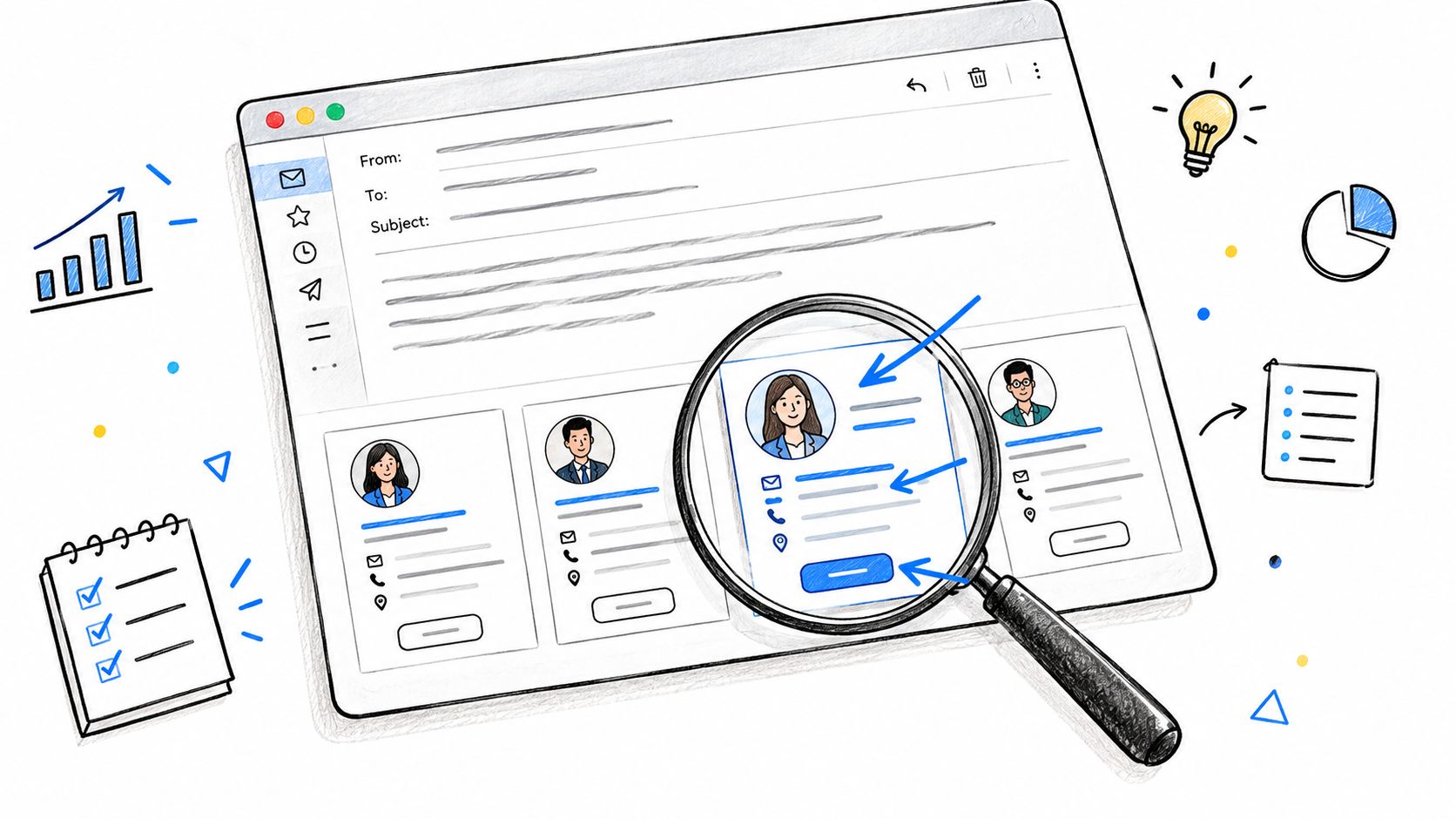
A prospect finishes reading your reply and scrolls straight to the bottom, looking for your phone number, a useful link, or an easy way to book time. If your signature is missing, difficult to scan, or packed with irrelevant details, that small moment of friction can cost you a reply.
Your signature is also the part of an email that's unmistakably yours. Even when AI tools help draft the message, the sign-off should reflect your real role, accurate contact details, and judgment. That's what keeps the communication honest and authentic.
The eight best email signatures examples below are practical starting points grouped by sender role. Each one explains what works, where it can backfire, and what you can copy or adapt. For broader guidance, see these email signature tips for professionals.
We built PureWrite to help you humanize AI-assisted drafts, but you should always review the final wording and confirm every detail yourself. An AI tool can improve clarity and tone. It shouldn't invent your title, promise availability you don't have, or replace your responsibility for what you send.
1. Minimalist Professional Signature
The minimalist professional signature is the safest default for everyday business email. It gives the reader your full name, role, company, phone number, and website without turning the bottom of the message into a brochure.
It works because it respects the reader's time. A consultant following up after a proposal, for example, can make it easy for a client to call without searching through an earlier message. The plain structure also stays easier to maintain across a team and tends to survive different email clients better than a heavily designed layout.
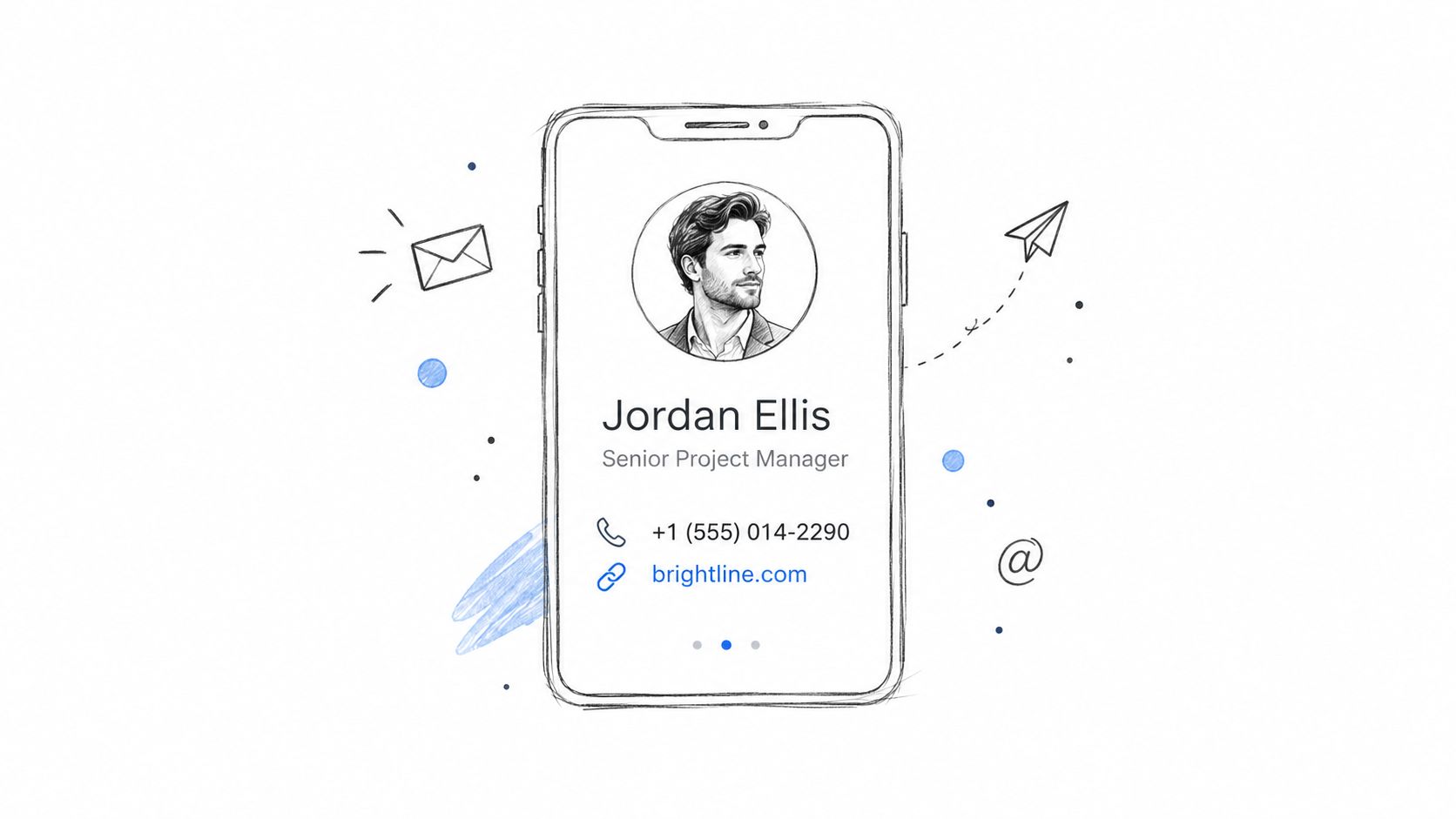
Copy-ready template
Jordan Ellis
Senior Project Manager, Northstar Consulting
+1 555 010 2486 | [email protected]
northstar.example
Keep the visual treatment restrained. Use one font, no more than one accent color, and a stacked structure that remains readable on a phone. A full signature should generally stay within 600 pixels on desktop, while a dedicated mobile version can sit between 320 and 450 pixels, according to Exclaimer's email signature design guidance.
- Keep the first-contact version complete: Include the details a new recipient needs.
- Shorten replies: Configure a compact reply signature separately so long threads don't become repetitive.
- Prioritize live text: Don't turn your name or phone number into an image.
This format suits client correspondence, internal updates, and most professional email. If you're also improving the message above the signature, these professional email writing techniques can help you keep the body as clear as the sign-off.
2. Corporate Signature With Confidentiality Disclaimer
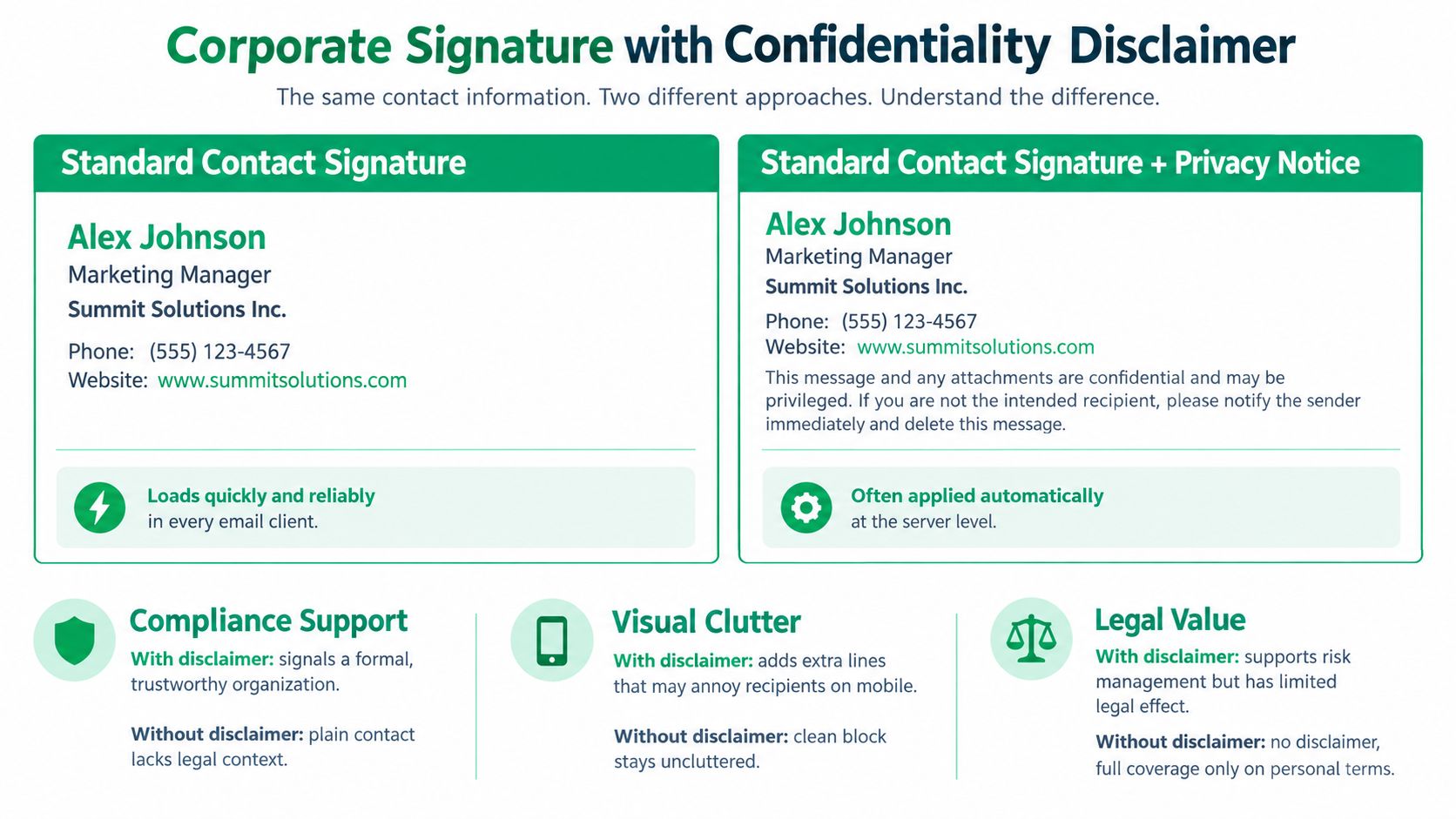
A corporate signature can combine a conventional contact block with a short confidentiality notice. It's common in organizations where legal, regulatory, client-contract, or internal policy requirements affect how employees handle email.
The disclaimer should explain what a recipient should do if the message reached them by mistake. It's a legal notice, not a replacement for secure file sharing, access controls, retention policies, or proper data handling. A long block of legal language can also bury the sender's name and make a routine message look intimidating.
Copy-ready template
Morgan Lee
Legal Operations Manager, Westbridge Group
+1 555 010 3920 | [email protected]
westbridge.example
This email and any attachments may contain confidential information intended only for the named recipient. If you received it in error, please notify the sender and delete the message.
Ask legal counsel to approve the exact wording before rollout. Requirements differ by country, industry, and the type of information your organization handles, so copying a disclaimer from another company creates avoidable risk.
A disclaimer can support a policy, but it can't create one.
Keep the notice brief and readable. Avoid shrinking it until it becomes inaccessible, placing it inside an image, or adding several overlapping warnings that recipients will ignore. Central deployment through a mail server or signature management tool is usually more reliable than asking every employee to paste the same language manually.
This example works best for law firms, finance teams, healthcare organizations, and larger companies with a standard communication policy. It backfires when the notice is so prominent that it competes with the actual contact information.
3. Sales Signature With Meeting Link and CTA Banner
A sales signature should remove the next obstacle after a demo or proposal follow-up. If the recipient is interested, a direct scheduling link avoids several messages spent comparing availability. Give the link a clear job and connect it to the conversation that led to the email.
The wording sets the expectation. “Book a 20-minute discovery call” explains the action and the time commitment, while “Click here” gives the prospect no useful context.
Priya Shah
Account Executive, Meridian Cloud
+1 555 010 4812 | [email protected]
Book a 20-minute discovery call
meridian.example
Read the latest customer report
Use a banner only when it advances the current sales conversation. A report or event banner can fit a follow-up after a product demonstration. It creates noise in a routine internal note, especially when the recipient already has a calendar link to the same destination. Keep the graphic modest, relevant, and readable when images are blocked. Repeat the CTA as plain text so the action remains available to screen readers and text-only email clients.
One 50-employee case study found that signature visitors had a 41% bounce rate, compared with 77.64% for other website traffic, and stayed on the site three times longer. The figures come from Templafy's email signature marketing case study, which cautions that the small sample is a benchmark, not a general average.
Use one primary action. A calendar link should not compete with several social profiles and multiple banners. Add UTM parameters for the campaign, source, and employee or department, then follow your organization's privacy and reporting rules. Keep the CTA for relevant external messages, not every internal exchange.
Change the offer when the campaign changes. An outdated banner trains recipients to ignore the signature. For outreach copy that needs tightening, these persuasion techniques in writing can help, while the final email should still sound like the person sending it.
A short demonstration can show teams how signature campaigns work in practice.
4. Freelancer and Creative Portfolio Signature
A prospective client often decides within one email whether a freelancer looks relevant. Put the specialty, contact route, and one useful proof point where they can scan them quickly. The signature should support the conversation, not become a second portfolio.

For a copywriter, that proof point might be a relevant case study. A designer can link to a selected project page, while a photographer may choose a visual portfolio that loads well on mobile. Use one destination that matches the recipient's question. An empty homepage or a collection of unrelated links creates work for the reader.
Amara Okafor
Freelance B2B Copywriter
+1 555 010 7631 | [email protected]
View my SaaS case study
Available for selected projects
“Freelance B2B Copywriter” gives clearer context than “Creative Storyteller” when the message concerns business writing. Keep the specialty accurate and specific, without claiming results or experience the email cannot support. Remove “Available for selected projects” when capacity changes, and disclose clients or outcomes only when you have permission.
A restrained tagline can add personality. It should never obscure the practical details a buyer needs to contact you or assess your fit. The same positioning should carry through your public profiles. PostSyncer's bio writing guide can help align the wording across those channels.
Use plain text or simple HTML, test the link on a phone, and add descriptive link text rather than a bare URL. Keep the signature short enough to remain useful in an active thread. If the portfolio page contains confidential work, replace it with an approved sample or a general service page.
5. Academic Researcher Signature
Academic email needs identification before promotion. Editors, collaborators, students, and funding bodies need to know your name, affiliation, department, and research identity without decoding a personal brand system.
A researcher signature can include a degree or position, institution, lab, and persistent identifier such as ORCID. For students, the university email address and program name provide useful context. A lab or department website is worth adding when it helps the recipient verify your work.
Copy-ready template
Dr. Elena Morris
Postdoctoral Researcher, Department of Environmental Chemistry
Rivergate University, Watershed Processes Lab
ORCID:
rivergate.example/lab
The ORCID link should use the official ` format followed by the researcher's actual iD. Never insert a placeholder into a live signature. Verify the identifier, affiliation, and title before using the template for journal correspondence.
In academic email, accuracy carries more weight than visual flair.
Check your institution's branding rules before adding a logo or color treatment. A student might use this shorter version:
Noah Williams
M.A. Student, Comparative Literature
Eastbrook University
Research profile | [email protected]
This structure works for editors, peer reviewers, collaborators, and grant contacts because it makes professional identity easy to verify. It can backfire when the signature becomes a miniature CV with every award, publication, and committee role.
For formal correspondence, use AI only as an editing aid. PureWrite's guidance on structuring a research paper can help with organization and clarity, but confirm every citation, claim, affiliation, and submission detail yourself.
6. Customer Support Signature With Response Expectations
A customer sends a support email because something needs attention. The signature should immediately identify the owner, explain when help is available, and point to the right next step without adding another block of reading.
Use the ticket number when the system can insert it reliably. A working reference helps agents find the conversation, while a broken merge field makes an automated service look careless.
Priya Sharma
Customer Success Manager, Northstar Software
Ticket: NS-10482
Help Center | +1 555 010 8844
Support hours: Monday to Friday, 9:00 a.m. to 6:00 p.m. Eastern Time
For urgent service issues, contact the on-call team
Keep the template focused on four jobs: identify the agent, set the response expectation, provide self-service help, and explain escalation. Link to the relevant help-center article or support hub, not a generic company homepage. State what counts as urgent and give customers a monitored route for those cases.
Before deployment, test every dynamic field, including ticket IDs, customer names, department labels, and escalation URLs. Also check the signature in a real reply on mobile. Long lines can wrap awkwardly, and a phone number or help link should remain easy to tap.
The support role also changes the tone. Short sentences work better than promotional copy, especially when the customer is reporting a failure. A brief acknowledgment of the issue in the message itself can make the signature feel less automated.
Skip meeting links unless scheduling is genuinely part of the resolution. A calendar can slow access to help when the customer needs troubleshooting, not an appointment.
Agents can use these email etiquette examples to keep replies clear and respectful. AI may edit a rough draft, but an agent must confirm every troubleshooting step, response commitment, and ticket outcome before sending.
7. Executive Minimal Signature With Assistant Contact
A senior executive's signature should make the sender identifiable and scheduling practical without turning the email into promotional material. The executive name and role establish authority, while an assistant or shared office address gives recipients a clear route to request time.
For vendor discussions, partnerships, and senior stakeholder communication, this arrangement keeps scheduling separate from the executive's main inbox. It works only when the contact route is current, monitored, and owned by someone who can respond.
Maya Thompson
Chief Operating Officer, Clearpath Industries
clearpath.example
Scheduling: Alex Rivera, [email protected]
Treat the scheduling line as an operational asset, not decoration. Confirm that the mailbox is active, define who monitors it, and use a shared address when coverage is needed during leave. Access controls should still limit who can view or manage executive appointments.
Keep the rest deliberately spare. Banners, social icons, biographies, and several promotional links can make a senior leader's message resemble a campaign email, particularly when recipients already know the organization.
Copy these decisions before deployment:
- Use one scheduling route: List the personal calendar and assistant contact together only when both are required.
- Check every device: Compare the signature on desktop, tablet, and phone, then remove formatting that wraps badly.
- Protect context: A trusted colleague can review sensitive messages before they are sent.
- Edit AI-assisted drafts: Refine wording for the relationship, decision, and stakes rather than accepting generic polish.
The signature supports the email; it does not replace a clear request. State the decision, action, or next step in the message body, then let the short sign-off end the exchange cleanly.
8. Global Team Signature With Time Zone and Pronouns
Distributed teams need small pieces of context that colocated teams can take for granted. A time zone helps recipients understand availability, while optional pronouns and a language preference can make cross-border communication more considerate.
This format is particularly useful for remote teams, international consultants, and multilingual organizations. Keep the additions simple. The signature should support coordination, not become a personal profile.

Copy-ready template
Lina Haddad
Content Strategist, Openfield Studio
She/her | Lisbon, Portugal | GMT+0
English or Portuguese preferred
[email protected] | openfield.example
A time zone should use a clear standard format and be updated when daylight saving changes. If your team works across regions, define how offsets will be maintained so employees don't edit them inconsistently.
Pronouns should be optional rather than mandatory. Some employees will want to include them, while others won't. The same applies to a language line. It can be helpful when accurate, but it shouldn't imply that a recipient must communicate in a language the sender no longer actively uses.
Add context that helps people work with you. Remove context that only fills space.
A global team can also create role-specific versions. A recruiter may add a careers link, while an engineer may use a portfolio or repository. Don't force the same promotional CTA on every employee.
If English isn't your first language, draft the message in the language that lets you express the meaning accurately, then use PureWrite to refine clarity and tone. This workplace communication guidance can help you polish the message while you retain responsibility for the meaning and final wording.
8 Email Signature Examples Compared
| Signature | 🔄 Implementation (complexity) | ⚡ Speed / Efficiency | 💡 Resources / Setup | 📊 Expected outcomes | ⭐ Key advantages |
|---|---|---|---|---|---|
| Minimalist Professional Signature | Low, simple text block, easy to deploy | ⚡ Very fast to load and scan | Minimal: email client settings, one font/color | Reliable rendering, high mobile readability | Professional, consistent, low risk |
| Corporate Signature with Confidentiality Disclaimer | Medium, add footer or server-side policy | Moderate, disclaimer adds length | Legal review, signature management or server rules | Improves compliance signaling; may clutter replies | Supports risk management and formality |
| Sales Signature with Meeting Link and CTA Banner | Medium–High, links + optional image/banner | Variable, links fast; banners can slow/load as images | Scheduling tool (Calendly), lightweight banner design | Higher meeting conversion; potential spam filtering | Direct CTA reduces friction to book meetings |
| Freelancer and Creative Portfolio Signature | Low–Medium, add portfolio link and tagline | ⚡ Fast for recipients to click links; marketing value | Portfolio site or case study, occasional updates | Generates leads and clarifies niche quickly | Promotes services while remaining personal |
| Academic Researcher Signature | Medium, include degrees, affiliations, persistent IDs | Moderate, longer text may wrap on mobile | ORCID account, institutional branding guidance | Better verification by editors and collaborators | Enhances credibility and discoverability of work |
| Customer Support Signature with Response Expectations | Medium, dynamic fields and hours required | ⚡ Efficient for customers when merge fields work | Support platform (Zendesk/Freshdesk), test templates | Reduces repeat contacts and sets clear SLAs | Lowers customer frustration; improves routing |
| Executive Minimal Signature with Assistant Contact | Low, very short, consistent across devices | ⚡ Quick for recipients; reduces marketing look | Shared/assistant mailbox setup and maintenance | Fewer scheduling interruptions; focused inboxes | Conveys authority and directs requests efficiently |
| Global Team Signature with Time Zone and Pronouns | Medium, adds optional lines per user | Moderate, slightly longer but clarifies availability | Team guidelines, periodic updates for time zones | Fewer scheduling conflicts; signals inclusivity | Improves coordination and respectful communication |
Choose the Signature That Fits Your Role and Test It Today
Choose the example that matches your role, not the one with the most decoration. A sales representative may need a scheduling link, a researcher may need ORCID, and a support agent may need hours and an escalation path. The best signature is the one that helps your actual recipient take the next useful step.
If you're unsure, start with the minimalist layout. Add one purpose-driven element, such as a support hours line, portfolio link, assistant contact, time zone, or scheduling link. Each extra field should answer a real question or support a real action.
Before publishing, send a test email to a phone and a desktop client. Check the links, phone behavior, line wrapping, contrast, image loading, and reply version. Exclaimer recommends tap targets of at least 44 × 44 pixels, readable mobile text of at least 14 to 16 pixels, and testing in Gmail, Outlook, and Apple Mail. See the mobile email signature guidance for implementation details.
Accessibility deserves the same attention as appearance. Use live text for essential information, meaningful alternative text for logos, readable contrast, and link labels that make sense when read aloud by a screen reader. Don't rely on color alone to communicate meaning, and check the result in dark mode. A simpler text-first signature often works better than a visually impressive one that disappears or becomes unreadable.
Marketing signatures can also be measurable, but measurement should go beyond clicks. Exclaimer reports that 89% of surveyed marketers had considered email signatures as a marketing tool, while 68% were already using them actively, and 58% of surveyed consumers said a professional branded signature made them trust an email from a business or brand. Those findings come from Exclaimer's 2023 survey announcement, and they support consistent, restrained branding rather than a crowded collection of links.
Keep the signature identical across the team's core structure so the organization presents one dependable identity. Central administration also makes it easier to retire outdated campaigns, correct employee details, and keep legal wording consistent. Legal counsel should approve any disclaimer before rollout, especially when your industry or region imposes specific obligations.
Finally, remember that the signature is where your real identity appears. It should be accurate, current, and written for genuine communication. If you use AI to draft the surrounding message, try PureWrite to humanize the text while keeping your voice, then review every detail before sending.
PureWrite helps humanize AI-assisted emails and improve clarity, tone, grammar, and formatting without taking responsibility for your voice away from you. Use Pure Write to refine the message above your signature, then check every claim, contact detail, and call to action before it reaches your reader.