How to Improve Workplace Communication: A Practical Guide for Modern Teams

When we talk about improving workplace communication, we're really talking about building an environment where information flows freely and feedback is a two-way street. It’s about making sure you know what’s expected, using the right channel for the right conversation, and fostering a culture where people feel safe to speak up. Get this right, and you'll see a direct impact on your team's productivity and alignment.
Why Better Communication Is Your Biggest Competitive Advantage
Let’s be honest. When things go sideways at work, "communication issues" are almost always the culprit. Missed deadlines, tanking morale, a team just going through the motions—it all tracks back to how we talk to each other. For content creators and writers, clear communication isn't a soft skill; it's the foundation of effective collaboration.
With so many teams working remotely, clarity is essential. When communication is on point, the results are immediate. Your team executes faster, collaborates with less friction, and comes up with better ideas because everyone is rowing in the same direction. Fixing these gaps isn't just a "nice-to-have" initiative; it's a strategic move every smart organization needs to make.
The Hidden Costs of Getting It Wrong
Poor communication is a silent killer of productivity and creativity. It gums up the works, slows down projects, and wastes countless hours as people hunt for information or fix simple misunderstandings. For anyone in a creative role, from students to professional marketers, that lost time and energy directly hits your ability to produce high-quality work.
The numbers don't lie. A staggering 70% of employees report they’d be much more productive if their companies just communicated better. Research shows that teams with strong communication can see productivity jump by as much as 25%. On the flip side, a study by Salesforce found that 86% of employees cite a lack of collaboration or ineffective communication for workplace failures.
This infographic really drives home the point, showing the direct link between clear communication and core business results.
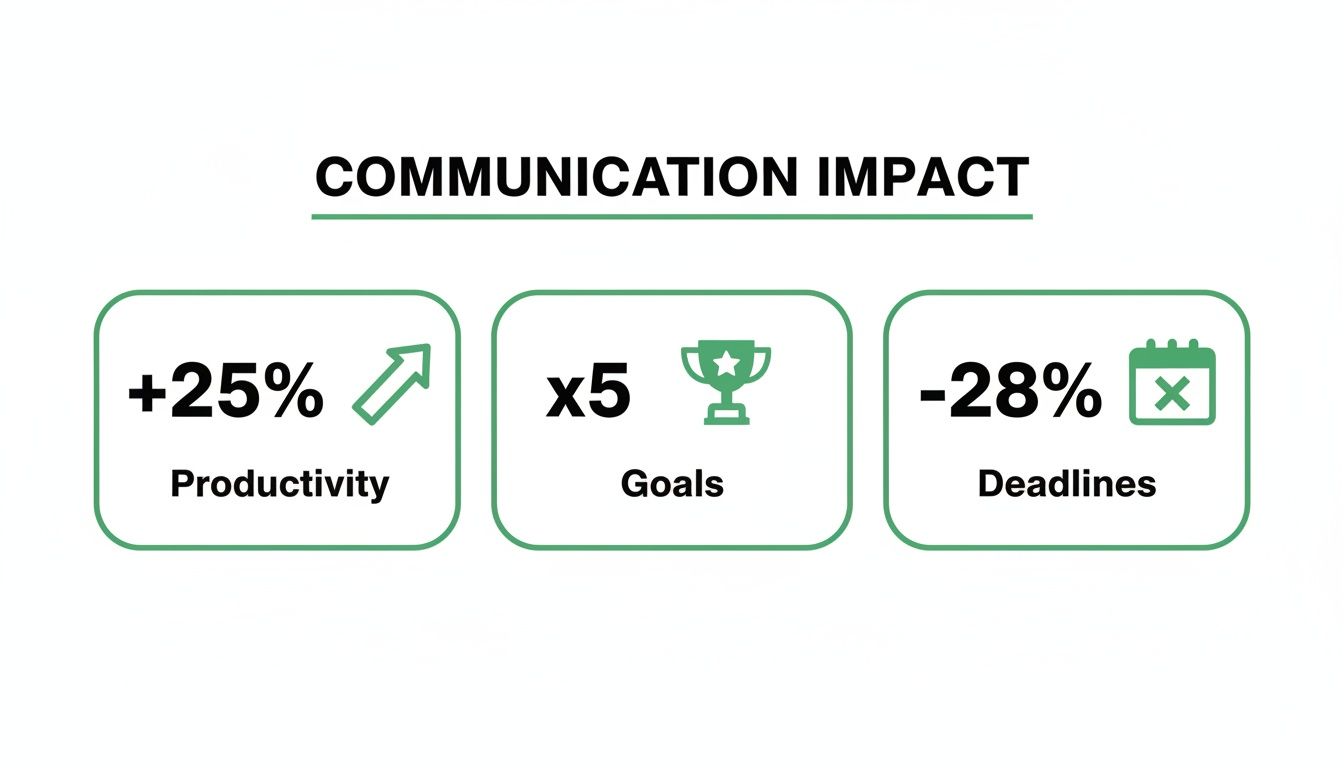
As you can see, investing in how your team communicates pays off with better productivity, more goals met, and fewer things falling through the cracks. It's an investment in your people and your processes.
The ROI of Clarity
To really understand the impact, it helps to put the problems and benefits side-by-side. Think of it as the cost of doing nothing versus the return on investing in clear, authentic communication. This is especially true when using AI writing tools, where the initial draft often needs a human touch to be truly effective.
The High Cost of Poor Communication vs The ROI of Clarity
| Problem Area | Impact of Poor Communication | Benefit of Improved Communication |
|---|---|---|
| Productivity | Wasted time searching for info, redoing work, and clarifying tasks. | Up to 25% boost in team productivity. |
| Engagement | Low morale, high turnover, and a sense of disconnection. | Employees feel valued, trusted, and more committed to their roles. |
| Project Outcomes | 86% of employees blame poor communication for workplace failures. | Projects stay on track, on time, and on budget. |
| Innovation | Fear of speaking up stifles new ideas and creative problem-solving. | A psychologically safe environment encourages brainstorming and feedback. |
The takeaway here is that the problems caused by poor communication are tangible business costs, while the benefits of clarity deliver a clear and measurable return on investment.
Turning Clarity into a Strategic Asset
When you start treating communication like any other core business function, it stops being a "soft skill" and becomes a serious competitive advantage. Every message either builds connection or creates confusion—there's not much in between. Building those connections makes your entire organization more agile and resilient.
This is especially true for more formal updates where precision is key. For example, our guide on how to write business reports offers practical tips for achieving that kind of clarity.
For a broader look at upgrading your organization's dialogue, these 7 actionable ways to improve workplace communication are a great starting point.
Making a Great First Impression, Digitally
Think about it: every email, Slack message, and project update you send is a digital handshake. In a world where so much of our work happens through a screen, mastering your written communication isn't just a nice-to-have skill—it's everything. These small touchpoints add up, shaping your professional reputation and determining whether your ideas get heard or ignored.
The real goal is to move beyond just sending information. You want to build connection and create absolute clarity. This means writing emails that actually get a response and crafting documents that people want to read. It's all about making sure your message lands exactly as you intended, every single time.
Writing Emails That Actually Get Things Done
We’ve all received them: long, winding emails that bury the main point under five paragraphs of backstory. You’re left staring at the screen, thinking, "Okay... so what do you want from me?" This ambiguity isn't just annoying; it's a massive productivity killer.
This isn’t just a pet peeve—it’s a bottom-line issue. To stop contributing to the problem, every email you send needs a crystal-clear purpose and one obvious call to action. Your subject line is the headline. Your first sentence is the hook.
Pro Tip: A great email respects the reader's time. It gets straight to the point, provides only the essential context, and makes the next step impossible to miss.
For example, a content creator sending a draft for review with a subject like "New Blog Post" is vague. Instead, try "Feedback Needed: Draft of 'Workplace Communication' Blog by EOD Tuesday." The second one tells your collaborator exactly what’s inside, what you need, and when it’s due.
Email Makeover: From Confusing to Clear
Let's break down a real-world example of how a simple message gets muddled and how you can fix it.
- The Vague "Before" Email:
- Subject: Project Phoenix
- Body: Hey team, Just wanted to circle back on the Phoenix project. There are a few updates and some new assets from the design team that are now available. I also had some thoughts on the timeline and we should probably sync up about the client feedback from last week's call. Let me know your thoughts.
This is a classic "mental offload" email. It creates more questions than answers: What updates? Where are the assets? What action does anyone need to take?
Now, let's rewrite it for clarity.
- The Action-Oriented "After" Email:
- Subject: Feedback Needed on Project Phoenix Designs by 4 PM Today
- Body: Hi Team, The final design assets for Project Phoenix are now in the shared drive (link here). Please review them and add your feedback directly to the attached document by 4 PM today so we can send them to the client. For context, I’ve summarized the client's initial comments from last week on page 2.
This version is a game-changer. It has a specific subject, a direct request, all the necessary links, and a hard deadline. For more practical advice, you might be interested in our guide on email etiquette at work.
Getting the Tone Right in Writing
One of the trickiest parts of digital communication is tone. A direct message can easily come across as blunt without body language or vocal inflection to guide you. A simple "OK." can feel dismissive, while "Sounds good, thanks!" feels collaborative. This is where your word choice is crucial.
Ethical AI usage is key here. While AI can generate content, it often lacks the nuanced, authentic tone that builds trust. You must always review and refine AI-generated text to ensure it reflects your genuine voice and intent. A few small, human-led tweaks make a huge difference.
- Use positive framing. Instead of, "You forgot to attach the file," try, "Could you please attach the file when you have a moment?"
- Add a touch of warmth. A simple opening like "Hope you're having a good week" can soften a direct request and build rapport.
- Use emojis wisely. In more casual environments, a well-placed smiley face can clarify that your message is meant to be friendly and helpful.
This is where AI writing assistants can be a huge help. We built PureWrite to help you find that perfect balance between professional and personable. You can take an AI-generated draft and use our "Humanize" feature to instantly polish the tone, making sure your communication is always received in the best possible light.
How to Run Meetings People Actually Want to Attend
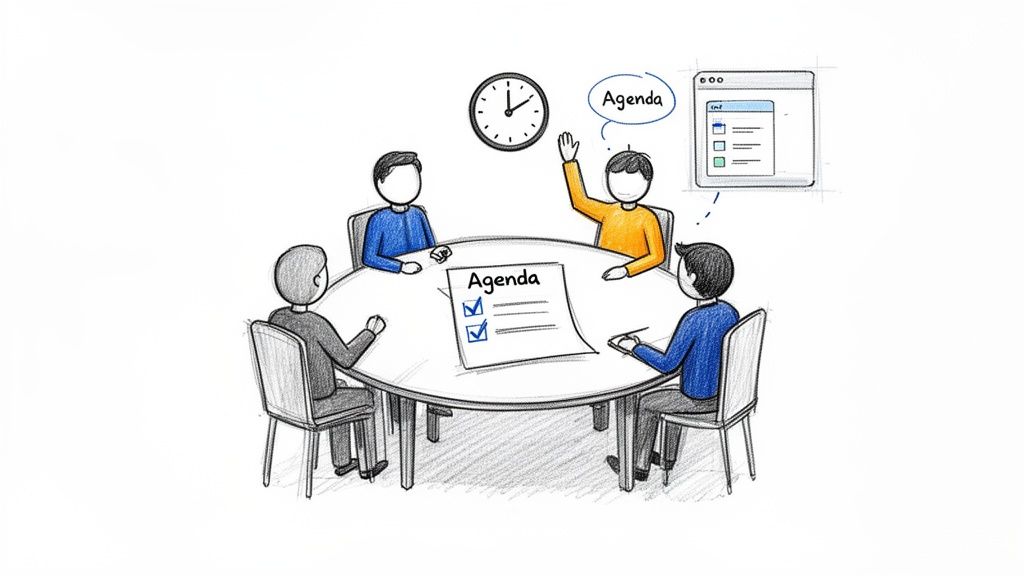
We’ve all been trapped in a meeting that drifts aimlessly with no clear purpose. It’s a frustratingly common experience, and the data backs it up—employees can lose up to 31 hours per month in unproductive meetings. That’s a massive drain on time, energy, and morale.
But it doesn’t have to be this way. With a more intentional approach to planning and running your meetings, you can turn those calendar-clogging sessions into focused, valuable discussions.
Build a Purpose-Driven Agenda
The single most powerful tool for a great meeting is a clear, purpose-driven agenda sent out at least 24 hours in advance. An agenda is more than a list of topics; it’s a roadmap. It tells everyone where you're going and why, allowing them to show up prepared.
A truly effective agenda frames each item as a question to be answered or a decision to be made. This simple shift focuses the conversation on outcomes, not just updates.
Pro Tip: A great agenda tells attendees why they are there and what needs to be accomplished. This simple document is your best defense against pointless meetings.
For example, a content team's agenda item shouldn't just say "Q3 Content Plan." Reframe it as, "Decide: What are the top 3 blog topics for the Q3 content plan?" This instantly turns a passive topic into an active goal, making the entire meeting more productive.
Facilitate an Inclusive Discussion
Once the meeting starts, your role shifts from planner to facilitator. A good facilitator keeps the conversation on track and, crucially, ensures every voice is heard. The goal is to prevent one or two dominant personalities from monopolizing the conversation.
Here are a few practical techniques I've found effective:
- Go Round-Robin: For key decisions, go around the room and ask each person for their thoughts. This creates dedicated space for quieter team members to contribute.
- Use a Shared Doc: Open a collaborative document where attendees can add questions or ideas in real-time. This gives people another way to participate.
- Time-Box Ruthlessly: Assign a specific amount of time to each agenda item and stick to it. This keeps the conversation moving and prevents any single issue from derailing the schedule.
These small adjustments make a huge difference. They ensure decisions are made with input from the entire team, leading to better outcomes and a much stronger sense of inclusion.
Send Actionable Follow-Up Notes
A meeting isn't really over until the follow-up is sent. Your follow-up email should land in everyone’s inbox within a few hours, clearly outlining three things:
- Key Decisions: A quick, bulleted list of the final conclusions.
- Action Items: A clear list of who is doing what.
- Deadlines: The due date for each action item.
This simple format creates a record of accountability and keeps the momentum going. If you want to make your meeting summaries even sharper, give PureWrite a try. Our platform helps refine your notes into crisp, actionable recaps that drive progress and keep your whole team aligned.
Giving and Receiving Feedback That Actually Helps
Feedback is supposed to be the engine of professional growth, but let's be honest—most of us dread it. It’s often delivered so poorly that it feels like a personal attack, or it's so vague it’s useless. If we're serious about getting better at workplace communication, we have to start seeing feedback as a genuine opportunity to develop.
The key is to build a culture where feedback is seen as a gift. This means moving away from empty comments like "This draft needs more work" and adopting a framework that's structured, supportive, and actually useful for content creators and professionals alike.
Start with the Situation-Behavior-Impact (SBI) Model
The best feedback is specific, objective, and focused on actions, not personalities. For this, the Situation-Behavior-Impact (SBI) model is a game-changer. It's a simple but powerful way to deliver feedback that is clear and actionable.
Here’s the breakdown:
- Situation: First, ground the conversation. Describe the specific "when and where."
- Behavior: Next, detail the exact, observable actions.
- Impact: Finally, explain the consequences of that behavior.
This structure removes judgment from the equation and makes it easier for the other person to understand.
Let’s see it in action for a writer. Instead of saying, "Your writing is too academic," which is subjective, try using SBI:
"In the introduction to the latest blog post (Situation), you used several complex sentences and industry jargon (Behavior). The Impact is that our target audience of beginners might find it hard to understand and lose interest before they get to the main points."
This feedback is specific, fair, and opens the door for a productive chat.
Tailor Your Feedback to the Relationship
Giving feedback isn't a one-size-fits-all deal. Your approach has to change depending on whether you're talking to a direct report, a peer, or even your own boss.
- To a Direct Report: Your feedback should feel like coaching. The goal is development and aligning their work with team objectives.
- To a Peer: Frame it collaboratively. Using "we" language works wonders, positioning the feedback as a shared effort to improve a process or outcome.
- To Your Manager: This requires more tact. Focus on how they can better support you, like, "I would find it helpful if we could clarify the brief before I start writing."
No matter who you're talking to, the goal is always to be helpful. Understanding what tone is appropriate in your writing is absolutely critical here.
The Art of Receiving Feedback Gracefully
Giving good feedback is only half the battle. Being able to receive it with an open mind is just as important. When someone offers you feedback, your gut reaction might be to get defensive. Fight that urge.
Instead, practice active listening. Ask clarifying questions to make sure you fully understand. And always thank them for taking the time to share it. Remember, feedback is just data—valuable information you can use to grow. You can discover more insights from this employee communication impact study.
Getting the wording just right can be tough, especially over email or Slack. We built PureWrite to help you polish that message. You can draft your thoughts and use our tools to ensure your tone is constructive and supportive.
Communication Strategies for Remote and Hybrid Teams
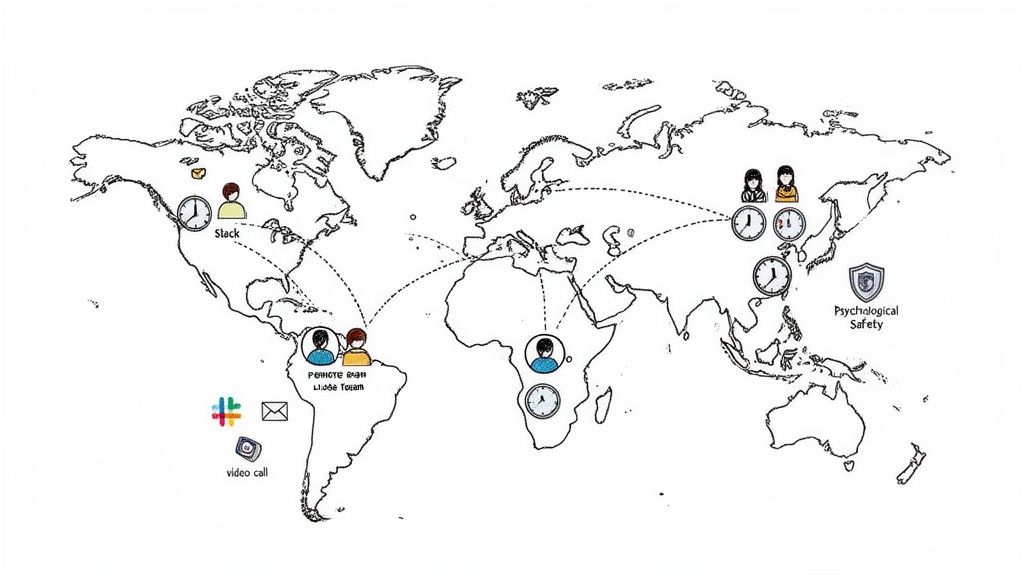
When your team is scattered across different cities, you lose the spontaneous, in-person moments that build connection. This gap makes intentional, well-structured communication an absolute must-have for keeping everyone aligned and engaged.
The real goal here is to recreate that sense of clarity and togetherness, even when you're miles apart. It all comes down to being deliberate about how, when, and where you communicate.
Set Clear Communication Norms
The first thing you need is a clear set of rules for engagement. Think of it as creating a communication playbook for your team. This playbook needs to answer the fundamental questions that, if left unanswered, create friction and kill productivity.
Never assume everyone is on the same page. You have to explicitly define which tools are used for which purposes. This simple act of setting expectations can dramatically cut down on digital noise.
- For Urgent Matters: Define what "urgent" means and create a specific channel for it, like a dedicated Slack channel or a direct message.
- For General Updates: Use a designated channel or email for non-critical announcements and progress reports.
- For In-Depth Discussions: Reserve video calls for complex problem-solving, brainstorming, or big decisions.
Setting these ground rules isn't about micromanaging; it's about creating a predictable environment where people can do their best work.
This approach also helps fight the dreaded "Zoom fatigue." By making video calls more purposeful, you show respect for everyone’s time and energy.
Master Asynchronous Communication
For teams working across different time zones, asynchronous communication is the great equalizer. It’s the simple practice of sending messages without expecting an immediate response. This naturally fosters a more inclusive and flexible work culture.
But mastering this requires a real shift in how you share information. Instead of firing off quick, fragmented messages, you have to provide all the necessary context in a single update. To really nail this, take a look at our guide on how to write professional emails.
Build Rapport from a Distance
One of the biggest hurdles in remote work is building genuine team camaraderie. Without the casual chats that happen organically in an office, you have to get creative and intentional about creating opportunities for connection.
Here are a few practical ways to foster that bond:
- Start meetings with a non-work check-in. Take the first five minutes just to catch up on weekends or hobbies.
- Create a "virtual water cooler." A dedicated Slack channel for non-work chat can work wonders.
- Schedule regular virtual team-building activities. Even a quick online game or a virtual coffee break can make a huge difference.
Building this kind of rapport ensures that when it's time to tackle tough challenges or give constructive feedback, you're doing so from a foundation of trust.
Your Questions on Workplace Communication Answered
It's one thing to talk about communication theory, but putting it into practice is another. To help you bridge that gap, we’ve pulled together some of the most common questions from leaders and teams, along with practical answers.
What’s the Single Most Effective Way to Start Improving Communication?
If you do only one thing, create a team communication charter. This just means getting everyone together to agree on how you'll talk to each other. Which tools do you use for what?
For example, you might decide Slack is for urgent questions, while email is for formal updates. All task-related conversations live in your project management tool, like Asana or Trello. The secret is also agreeing on expected response times, which cuts down on stress and guesswork.
How Can I Encourage Quieter Team Members to Speak Up?
This is a big one. You have to create different ways for people to contribute, because not everyone thrives on speaking up in a crowded meeting.
Start by sending out a detailed agenda with specific questions at least 24 hours before any meeting. This gives more deliberate thinkers space to process and come prepared.
Then, during the meeting, be an active facilitator. You could do a simple round-robin where everyone gets a turn to speak. Another great tactic is to use the chat feature in your video calls for people to type their ideas.
By offering different ways to engage, you signal that all forms of contribution are valued. This small shift fosters a more psychologically safe and inclusive environment.
How Can We Measure if Our Communication Is Actually Improving?
You can't just "feel" your way to better communication; you need to see the results. The best way to track progress is by mixing hard data with human feedback.
On the human side, short, anonymous pulse surveys are your best friend. Ask people to rate team communication on a scale of 1-10. For the hard data, look at metrics like project timelines, employee turnover, and engagement scores.
If you’re looking for a deeper dive, this comprehensive guide on improving communication skills in the workplace is an excellent resource. For dialing in your written messages, our article on email communication best practices has tons of specific tips.
At the end of the day, crafting clear, authentic messages is what it’s all about. Whether you're writing a company-wide announcement or tricky feedback, getting the tone and clarity right is everything. PureWrite helps you turn raw thoughts or AI-generated drafts into polished, professional text that sounds genuinely human. You'll cut through the noise and make sure your message lands exactly as you intended.
Ready to make every message count? Try PureWrite for free and see the difference clear, human communication can make for you and your team.