Best grammar checker software: Compare Top Tools for Flawless Writing
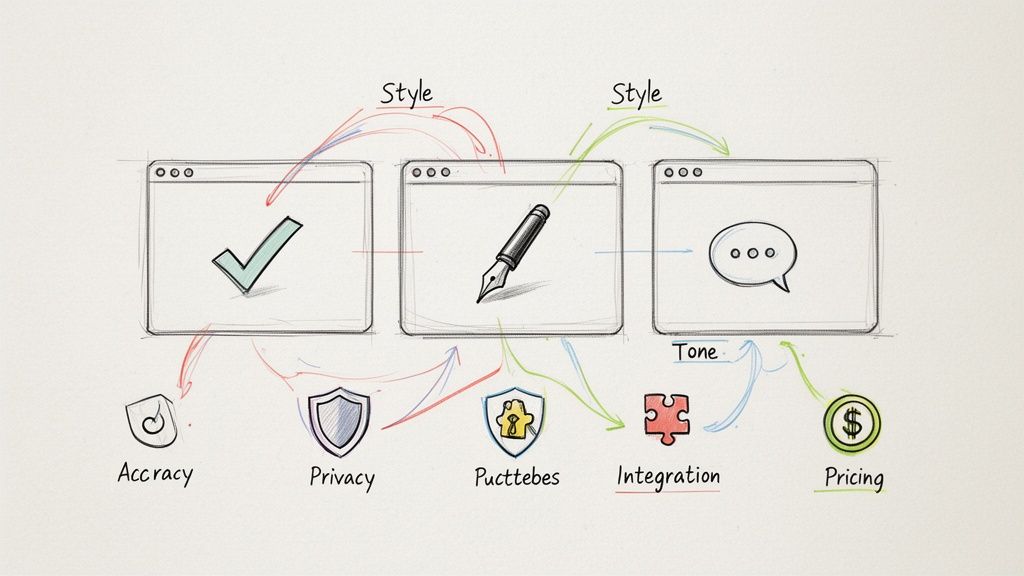
In a world where so much of our communication happens on a screen, finding the best grammar checker software is more than just about avoiding typos. It’s about ensuring your message lands with clarity, precision, and impact. While heavy hitters like Grammarly and ProWritingAid are excellent, the right tool for you depends on your specific goals as a writer.
Choosing the Right Writing Assistant for Your Goals
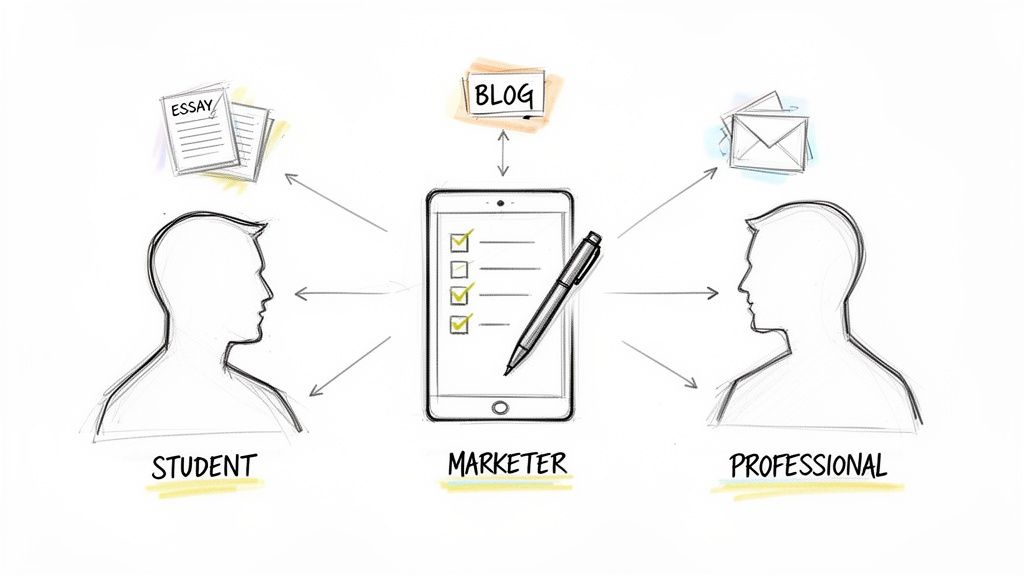
Whether you're polishing a final paper, composing a crucial email, or developing killer marketing copy, a good grammar checker is your secret weapon. But with so many choices, picking the perfect one can feel overwhelming. This guide is here to provide practical, actionable advice to help you cut through the noise.
We’re going to dig into the top contenders, looking at them through the lens of what actually matters to content creators, students, and professionals. You’ll see how to evaluate these tools based on a few key criteria:
- Correction Accuracy: How well does it catch not just obvious typos but also tricky grammar mistakes and complex punctuation issues?
- Contextual Style Suggestions: Does it simply fix errors, or does it help you improve your writing’s flow, clarity, and tone for a specific audience?
- Workflow Integrations: How easily does it plug into the tools you already use every day, like Google Docs, Slack, or WordPress?
We’ll also look beyond simple error correction and explore what it takes to produce writing that sounds genuinely human. This is a vital skill, especially if you're using AI writing tools to create first drafts. For a deeper dive into this part of the process, our guide on editing and revising is a great resource.
Our goal isn't just to find a tool that catches mistakes; it's to find one that helps you become a better, more authentic writer. And if you're working to polish AI-generated text, we hope you'll give PureWrite a try to see how it can help you transform robotic drafts into content that truly resonates.
Why Advanced Grammar Checkers Are Now Essential Tools
Let's face it: the demand for polished, error-free writing is at an all-time high. A simple spell check used to be good enough, but today, advanced grammar checkers are essential for professionals, students, and marketers.
This change was driven by a massive shift in how we work and learn. With the boom in remote work, online classes, and digital content, we're all writing more than ever. This isn't just a trend; it's the new reality of communication.
The Growing Demand for Polished Writing
The numbers back this up. According to one report, the global market for proofreading software, valued at USD 1.65 billion in 2024, is projected to nearly double to USD 3.21 billion by 2032. This growth shows just how much we need tools that help us communicate clearly in a noisy digital world.
But the need goes beyond just fixing typos. A misplaced comma or a clunky sentence can damage the credibility of a great idea. As a content creator, your challenge is to maintain a professional standard in every piece you publish.
The modern challenge isn't just error correction; it's about refining tone, ensuring clarity, and maintaining an authentic voice, especially when polishing AI-generated drafts. A basic spell check is no longer enough for serious writers.
Beyond Correctness to Authenticity
This is particularly true with the explosion of AI writing assistants. These tools can generate drafts in seconds, but they often produce text that feels robotic and lacks the natural flow that connects with a human reader.
This is where an advanced grammar checker becomes indispensable—it helps you refine that raw output. For a refresher on the fundamentals, you might find our guide covering basic grammar rules helpful.
It's no longer just about being grammatically correct. It’s about being understood, persuasive, and authentic. The right software helps you nail all three, making sure your message truly resonates with your audience.
How We Tested: Our Evaluation Framework for Grammar Checkers
Picking the right grammar checker isn't about ticking boxes on a feature list. A tool can promise the world, but its true worth is revealed in your daily writing. We wanted to go beyond marketing claims, so we developed a practical testing framework focused on what actually matters for creators like you.
This isn't just about spotting typos; it’s about finding a writing partner that makes you better. We're pulling back the curtain on our methodology to give you the same lens we used to judge these tools.
Correction Accuracy and Depth
First things first: a grammar checker has to catch mistakes. But we pushed past the basics of spelling and comma placement. Real accuracy is about nuance, like catching tricky subject-verb disagreements or spotting a misplaced modifier that alters the meaning.
We fed each tool a mix of writing samples, including a marketing blog post and a professional email, riddled with both common blunders and complex errors. The best tools didn't just flag an issue; they understood the context and offered corrections that genuinely improved the sentence.
Style and Tone Analysis
Correctness is only half the battle. Effective writing connects with the reader, and that’s where style and tone come in. A huge part of our evaluation focused on how well these tools coach you toward more compelling prose.
We looked for a few key things:
- Clarity and Conciseness: Does it hunt down wordy phrases, passive voice, and unnecessary jargon?
- Tone Detection: Can it tell if you sound confident, friendly, or formal, and suggest tweaks to match your intent?
- Engagement: Does it flag repetitive sentence structures or words you're leaning on too heavily?
A great grammar checker is more than a proofreader—it’s a writing coach. It should offer insights that help you land your message, whether you're crafting a formal business proposal or a casual blog post.
User Experience and Integrations
Even the most powerful tool is worthless if it’s a pain to use. We put a heavy emphasis on user experience, especially how smoothly each platform fits into a real writer's workflow. We’re talking about browser extensions, desktop apps, and solid plugins for Microsoft Word and Google Docs.
A good user experience means suggestions pop up instantly without breaking your creative flow. The interface must be clean and intuitive, letting you accept or ignore a change with a single click. The goal is to speed up your writing, not bog you down.
If you're building a full content creation toolkit, you might also want to check out our guide on the best content optimization tools.
Advanced Capabilities and Overall Value
Finally, we looked at the features that separate the good from the truly great. This included built-in plagiarism checkers, multilingual support, and AI-powered writing assistance that goes beyond simple corrections.
We then weighed all of this against the price tag. Is the subscription justified by the features you actually get? The best grammar checker delivers a real return by saving you time and helping you produce polished, professional-grade content every single time.
Head-to-Head Comparison of Leading Grammar Checkers
To really find the best grammar checker, you have to go beyond feature lists. We put the top contenders—Grammarly, ProWritingAid, and Linguix—through the wringer with real-world writing challenges. By testing them on a blog post snippet and a formal business email, we could see the subtle differences that truly matter.
This hands-on analysis shows how each tool handles specific writing styles. You'll discover which one is best at nailing a professional tone and which offers the most helpful feedback. Our goal is to give you a clear, honest look at their unique strengths and weaknesses.
To keep our evaluation consistent, we focused on the three pillars every writer cares about.
This framework shows we didn't just look for error correction (Accuracy). We also weighed how well each tool improves writing flow (Style) and how easy it is to use (UX). This balanced approach is the only way to find a truly great writing assistant.
Feature Breakdown of Top Grammar Checker Software
This table offers a direct comparison of key features across the most popular grammar checkers, helping you quickly spot the best fit for your needs.
| Feature | Grammarly | ProWritingAid | Linguix | Others |
|---|---|---|---|---|
| Core Grammar/Spelling | Excellent, industry-leading accuracy. | Very strong, with deep grammatical analysis. | Solid and reliable for most use cases. | Varies; often less accurate. |
| Style & Tone Suggestions | Advanced; includes a real-time tone detector. | Extensive; over 20 detailed writing reports. | Good; focuses on clarity and professionalism. | Basic suggestions, if any. |
| Plagiarism Checker | Yes, integrated into Premium plans. | Yes, available as a separate add-on. | Yes, available in higher-tier plans. | Hit-or-miss. |
| AI Writing Features | GrammarlyGO (generative AI assistant). | Yes, "Rephrase" and other AI-powered suggestions. | AI-powered paraphrasing tool is a core feature. | Increasingly common, but quality varies. |
| Team Collaboration | Robust team features and style guides. | Good for teams, with detailed reporting. | Strong focus on team snippets and collaboration. | Often lacks team-specific features. |
| Integrations | Extensive (browsers, MS Office, desktop). | Broad (Scrivener, Google Docs, etc.). | Good (browsers, Google Docs, etc.). | Typically limited to a web editor. |
After breaking down the features, it's clear each tool is built with a different type of writer in mind.
Grammarly: The All-Around Powerhouse
Grammarly has become the go-to for a reason. Its powerful AI and intuitive design have helped it capture a significant share of the grammar checker industry. Its real magic is how effortlessly it works across everything from quick emails to major reports.
In our tests, its browser extension was flawless. For a sample business email, it instantly flagged passive voice and offered a more direct replacement. For example, it changed "The report was completed by the team" to the more active "The team completed the report," making the message stronger.
The only place it stumbled was with a creative blog post, where its suggestions felt a bit too formal. This is a good reminder to be selective with style advice, ensuring your authentic voice shines through.
Key Differentiator: Grammarly's real-time tone detector is its secret weapon. It gives you instant feedback on how your writing sounds (confident, friendly, formal), so you can make sure your message lands exactly as you intend.
ProWritingAid: The Deep-Dive Editor for Serious Writers
If Grammarly is a daily driver, ProWritingAid is a high-performance workshop. This tool is less of a quick spellcheck and more of a complete writing coach. It generates over 20 different writing reports analyzing everything from pacing to clichés.
ProWritingAid absolutely crushed our academic writing test. It moved way beyond simple grammar fixes, highlighting convoluted sentences and suggesting ways to make them clearer. Its "Sticky Sentences" report, for instance, helped us trim unnecessary words like "just," "really," and "in order to" from a dense paragraph.
The trade-off for all that analytical power is a bit of a learning curve, and the interface isn't as slick as Grammarly's. But for authors, academics, and anyone creating long-form content, the insights are second to none.
Linguix: The Multilingual and Team-Focused Contender
Linguix has smartly carved out a space for itself by focusing on team collaboration. Its AI paraphrasing tool is a huge plus, helping you quickly reword sentences for better flow or a different tone.
When we ran our business email through Linguix, it didn't just fix errors—it offered several alternative ways to phrase key sentences. For content creators using AI writing tools, this feature is a great first step toward making robotic text sound more human and authentic.
Its AI detection is also something to keep in mind, especially if originality is a top priority. For a closer look at that technology, our guide on the best AI detectors available today is a great resource. While its core engine isn't as nuanced as Grammarly's for style, its paraphrasing and team features make it a fantastic choice.
The Verdict: Choosing Based on Your Needs
So, what's the final call? It really comes down to what you write day in and day out.
- For everyday writing and professional communication, Grammarly is the undisputed champion. It's easy, reliable, and its context-aware suggestions make it the perfect co-pilot.
- For long-form writers and academics, ProWritingAid offers superior depth. If you’re serious about improving your craft, its detailed reports are priceless.
- For teams and professionals, Linguix provides unique value. Its paraphrasing tool and collaboration features solve problems the others don't.
Ultimately, the right tool should feel like an extension of your own writing process. If you're working with AI-generated drafts, remember that a grammar check is only the beginning. For content that truly connects, we encourage you to try PureWrite to humanize your text and give it an authentic voice.
Which Grammar Checker Is Right for You?
Choosing the "best" grammar checker isn't about finding a single winner. It's about finding the right fit for your specific work. The tool a content marketer needs is different from what an academic researcher requires.
This is where we get practical. We’ve broken down our top picks for four different kinds of writers. These recommendations are based on real-world scenarios to help you pick a tool with confidence.
For Content Marketers and SEO Teams
If you're creating content designed to rank on Google, you need more than a spell-checker. You need smooth integrations, solid plagiarism detection, and features that maintain a consistent brand voice.
This is where Grammarly Business pulls ahead. Its integrations with Google Docs and WordPress are practically flawless. The built-in plagiarism checker is also a non-negotiable for anyone serious about SEO and content originality.
The real game-changer for marketing teams is the Style Guide. You can set up your brand’s specific tone, voice, and even unique terminology. This ensures every piece of content is perfectly on-brand, no matter who wrote it.
For teams producing content at scale, this consistency is invaluable. It transforms the grammar checker into a guardian of your brand identity.
For Students and Academics
Academic writing demands precision, a formal tone, and strict adherence to citation standards. A student or researcher needs a tool that understands the unique conventions of scholarly work.
For this kind of writing, ProWritingAid is the clear frontrunner. Its detailed reports on sentence structure and readability are perfect for refining dense academic prose. It helps you untangle convoluted sentences without watering down technical accuracy.
What seals the deal is its integration with Scrivener, making it a favorite for anyone writing a thesis. It also checks for consistency in citation styles like APA or MLA—a small detail that can have a huge impact.
For Non-Native English Speakers
If you're writing in a second language, a grammar checker needs to be more of a teacher than a critic. The point isn't just to fix an error, but to understand why it was an error.
Linguix really excels here. While many tools just offer a one-click fix, Linguix often suggests alternative ways to phrase things. Its AI paraphrasing feature is especially helpful for picking up the nuances of idiomatic English.
This educational approach helps you develop a better intuitive feel for the language, turning every writing task into a quick learning moment.
For Business Professionals
In the corporate world, clear communication is everything. Whether you're sending a client email or drafting a proposal, your writing must be polished and direct. The right tool needs to slide into your workflow and help you communicate faster.
Grammarly is a strong choice, but Linguix’s team features give it a unique edge for business collaboration. The "Snippets" feature is a standout, allowing teams to create and share pre-written templates for common messages, like customer service replies.
This simple feature saves a ton of time and ensures everyone communicates with a consistent, professional voice. It helps you communicate better and polishes your professional image with every word.
Beyond Grammar Correction: The Need for AI Text Humanization
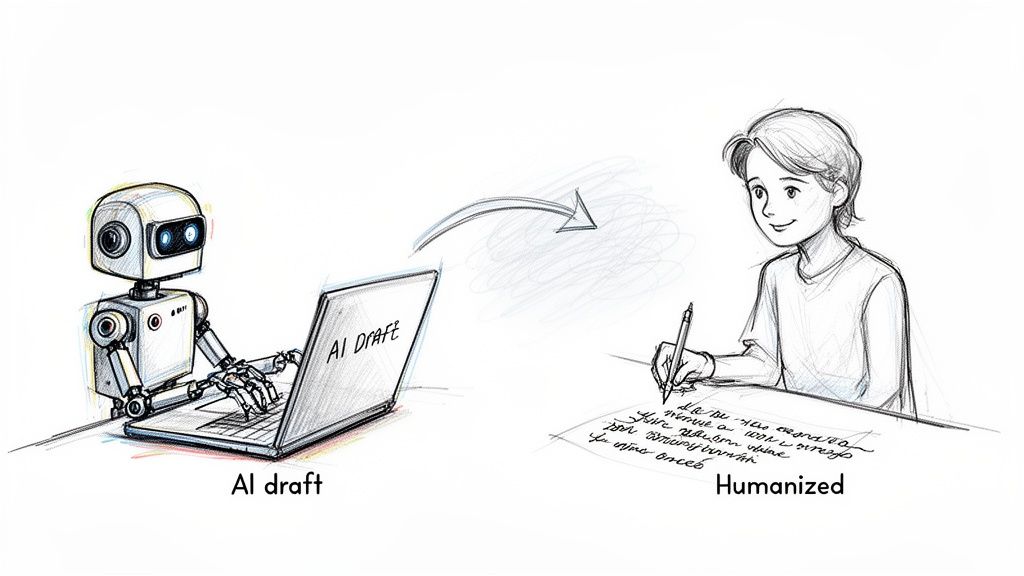
Let's be honest: clean grammar is just the starting line these days. In a world flooded with AI-generated drafts, being error-free isn’t enough to connect with people. Readers and search algorithms are getting smarter at sniffing out content that feels robotic.
This is where the real evolution in writing tools is happening. While the best grammar checker software is essential for technical details, a new kind of tool is needed to solve a more nuanced problem: making your writing sound authentic.
Grammar Checkers vs. AI Humanizers
It’s crucial to understand the difference, because each tool plays a specific role. A grammar checker is your digital proofreader, programmed to find rule-based mistakes.
- It’s all about correctness: It catches typos, fixes punctuation, and corrects grammar.
- It enforces the rules: Think subject-verb agreement and proper sentence construction.
- It provides a technical polish: It makes sure your writing meets established standards.
An AI humanizer, on the other hand, is more like a skilled editor. Its job isn't just to fix errors, but to improve the feel and quality of the writing itself.
- It focuses on authenticity: It smooths out the awkward phrasing that screams "AI-written."
- It improves readability: It makes the text flow naturally, keeping your reader engaged.
- It helps preserve your voice: It allows you to refine AI-generated ideas without stripping them of your unique style.
If you’re curious about the technology behind this, understanding what GPT stands for provides context for how these systems mimic human language.
The real challenge for writers today isn’t just avoiding mistakes; it’s making sure AI-assisted content actually connects with an audience. A grammar checker makes you sound correct. A humanizer makes you sound like you.
The Ethical Way to Use AI in Writing
The most effective and ethical way to use AI is to treat it as an assistant, not a ghostwriter. An AI draft is just the raw material. It’s up to you, the writer, to shape it into something meaningful and unique.
We built PureWrite for that specific, crucial step. It’s designed to take grammatically perfect but lifeless AI text and inject it with personality and flow. Our platform helps you sharpen clarity and ensure the final piece reflects your authentic voice. For more practical tips, check out our guide on how to humanize AI text.
Ultimately, you need content that is both error-free and genuinely engaging. A great grammar checker is a non-negotiable, but it no longer tells the whole story. Try PureWrite for free and see how our AI humanizer can take your writing from merely correct to truly compelling.
Frequently Asked Questions
It's normal to have questions when you're trying to find the right writing tool. Let's clear up a few of the most common ones so you can pick the best grammar checker with confidence.
Is a Free Grammar Checker Good Enough?
For casual writing, a free grammar checker is a solid choice. They're great at catching basic spelling errors and punctuation mistakes.
But if you're a professional, student, or content creator, investing in a premium version is a smart move. Paid tools unlock advanced suggestions on style and tone, plagiarism detection, and insights that make your writing more powerful.
Can Grammar Checkers Replace a Human Proofreader?
The short answer is no. While the best grammar checkers are incredibly sophisticated, they can't fully replicate the intuition of a human proofreader. These tools are your first line of defense for cleaning up a draft.
A human editor, however, understands context, audience, and brand voice on a deeper level. For your most important documents—like a thesis or key business proposal—we recommend using a grammar checker first, then having a human review it.
How Does a Grammar Checker Differ From an AI Humanizer?
This is a really important distinction for today's writers. A grammar checker’s main job is correctness. It finds and fixes mistakes in grammar, spelling, and punctuation.
An AI text humanizer, like PureWrite, is all about authenticity and readability. It takes text that might be grammatically perfect—often written by an AI—and tweaks it to sound more natural and human, removing that stiff, robotic feel.
Here's a simple way to think about it: A grammar checker makes sure your writing is technically right. A humanizer makes sure it connects with your reader.
For the best possible outcome, we suggest a three-step workflow:
- Use an AI writer to generate the first draft ethically.
- Use PureWrite to humanize the text and give it an authentic voice.
- Run a final pass with a grammar checker for a flawless polish.
Ready to go beyond just being correct and start creating content that actually resonates? PureWrite transforms robotic AI drafts into authentic, engaging writing that connects with your audience. Try PureWrite for free today and feel the difference.