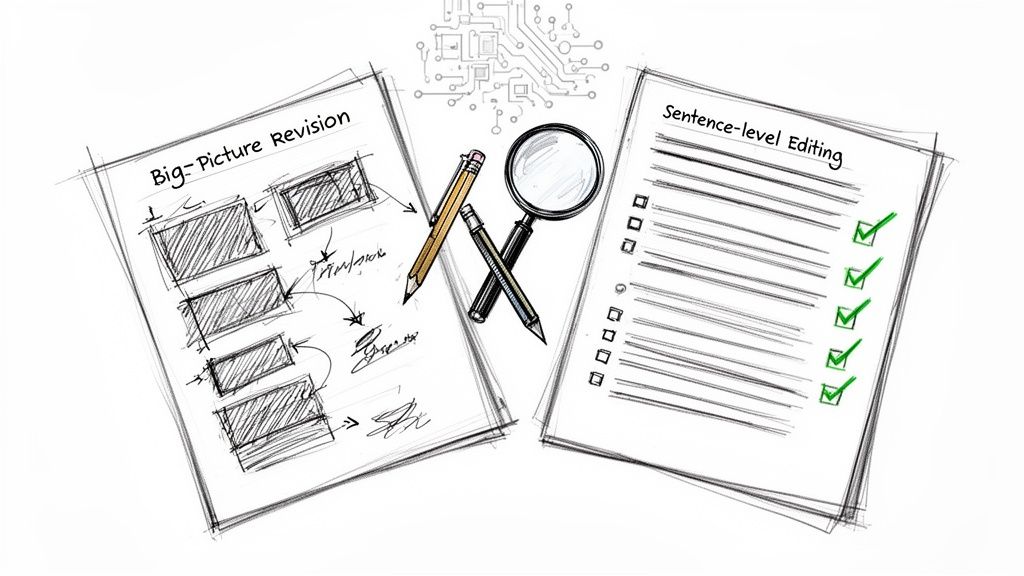
Let's clear up a common misconception: editing and revising are not the same thing. Many writers, both new and experienced, get tangled up trying to do both at once. The secret to a smoother, more effective workflow is understanding they are two very different jobs.
Revising is all about the big picture. It's where you look at your content's structure, argument, and overall flow. Editing, on the other hand, zooms in on the details—grammar, word choice, and the polish of each sentence. When you separate these stages, you stop wasting time perfecting a sentence you might delete anyway.
The Real Difference Between Editing and Revising
Think of yourself as a home builder. The revision stage is your architectural review. You walk through the frame of the house, checking the foundation and ensuring the layout makes sense for the people who will live there. You aren't worried about paint colors yet; you're asking big-picture questions:
- Does this floor plan actually work?
- Is the foundation solid and logical?
- Can people move easily from one room to the next?
Once you’re happy with the structure, you move on to editing. This is the interior design phase. Now's the time to pick the perfect shade of paint (word choice), install the light fixtures (punctuation), and fix any faulty wiring (grammar). You’re polishing what’s already there to make it beautiful and functional.
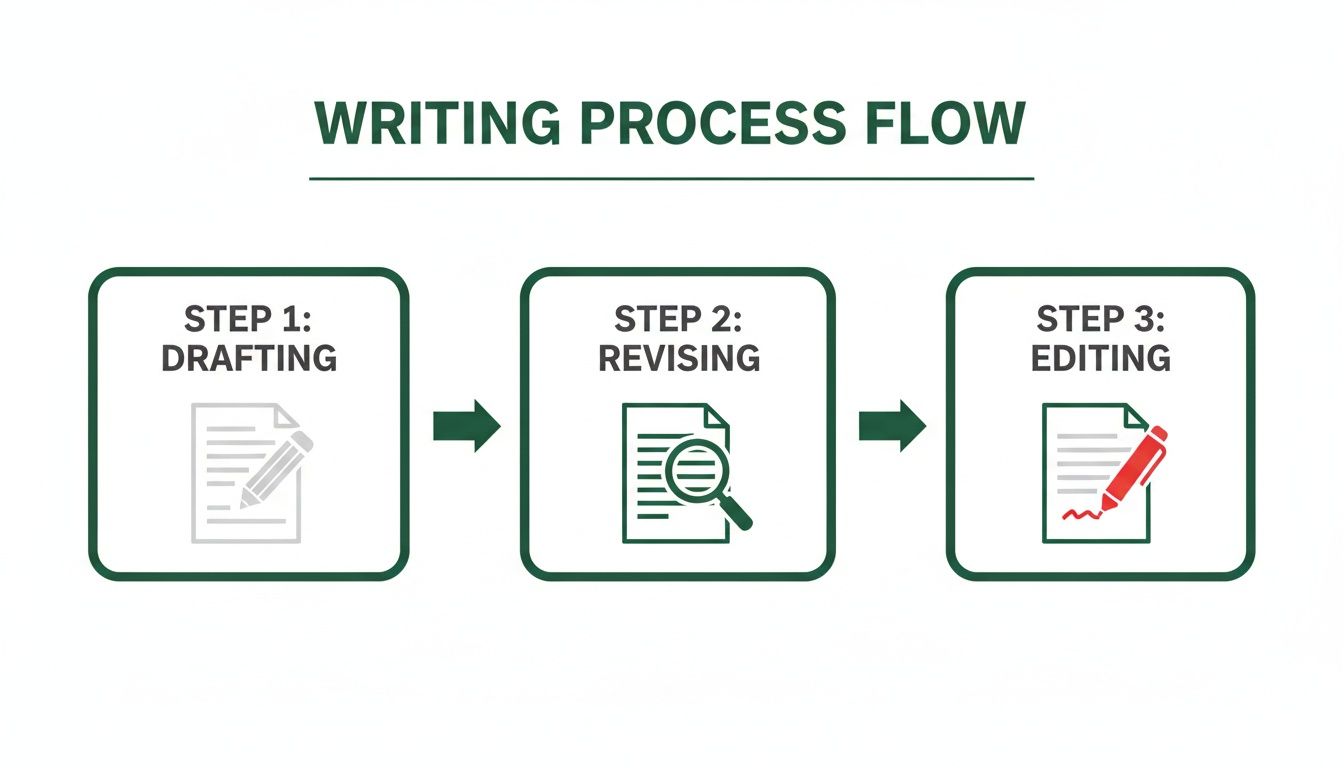
From Blueprint to Polish
A great piece of writing always moves from a bird's-eye view down to the granular details. During revision, you’re making macro-level changes. For example, you might realize your conclusion works better as an introduction, or that a key argument needs stronger evidence to be convincing. This is all about the what and the why of your content.
Editing is where you refine the how. It’s about making your language clear and engaging. You’ll hunt down awkward phrases, check for a consistent tone, and ensure every sentence is concise. This often includes tasks like proofreading, but it's more involved. We get into the nitty-gritty in our guide on the differences between copy editing and proofreading.
For a quick reference, here's a simple table to help you keep the two stages straight.
Editing vs Revising: A Quick Reference
| Stage | Primary Goal | Focus Area (Macro vs. Micro) | Key Question To Ask |
|---|---|---|---|
| Revising | Strengthen the core message, argument, and structure. | Macro (Big Picture) | "Is my argument clear, logical, and well-supported?" |
| Editing | Improve clarity, readability, and correctness. | Micro (Sentence-Level) | "Is this sentence as clear and concise as it can be?" |
Keeping this distinction in mind is the key to an efficient workflow that produces genuinely great content for your audience.
Why This Distinction Matters
When you separate these tasks, you avoid the classic "revision trap"—endlessly tweaking words in a paragraph that has a fundamental flaw in its logic. It's a real time-saver, and it leads to a much stronger final product.
The need for this clarity is bigger than ever. With the rise of AI writing tools, the initial draft is often grammatically sound but lacks strategic direction. A recent study shows that over 70% of marketers are using AI for content creation, making human-led revision more critical than ever to stand out.
By focusing on the big picture first, you ensure that the time you spend on sentence-level polishing is invested in content that is already strong, clear, and purposeful.
This is especially critical if you're working with AI writing tools. An AI can generate a clean draft, but it almost always needs a human to revise it for strategic goals and authentic voice. At PureWrite, we always recommend you do the human-led work of revising first, then use our tools to help humanize and polish the text during the editing phase.
Mastering Big Picture Revisions
So, you’ve finished your first draft. That's a huge step. The urge to jump right in and start fixing typos is strong, but hold on. Before you get lost in the weeds of comma placement, you need to look at the big picture.
This is the revision stage, and it’s all about making sure the core of your content is strong, logical, and actually makes sense to your reader. It's about the foundation, not the paint job.
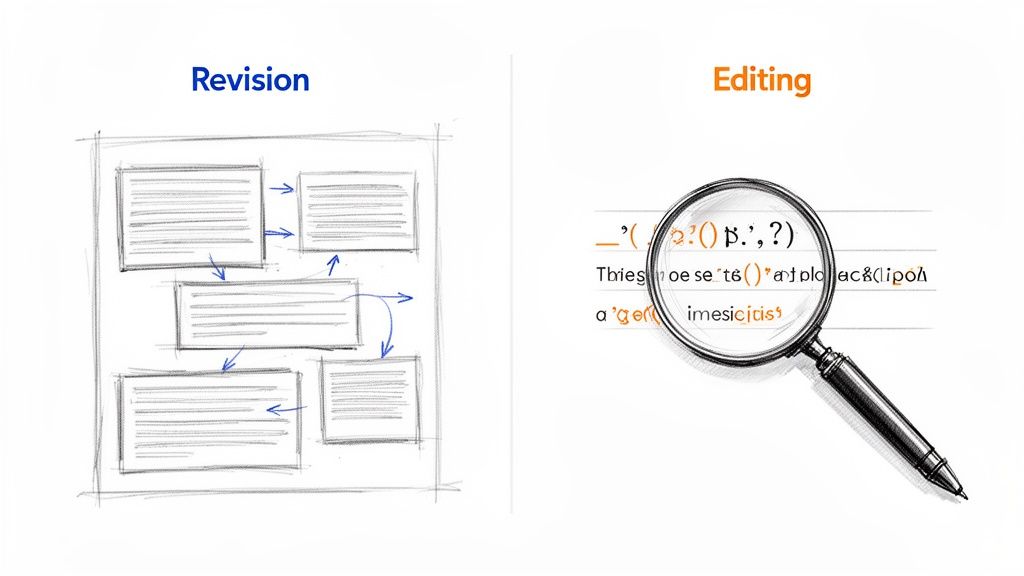
One of the best ways to do this is with a reverse outline. Instead of creating a plan before you write, you create an outline from the draft you just finished. This gives you an invaluable bird's-eye view of your content's skeleton.
This technique is a game-changer for spotting awkward transitions, repetitive points, or entire sections that don't belong. It's a critical part of a solid writing workflow, helping you turn a messy draft into something with purpose and flow. For a deeper dive, check out our guide on the 5 steps of the writing process.
Building Your Reverse Outline
Creating a reverse outline is surprisingly simple for how powerful it is. Just go through your draft, paragraph by paragraph, and write down the main idea of each one. A single sentence or a quick bullet point is all you need.
Once you have this list, you can see your content’s structure without being distracted by your own prose. Now you can ask the really tough questions:
- Does the order make sense? Would the whole piece be stronger if you moved that point from the end to the beginning?
- Are there any logical gaps? Do your ideas connect smoothly, or are you forcing the reader to jump across a canyon to follow you?
- Is every paragraph pulling its weight? Does each point really support your main argument, or have you gone off on a tangent?
This is where you spot the structural problems that are almost impossible to see when you're just reading through the text. It forces you to defend why every single section deserves to be there.
The whole point of big-picture revision is to ensure every piece of your content has a job to do. If a paragraph isn't moving your argument forward or helping the reader, it needs to be cut or completely rethought.
Sharpening Your Core Argument
With your reverse outline as your map, you can now focus on your central message. Your main point needs to be crystal clear and consistently supported from start to finish. Ask yourself one simple question: "What is the one thing I want my reader to walk away knowing?"
If you can't answer that immediately, your argument is too fuzzy. For a marketer, this might mean rewriting an introduction to state the key benefit more boldly. For a student, it could mean weaving in stronger evidence to back up a thesis statement.
This is all about turning vague descriptions into powerful statements. Think about the difference between just listing job duties and learning strategies for writing impactful achievements on a resume. Every sentence should be building your case, not just taking up space.
Your Big Picture Revision Checklist
Before you even think about moving on to the sentence-level stuff, run your draft through this final macro-level checklist. This is your last chance to make the foundational changes that will have the biggest impact.
- Clarity of Purpose: Is the main takeaway obvious right from the start?
- Logical Flow: Does each section build on the one before it to create a cohesive argument?
- Audience Value: Does this content actually solve a problem or answer a question for your intended reader?
- Supporting Evidence: Are your big claims backed up with credible examples, data, or proof?
- Structural Integrity: Have you ruthlessly cut any sections that don't directly serve the core message?
Answering these questions honestly is the hardest—and most important—part of the whole process. Getting the big picture right is what separates decent content from truly memorable work. This is especially true if you're working with AI-generated text; this strategic, human-led revision is non-negotiable.
Perfecting Your Prose With Sentence-Level Editing
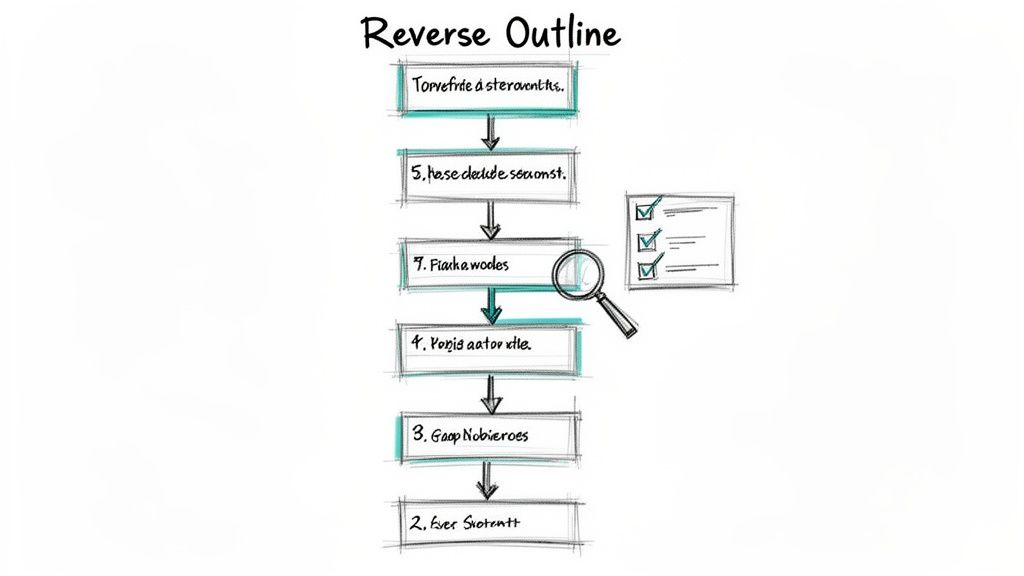
With your big-picture revisions handled and your content's foundation solid, it's time to pull out the magnifying glass. We're shifting from the macro to the micro, focusing on the sentence level. This is where you roll up your sleeves and transform clear ideas into compelling prose, polishing every line until it shines.
This is the fine-tuning stage—the detailed work that separates good content from great content. You're now on the hunt for anything that might make a reader stumble, from awkward phrasing and clunky sentences to needless jargon. It's all about making the writing not just understandable, but a genuine pleasure to read.
Sharpening Every Sentence
At this stage, every single word needs to earn its place. That means being ruthless with redundancy and fluff. If a word or phrase isn’t adding real value, it gets cut.
Look at the difference here:
- Before: “In order to be successful, it is absolutely essential for you to make a decision to eliminate any and all uses of completely unnecessary words from your writing.” (29 words)
- After: “To succeed, eliminate unnecessary words from your writing.” (8 words)
The "after" version is punchy, direct, and far more powerful. It delivers the same message without making the reader wade through verbal clutter. That's your goal.
The best editing makes your writing feel effortless for the reader. It removes friction, allowing your message to shine through without distraction.
This meticulous work is precisely why the writing enhancement software market, valued at USD 320.0 million in 2023, is projected to soar to nearly USD 600.7 million by 2033. As writers demand more sophisticated tools, the technology is evolving beyond simple grammar checks. You can dig into more insights about the growth of AI-powered writing tools on Market.us.
Practical Techniques for Polishing Prose
To do this right, you have to mentally detach from your draft and approach it with a fresh, critical eye—a reader's eye. Here are a few tried-and-true techniques we use to spot areas for improvement.
Read Your Work Aloud: This is, without a doubt, the most effective trick in any editor's toolkit. Your ears will catch what your eyes miss every time—awkward rhythms, clunky transitions, and repetitive words. If it sounds strange when you say it, it will feel strange when they read it.
Hunt for Passive Voice: Active voice is almost always more direct and engaging. Instead of writing, "The report was written by the team," flip it to, "The team wrote the report." It immediately feels more energetic.
Vary Your Sentence Structure: A long string of short, simple sentences can sound robotic. On the other hand, too many long, complex ones can exhaust your reader. Aim for a healthy rhythm by mixing short, punchy statements with longer sentences. We've got a full guide on how to vary sentence structure if you want to dive deeper.
Simplify Your Language: Unless your audience is highly technical, swap complex words and jargon for simpler alternatives. Why say "utilize" when "use" works perfectly? Clarity trumps complexity, always.
Refining Your Tone and Voice
Editing is also your final chance to make sure your tone is consistent and, most importantly, authentic. This is a big one, especially if you're working with AI-generated text that often starts out sounding a bit generic or stiff. As you edit, keep asking yourself: Does this actually sound like me (or my brand)?
This is where a tool like PureWrite can become an indispensable partner. After you've sorted out the big structural issues, our tool helps you humanize the text line by line. We focus on refining the tone, improving readability, and ensuring your unique voice comes through loud and clear. It’s an easy way to close the gap between a functional first draft and a polished piece of content that truly connects.
Ready to make your text more human? Try PureWrite for free and see the difference.
Using AI as Your Editing Co-Pilot
Let's be honest, AI tools are no longer a novelty—they're a staple in the modern content creator's workflow. The key is to think of them as an intelligent co-pilot, not an autopilot. When you bring AI into your editing and revising process the right way, you can sharpen your unique voice and save time without your writing sounding robotic.
We like to use AI as a first-pass editor. It’s fantastic at the tedious stuff—scanning for sneaky grammar mistakes, pointing out repetitive words, and suggesting cleaner sentence structures. This frees you up to focus on the strategic work that makes your content memorable.
The right tools highlight potential trouble spots, giving you a fresh perspective on your own writing. It’s all about augmenting your critical thinking, not replacing it.
Ethical AI Usage in Your Workflow
The explosion of AI has kicked off crucial conversations about originality and authenticity. The line is simple: use AI to enhance your own ideas, not to sidestep the creative process entirely. Your stories, your insights, and your unique point of view are what make your writing valuable. No algorithm can replicate that.
Whenever an AI suggests a change, always pause and ask yourself a few questions:
- Does this actually make my point stronger?
- Does it still sound like my authentic voice?
- Is this truly my work, just polished?
This ethical mindset is crucial for keeping your writing authentic. The goal is to be transparent about your process and to always add significant human value to any AI-generated starting point.
The goal isn't to create content that passes AI detection; it's to create content that is genuinely human. Use AI to handle the mechanics so you can perfect the heart and soul of your writing.
Humanizing AI Content with PureWrite
Even the best AI can produce text that feels... well, robotic. It might be grammatically perfect, but it's often stiff, generic, and lacks personality. This is where an AI text humanizer becomes your secret weapon. Think of it as the final step that breathes life back into a technically correct draft.
After getting a first draft from an AI assistant, you might notice the rhythm is off or the language is bland. That’s your cue to run it through PureWrite. Our platform is built to analyze that machine-generated text and tweak it to sound like a real person wrote it. We smooth out the awkward phrasing and adjust the tone, allowing your authentic voice to take center stage. You can learn more in our guide to using an AI text enhancer.
This idea of refining AI output isn't just for writers. The same principle applies across creative fields. For example, if you're working with video content, you'll find similar tools among these top AI video editor picks. No matter the medium, the human touch is what makes the final product stand out.
When you adopt this co-pilot model, you get the best of both worlds: AI's efficiency paired with the creativity and nuance that only you can provide. It's a smarter, more ethical way to create great content.
The Final Polish: Your Proofreading Checklist
You've wrestled with the big picture and fine-tuned every sentence. Now for the final pass—the one that separates the pros from the amateurs. Proofreading is your last line of defense against those tiny, nagging errors that can instantly undercut your authority.
Don't mistake this for a quick skim. By this point, you're so familiar with your own writing that your brain will literally autocorrect mistakes as you read. To catch what's actually on the page, you have to trick your mind into seeing the text with fresh eyes.
See Your Words in a New Light
The whole point of proofreading is to break your familiarity with the text. This forces you to slow down and see what you actually wrote, not what you meant to write.
Here are a few simple but incredibly effective ways to do just that:
- Change the scenery. Copy and paste your draft into a different program, like a plain text editor, or just change the font and size. This small visual jolt is often all it takes to make the text feel unfamiliar again.
- Read it backward. Seriously. Start with the last sentence and work your way to the top. This shatters the narrative flow, forcing your brain to focus on the mechanics of each sentence in isolation.
- Let a robot read it to you. Use your computer’s text-to-speech feature. Your ears will catch things your eyes have glazed over a dozen times, like missing words, clunky phrasing, or typos.
Our best advice? Step away from the draft for at least a few hours, but ideally a full day. This mental distance is the single most powerful tool you have for spotting mistakes that were invisible before.
Your Final Proofreading Gauntlet
Before you even think about hitting "publish," run your work through one last, methodical check. This isn't just about finding typos; it's about ensuring a polished and professional experience for your reader from the first word to the last.
The Ultimate Proofreading Checklist
Think of this as your final quality control. We go through this exact process every single time.
| Category | Checks to Perform |
|---|---|
| Words & Punctuation | Hunt for spelling errors, grammar slips (like subject-verb agreement), and pesky punctuation mistakes (especially commas and apostrophes). |
| Consistency | Are your headings capitalized the same way? Are you using "e-book" in one place and "ebook" in another? Are all brand names spelled and capitalized correctly? |
| Formatting | Double-check that all headings are structured properly (H2s, H3s), bullet points are aligned, and there are no weird spacing issues or awkward line breaks. |
| Links & Media | Click every single link. Make sure they all work and point to the right destination. Check that all your images and videos load perfectly. |
Going through this checklist is the final act of quality control. It shows respect for your reader's time. While tools can catch a lot, that final human pass is what makes the difference. At PureWrite, we suggest using our tool to polish the text during the editing stage, but a focused proofread from a real person is what truly seals the deal.
Got Questions About Editing and Revising? We've Got Answers.
Even with a solid plan, a few tricky questions always pop up during the editing and revising process. Let's tackle some of the most common ones we hear from content creators and students.
How Long Should I Wait Before Editing My First Draft?
The sweet spot? At least 24 hours. If you're really pressed for time, even just a few hours can work wonders.
This isn't just about taking a break; it's a strategic move to create mental distance. You need to switch from "creator mode" to "critic mode," and that's nearly impossible when the words are still fresh. Coming back with "fresh eyes" lets you see the draft for what it is, not just what you intended it to be.
What’s the Best Way to Handle Feedback From Others?
Getting feedback is one of the fastest ways to improve, but it can be tough. The first rule is simple: listen. Don't jump to defend your work, even if a comment stings. Just absorb it.
Once you have the feedback, a great next step is to sort it into buckets. This helps you figure out where to focus your energy:
- Big Picture Problems: Comments about the main idea, argument, or structure? That's revision feedback.
- Clarity & Flow Issues: Are they confused by a sentence or feel a paragraph is clunky? That’s editing feedback.
- Minor Fixes: Simple typos, grammar mistakes, or formatting errors? That's proofreading feedback.
Remember, you don't have to take every single suggestion. The real gold is in understanding why someone gave that feedback. If a reader got lost in a certain section, it’s a clear sign that something needs to change, even if you come up with a different solution than they suggested.
Can AI Tools Replace a Human Editor?
Not a chance. Think of AI tools as incredibly efficient assistants, not as a replacement for a human's strategic mind. Here at PureWrite, we build our tools to be the perfect co-pilot for your writing process.
AI excels at the small stuff—catching that pesky grammar error, suggesting a more powerful verb, or rephrasing an awkward sentence. Our tools can even help humanize AI-generated text to give it a more natural, authentic feel.
What they can't do is understand your brand's unique voice, the strategic goal of your article, or the subtle nuance needed to connect with your specific audience. That’s your job. Use AI to handle the tedious mechanical work so you can pour your energy into the high-impact revisions that truly matter.
One of the biggest questions people have is whether using AI tools will get their content flagged. The reality is, the reliability of AI detectors is all over the map. Instead of worrying about "beating the detector," your goal should be to create genuinely valuable, human-sounding content. You can dive deeper into our analysis of whether AI detectors are accurate.
The best workflow is a partnership. Let AI handle the grunt work, and you focus on the heart and soul of the piece. That's how you end up with something that's both polished and powerful.
Ready to turn your AI-assisted drafts into content that truly connects? Try PureWrite today. See how our AI text humanizer can elevate your writing and help you find the perfect balance between AI efficiency and your unique human voice. Start humanizing your content for free at https://purewrite.io.