A Practical Guide to Cite a Website in MLA Format
Properly citing a website in MLA format typically starts with the author's last name, the article title in quotes, and the website name in italics. This structure is a clear roadmap for your reader, showing them the original source and building your credibility.
As content creators, students, and professionals, it's essential to get this right. We'll guide you through the process, making it simple and straightforward.
Why Bother with Accurate MLA Website Citations?
In a world overflowing with online information, knowing how to cite a website in MLA format is a non-negotiable skill. It isn't just about following rules; it's about building trust with your audience and giving credit where it's due. When you cite your sources correctly, your arguments gain immediate weight and authority.
This skill has become even more critical as we all rely more on digital sources. In fact, MLA is the second most popular citation style, with over 70% of humanities scholars using it. This rise in popularity mirrors a massive 300% jump in online academic publications over the last ten years, making proper citation more important than ever. Here's a powerful stat: proper MLA citations can cut down plagiarism flags in academic software by as much as 85%.
The Core of Academic Integrity
Let's be direct: citing your sources is the bedrock of academic integrity. When you give credit to the original author, you join an honest, ongoing conversation with other creators and researchers. This shows respect for their work and, just as importantly, shields your own from any hint of plagiarism.
This ethical standard also applies to new technologies like AI. AI writing tools can be fantastic for brainstorming or research, but the final piece of writing has to be authentically yours. At PureWrite, we believe it's about using technology to sharpen your own thinking, not replace it.
Building Your Credibility
A clean, well-organized Works Cited page is more than a list—it's a testament to your thoroughness. When your audience sees that you’ve carefully documented your research, they’re far more likely to trust what you have to say. This holds true whether you're writing a blog post, a term paper, or a business report.
Think of it this way: a proper citation tells your reader that your work isn't just an opinion—it's an argument built on a foundation of solid, verifiable evidence.
Ultimately, mastering MLA citations is a skill that will serve you well for years. It ensures your work is clear, ethical, and, above all, credible.
Crafting Your Works Cited Entry From Scratch
Putting together a perfect MLA website citation can feel like a puzzle at first. But once you understand the core components and where they fit, the process becomes second nature. We'll walk you through the nine key elements of a standard Works Cited entry, showing you exactly what to look for.
A huge chunk of modern research happens online. The shift is stark: back in 2010, web sources made up about 35% of citations in MLA papers. By 2016, that number had jumped to 65%. This isn't just an academic trend, either. A Gartner report found that 78% of executives place more trust in documents that are properly sourced. For a deeper dive, Purdue OWL's guide is an excellent resource.
This entire process is about building credibility with your audience. The path from finding a source to citing it correctly makes your work transparent and trustworthy.
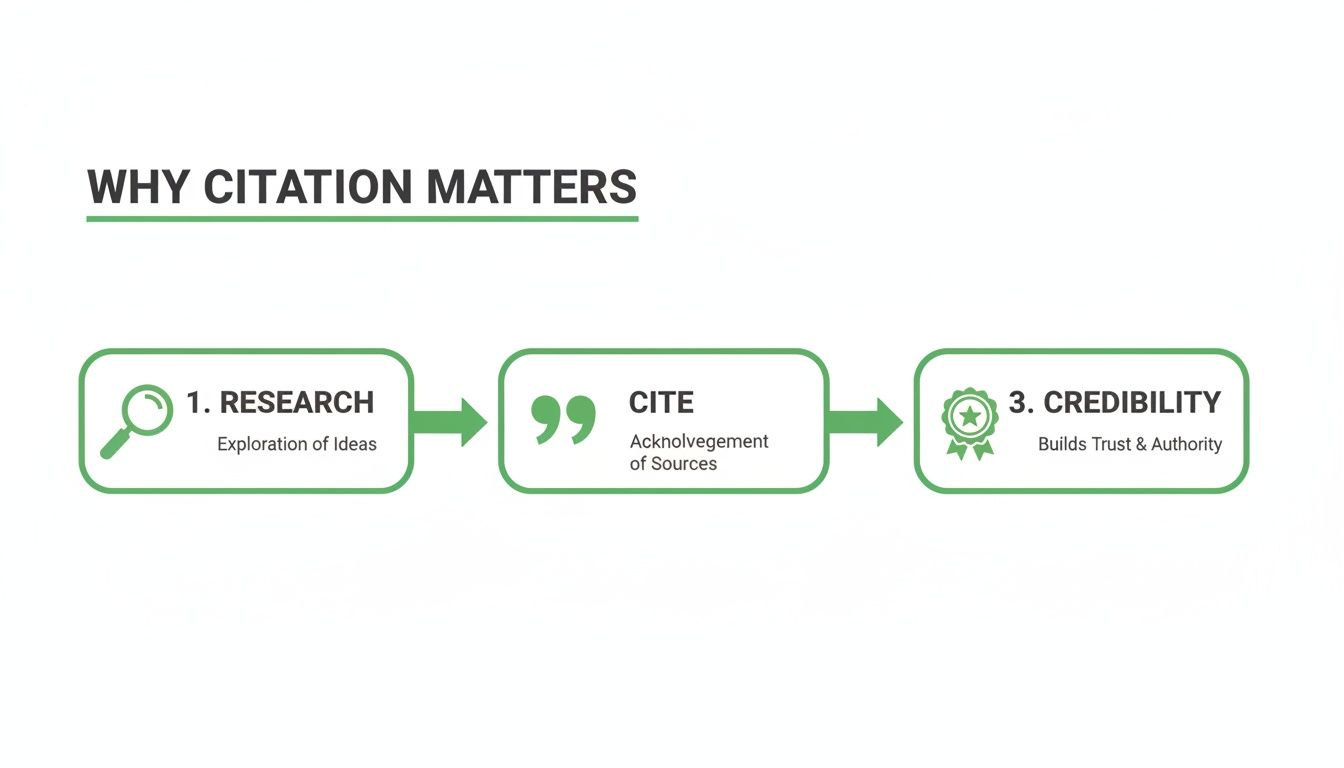
Let's break down how to find and format each element of your citation. Think of this as your checklist for every source you use.
The 9 Core Components of an MLA Website Citation
The MLA 9th edition uses a flexible "container" system to handle the various types of sources you find online. The basic idea is that your source (like an article) is held within a larger container (the website).
Here's a table that breaks down each piece you'll need, what it is, and what it looks like in practice.
| MLA Element | What to Look For | Formatting Example |
|---|---|---|
| Author | The person or people who wrote the content. Look for a byline. | Smith, John. |
| "Title of Source" | The specific article or page title. | "The Hidden Benefits of Daily Journaling." |
| Title of Container | The name of the overall website. | Psychology Today, |
| Other contributors | Editors, translators, etc. (Not always applicable for websites). | N/A |
| Version | Edition or version number (e.g., King James Version). Rare for websites. | N/A |
| Number | Volume and issue numbers (for online journals). | vol. 12, no. 4, |
| Publisher | The organization that owns or sponsors the site. | Sussex Publishers, |
| Publication date | The date the article was published. | 15 Mar. 2023, |
| Location | The URL where you found the source. | www.psychologytoday.com/us/blog/the-power-of-rest/202303/the-hidden-benefits-of-daily-journaling. |
Committing this basic order to memory—Author, "Source," Container, Publisher, Date, Location—is the key. It makes citing almost any website feel automatic.
A Closer Look at the Key Pieces
Finding the Author
First, look for the author's name, usually right under the headline or at the very end of the article. Format it as Last Name, First Name.
If you have two authors, list them in the order they appear. The first author is reversed (Last, First), followed by "and," and the second author is in the normal order (First Last). For three or more, you'll list the first author's name followed by "et al." We have a complete guide on how to correctly format et al. for multiple authors.
Identifying the Title of the Source
Next is the title of the specific page or article you're citing. This title goes inside quotation marks, with the period placed inside the closing quote.
- Example: "The Hidden Benefits of Daily Journaling."
This is typically the biggest headline on the page, telling your reader exactly which piece of content you used.
Locating the Container and Publisher
Every online source lives in a "container," which is simply the title of the website itself. The container's title is always italicized and followed by a comma. After that, add the publisher or the organization that sponsors the site.
Sometimes, the website's name and the publisher's name are the same. In that case, you only need to list it once as the publisher to keep your citation clean and concise.
- Website Title (Container): Psychology Today,
- Publisher: Sussex Publishers,
This gives your reader context for where your specific source fits into the larger digital landscape.
Adding the Publication Date and Location
The final pieces are the publication date and the URL. Look for a date near the author’s name or at the bottom of the page, formatted as Day Month Year (with the month abbreviated).
For the location, you just need the URL. The MLA 9th edition recommends leaving off "https://" to keep it clean. End the entire citation with a period.
- Publication Date: 15 Mar. 2023,
- Location: www.psychologytoday.com/us/blog/the-power-of-rest/202303/the-hidden-benefits-of-daily-journaling.
Once assembled, these components form a complete, polished citation that leads your reader right to the source.
Pro Tip: The core structure to remember is Author. "Title of Source." Title of Container, Publisher, Publication date, Location. Burn that into your brain, and you'll be set for most website citations you encounter.
After getting your citations right, the next step is ensuring your own writing is just as sharp. If you've used an AI tool for drafting, the output can sometimes sound robotic. At PureWrite, we designed our tool to humanize AI-generated text, ensuring your final work is engaging and truly sounds like you.
Navigating Tricky and Uncommon Website Citations
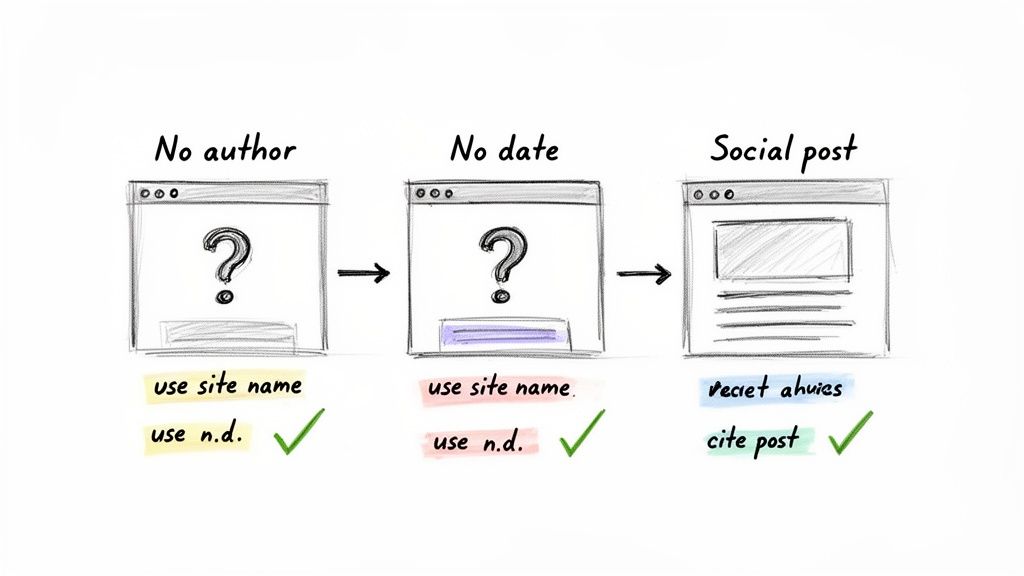
While a standard template works for most online articles, the internet is messy. You'll eventually encounter a source that doesn't fit the mold—a webpage with no author, a blog post without a date, or even a social media post.
This is where understanding the logic behind MLA really pays off. The system is flexible. If a piece of information isn’t there, you simply skip it and move on to the next element. The goal is always to give your reader the clearest possible path to your source.
Citing a Website with No Author
One of the most common hurdles is a webpage with no credited author. You'll see this on corporate websites, pages from large organizations, or collaborative wikis.
When you can't find an author, the title of the page or article moves to the front of your Works Cited entry. For your in-text citation, you'll then use a shortened version of that title.
Let's use a real-world example: you're a content marketer citing a company's page about their sustainability initiatives.
- Works Cited Entry: "Our Commitment to Sustainable Practices." GreenTech Solutions, 18 Apr. 2023, www.greentech.com/sustainability.
- In-Text Citation: The company outlines several key initiatives for reducing its carbon footprint ("Our Commitment").
See how that works? The in-text citation uses the first few words of the title in quotes, creating a clear link for your reader.
Handling Missing Publication Dates
Another frequent issue is a missing publication date. Most articles have one, but it’s often absent on static "About Us" pages or resource guides.
When this happens, you just leave the date out of your citation. However, you need to add an access date at the very end. This tells your reader when you viewed the content, which is crucial for sources that could be updated or removed.
Key Takeaway: An access date is only necessary in MLA 9 when the publication date is missing. It provides a timestamp for when you found the information.
- Example: "Digital Archiving Best Practices." Librarian’s Corner, www.librarianscorner.org/archiving-guide. Accessed 22 Oct. 2023.
It’s a small addition, but it makes your citation much more robust. For other formatting details, our guide on how to do block quotes in MLA can help.
Citing Social Media and Dynamic Content
So, how do you cite a website in MLA format when it's a social media platform? The good news is that MLA guidelines have evolved to handle modern sources like X (formerly Twitter), TikTok, or podcasts.
For a social media post, the user's handle acts as the author, and the text of the post (or a description) serves as the title. With podcasts, the host is typically the author, and the episode has its own title.
Here are a couple of practical examples:
- A Tweet (X Post):
- @NASA. "Our Perseverance rover has just collected its 20th rock sample on Mars!" Twitter, 20 Oct. 2023, 11:15 a.m., twitter.com/NASA/status/123456789.
- A Podcast Episode:
- Gladwell, Malcolm. "The Lady Vanishes." Revisionist History, season 1, episode 1, Pushkin Industries, 16 June 2016, www.pushkin.fm/podcasts/revisionist-history/the-lady-vanishes.
Juggling these non-standard sources can feel tricky, but getting them right is what separates good content from great content.
Solutions for Common MLA Citation Problems
| Citation Challenge | How to Handle It | Example Snippet |
|---|---|---|
| No Author | Start the citation with the article/page title. Use a shortened version of the title for the in-text citation. | "How to Plant a Garden." ... ("How to Plant..."). |
| No Date | Omit the publication date and add an access date to the end of the citation. | ... Accessed 15 Nov. 2023. |
| Social Media Post | Use the user's handle as the author and the post's text (or a description) as the title. | @MuseumModernArt. "Join us this Friday for..." |
| Online Video | Cite the creator or channel as the author and the video title in quotes. Include the platform and URL. | SmarterEveryDay. "The Secrets of Hummingbird Flight." YouTube... |
| Entire Website | Usually, you don't cite the whole site. Cite specific pages. If you must, include the site name, publisher, and URL. | The Purdue OWL Family of Sites. Purdue U... |
Getting these citations right is more than a formatting exercise; it’s about building credibility. In fact, 55% of U.S. college libraries prioritize teaching MLA for citing online sources. Since the MLA 9th edition simplified the rules for web content, student adherence has improved by 40%, leading to fewer academic penalties. You can dig into more of these MLA statistics and their impact.
After sorting out the citations, make sure your own writing flows smoothly. If you’re using AI tools for drafting, the text can sometimes sound stiff. That’s why we built PureWrite—to help you humanize that text and restore an authentic voice to your work.
Mastering MLA In-Text Citations for Websites
Your Works Cited page is the foundation, but it’s only half the story. The other critical piece is the in-text citation—that small pointer inside your paragraphs that directs your reader to the full source. Without it, your Works Cited list is just a reading list.
Here’s the golden rule: the in-text citation must always match the first word of its corresponding Works Cited entry. This simple principle creates a clear, easy-to-follow link between your arguments and your evidence.
The Basic Format: Citing with an Author
When your source is a standard website article with an author, the in-text citation is refreshingly simple. You just put the author's last name in parentheses at the end of your sentence. Most web pages don't have page numbers, so you can usually skip that part.
Let's look at a practical example for a professional writer. You've created this entry for your Works Cited page:
- Works Cited Entry: Garcia, Maria. "The Future of Remote Collaboration." Tech Innovations Today, 12 May 2023, www.techinnovationstoday.com/remote-collaboration.
If you're summarizing an idea from Garcia's article in your own content, your sentence would end like this:
- In-Text Citation (Paraphrase): The shift to virtual teams has fundamentally altered project management strategies (Garcia).
When you're using a direct quote, the process is the same. Just be sure to blend the quote smoothly into your own sentence.
- In-Text Citation (Direct Quote): Researchers note that "asynchronous communication is now the default for a majority of global companies" (Garcia).
See how "(Garcia)" points directly back to the "Garcia, Maria" entry? That's the goal. Clean, simple, and unmistakable.
Handling Sources Without an Author
What about web pages without a clear author? This happens often, especially with content published by organizations or government agencies. The logic, thankfully, stays the same.
Remember how you moved the article's title to the front of the Works Cited entry? Your in-text citation simply follows that lead. You’ll use a shortened version of the title in quotation marks.
Let’s use another real-world scenario for a student's research paper.
- Works Cited Entry: "New Study on Renewable Energy Adoption." Global Environment Fund, 2023, www.gef.org/studies/renewable-energy-2023.
Since the entry starts with the title, your in-text citation does, too.
- In-Text Citation: The report indicates a 15% increase in solar panel installations over the past year ("New Study").
Expert Tip: You don't need the whole title in there. Just use the first few words—enough so your reader can easily find the full entry in your Works Cited list.
Of course, citing correctly is only part of the battle. Knowing how to paraphrase without plagiarizing is essential for maintaining your integrity as a writer.
Integrating Citations Smoothly into Your Writing
The best citations feel like a natural part of the conversation. One of the easiest ways to achieve this is with a narrative citation, where you mention the author directly in your sentence. This improves the flow and makes your writing sound more authoritative.
Instead of tacking the name on at the end, weave it right in.
- Parenthetical Citation: The study confirmed a direct link between diet and cognitive function (Jones).
- Narrative Citation: As Dr. Evelyn Jones explains in her recent article, there is a direct link between diet and cognitive function.
This approach is more elegant and gives credit right in the flow of your argument. Once you’ve drafted your paper and woven in your citations, the final step is ensuring it all reads naturally. If you used an AI assistant, we recommend a final polish with PureWrite. Our tool is built to refine AI text, making it sound more human without altering your core message.
Polishing Your Paper and Using AI Ethically
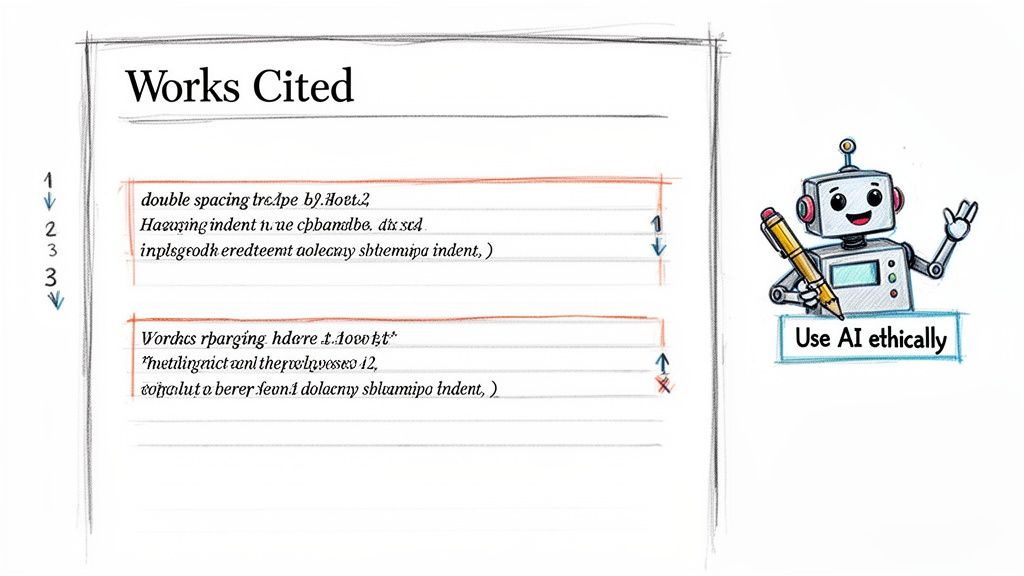
Getting your citations right is a huge part of the job, but the final presentation pulls everything together. Your Works Cited page isn't just a list; its formatting signals your attention to detail and respect for the academic and professional conversation you're joining.
The rules are simple but crucial. Your Works Cited section should always be the very last page. Center the title "Works Cited" at the top—no bolding, italics, or quotation marks. Keep the entire page double-spaced, with no extra line breaks between entries.
Mastering the Hanging Indent
The most recognizable feature of an MLA Works Cited page is the hanging indent. This means the first line of each citation starts at the left margin, while every subsequent line is indented by half an inch. This small formatting trick makes it much easier for a reader to scan the list and find a specific source.
Alphabetical order is another non-negotiable rule. Arrange all entries alphabetically by the author's last name. If a source has no author, use the first significant word of the title to place it in the list (ignoring words like "A," "An," or "The").
Key Takeaway: A properly formatted Works Cited page—with a centered title, double spacing, hanging indents, and alphabetical order—is the professional standard. It’s a small thing that has a big impact on your credibility.
These formatting rules work alongside strong English writing principles to create a clear, effective, and persuasive paper.
Using AI as an Ethical Writing Partner
AI tools have become a common part of the writing process for many creators. They can be fantastic for brainstorming, summarizing complex ideas, or drafting initial content. But using them ethically means you are always the final author, responsible for producing work that is genuinely your own.
Think of AI as your co-pilot, not the autopilot. It's great for getting started, but the words on the page must reflect your voice, your analysis, and your unique perspective. Over-reliance on AI can result in generic content and may even get flagged for academic dishonesty or low-quality SEO.
We built PureWrite with this challenge in mind. You can use an AI assistant to get your thoughts down, but that raw output often lacks a human touch. That’s where our tool comes in.
- Refine Your Draft: Paste your AI-assisted text into PureWrite to transform it from robotic to natural and engaging.
- Enhance Clarity: Our tool helps fix awkward phrasing and improves word choice, making your arguments sharp and compelling.
- Preserve Your Voice: We help you humanize AI-generated content, ensuring the final piece sounds authentically like you.
This approach lets you tap into AI's speed without sacrificing the quality or integrity of your work. In fact, studies show that nearly 60% of students use AI primarily for brainstorming and summarizing—the smart, ethical way to do it.
Avoiding Accidental Plagiarism and AI Detection
One of the biggest anxieties around using AI is the risk of accidental plagiarism or being flagged by an AI detector. Since these models learn from vast amounts of existing text, they can sometimes generate phrases that are too close to their source material. AI text also tends to have a predictable, sterile quality that sophisticated detectors are getting better at spotting. You can learn more by reading our deep dive into whether AI detectors are accurate.
This is why that final, humanizing step is so critical. By running your draft through a tool like PureWrite, you introduce the stylistic variety and personal touch that are the hallmarks of human writing. This not only makes your work more engaging but also drastically lowers the chance of it being flagged as AI-generated.
Your goal is to produce content that is perfectly cited, professionally formatted, and a true reflection of your own hard work. Ready to make sure your next project hits that standard? Try PureWrite today to polish your draft and make your writing shine.
Got Questions? Let's Clear Up Some Common MLA Head-Scratchers
Once you get the hang of the basic MLA format, you'll inevitably run into some tricky situations. What about a page with no date? Or a site where the publisher and the title are the same? Don't worry, these are the exact kinds of questions that trip up even seasoned writers.
Think of this as your go-to guide for those nagging little details. Getting these right is what separates a good Works Cited page from a great one.
Do I Really Need the "https://" in the URL?
Nope, you can leave it out. In fact, the official MLA 9th edition style guide recommends dropping "http://" and "https://" from your URLs. Your citation will look much cleaner starting with just the domain name, like "www.history.com" or even just "history.com."
This is a small tweak, but it makes a difference in readability. Of course, the golden rule is to always check your instructor's specific guidelines—they get the final say. But as far as MLA is concerned, simpler is better here.
What if I Can't Find a Publication Date?
This happens all the time, especially with corporate "About Us" pages or evergreen content that isn't dated. When you can't find a publication or last updated date, the solution is simple: add the date you accessed the page.
Just tack it on to the very end of your citation. The format looks like this: "Accessed Day Month Year."
For example: "...yourcitationdetails.com/about. Accessed 15 Nov. 2023."
This tells your reader when you found the information, which is crucial for web content that can be updated or removed without notice. This is one of the only times MLA 9 requires an access date, so use it when you need it.
How Do I Cite Just an Image or Video from a Webpage?
When you're citing a specific piece of media on a site—like a photograph, infographic, or an embedded video—you need to signal that you’re referencing that item, not the whole page. The key is to think of the image or video as the "work" and the website as the "container" holding it.
Start with the creator's name if you can find it. Then, put the title of the image or video in quotation marks. Follow that with the name of the website in italics, and then the rest of the publication details.
Example: Getti, Ermano. "Cat in a Sunbeam." Pexels, The Pexels Team, 4 Oct. 2020, www.pexels.com/photo/cat-in-a-sunbeam-5741634/.
This structure makes it perfectly clear that you’re pointing your reader to the photograph itself, not the entire Pexels website.
What's the Difference Between a Website Title and a Publisher?
This is a classic point of confusion, but it's easier than it sounds. The website title is the name of the site itself (e.g., The Atlantic or ESPN). The publisher is the organization or company that owns and produces the site.
Often, the title and the publisher are the same or very similar. For example, The New York Times website is published by The New York Times Company. To avoid sounding redundant, MLA has a handy rule: if the website title and the publisher are the same, just list the name once as the publisher. This keeps your citation from being repetitive.
Mastering the finer points of MLA citations is a mark of a careful researcher. Just as important is making sure your own writing flows naturally and sounds authentic. If you’ve leaned on AI to help draft your paper, PureWrite can give it that crucial human touch. Our tool helps refine AI-generated text into clear, engaging prose that sounds like you. Try PureWrite today and make sure your work is as well-written as it is well-cited.