10 Essential Email Etiquette Rules for Polished Communication in 2025
In a world overflowing with digital communication, how you write an email says more about you than you might realize. From a content creator pitching a collaboration to a student contacting a professor, the right approach can open doors, while a small mistake can slam them shut. What are the unwritten rules that separate a professional message from one that gets ignored? With the average professional receiving over 120 emails daily, it's critical that your message stands out for the right reasons.
Mastering these principles truly is a professional superpower. For a deeper dive into strategies that guarantee your messages achieve their intended purpose, explore these expert tips to ensure successful emails. This guide isn't just about avoiding typos; it's about building relationships, demonstrating respect, and ensuring your message gets the attention it deserves.
We'll explore 10 foundational email etiquette rules that every professional, marketer, and student needs to master. Whether you're writing from scratch or using an AI writing tool to polish a draft, these principles will help you communicate with clarity, confidence, and professionalism every single time you hit "send."
1. Use a Clear and Professional Subject Line
Your subject line is the gatekeeper of your email. It's the first thing your recipient sees and heavily influences whether they open your message, skim past it, or send it directly to the trash. One of the most critical email etiquette rules is crafting a subject line that is clear, concise, and accurately reflects the email's content.
A vague subject like "Quick question" forces the recipient to open the email just to understand its purpose, wasting their time. A strong subject line respects their busy schedule by providing immediate context, making it searchable later and maintaining your credibility.
How to Implement This Rule
Before:
FYIorHelloAfter:
Project Timeline Update - Deadline Extended to FridayBefore:
Check this outAfter:
Meeting Rescheduled: Tuesday 2 PM Instead of Monday
Notice how the "After" examples immediately communicate the email's core message. For specific guidance on improving your email's open rates, delve deeper into the best practices for crafting effective email subject lines.
Actionable Tips for Better Subject Lines
- Front-load key information: Place the most important details at the beginning.
- Use action-oriented verbs: Words like
Confirm,Review, orAction Requiredprompt a response. - Keep it concise: Aim for under 50 characters to ensure it's fully visible on mobile devices.
- Avoid ALL CAPS and excessive punctuation: These can appear aggressive and trigger spam filters.
Mastering this skill is fundamental. To explore more examples and refine your approach, you can learn more about crafting powerful email subject lines that capture attention effectively.
2. Use a Proper Greeting and Sign-Off
The greeting and sign-off are the bookends of your email, setting the tone from the start and leaving a final impression. How you open and close your message directly reflects your professionalism and awareness of your relationship with the recipient. A generic or overly casual greeting can seem careless, while a well-chosen one shows respect.
A proper sign-off is equally crucial. It provides closure and includes essential contact information, making it easy for the recipient to know who you are and how to reach you. Mastering this email etiquette rule ensures your communication is always perceived as polished and considerate.
How to Implement This Rule
Formal Before:
Hey,Formal After:
Dear Mr. Thompson,Casual Before: No closing, just a name.
Casual After:
Thanks again, [Your Name]Incomplete Before:
Best, JohnComplete After:
Best regards, John Smith | Project Manager | Innovate Corp | [email protected]
The "After" examples show how adjusting formality and providing a complete signature elevates your message. For a deeper understanding of which salutations work best, you can explore the nuances of choosing the best email salutations.
Actionable Tips for Greetings and Sign-Offs
- Mirror the recipient: When in doubt, match the formality of the person you're emailing.
- Consider the context: "Hi team," is great for an internal update, but "Dear Hiring Committee," is better for a job application.
- Create a professional signature: Set up an automatic signature in your email client with your full name, title, company, and contact info.
- Avoid overly familiar terms: Steer clear of "Hey buddy" or "Yo" in professional settings unless you have an established, informal rapport.
3. Keep Emails Concise and Well-Organized
In a world where the average professional receives over 120 emails daily, brevity is a sign of respect for your recipient's time. One of the most impactful email etiquette rules is to keep your messages concise and structured for easy reading. Long, rambling paragraphs get skimmed or ignored, leading to missed details.
A well-organized email uses short paragraphs, bullet points, and a logical flow to get straight to the point. This not only improves comprehension but also makes it easier for the recipient to identify action items and respond quickly. Research indicates that emails under 125 words see significantly better response rates.
How to Implement This Rule
- Before: A long, single-paragraph email detailing the entire history of the Q3 budget, why certain decisions were made, and weaving in the final request somewhere in the middle.
- After:
Hi John, I need your approval on the attached Q3 budget. Could you please review the document and confirm by Friday? Thanks, Sarah.
The "After" example is direct, states the required action, and provides a clear deadline. For a deeper understanding of how to trim unnecessary words, you can learn more about the fundamentals of concise writing.
Actionable Tips for Better Organization
- Use the inverted pyramid: Place your main point or request at the very beginning.
- Edit ruthlessly: Write your first draft, then challenge yourself to cut 20-30% of the word count.
- Emphasize key details: Use bolding to highlight critical deadlines or action items.
- Leverage white space: Break up text with short paragraphs and bullet points for scannability.
- Consider the medium: Ask yourself, "Could this be a quick 5-minute phone call instead?"
- Use attachments wisely: Save detailed background information or data for attached documents.
4. Proofread Before Sending
Sending an email with typos or grammatical mistakes is like showing up to a meeting with a stained shirt. It undermines your professionalism and suggests a lack of attention to detail. One of the most fundamental email etiquette rules is to meticulously proofread every message before hitting "send."
These small errors can damage your credibility, create confusion, and reflect poorly on you and your organization. Taking a moment to review your work demonstrates respect for your recipient and reinforces your professional image. This rule is non-negotiable in any professional setting.
How to Implement This Rule
Before:
Plese review the attached docuement and provide feed backAfter:
Please review the attached document and provide feedbackBefore:
I recomend we procede with the projectAfter:
I recommend we proceed with the project
The corrected examples are clear, professional, and free from distracting errors. For a deeper dive into getting the basics right, review the principles of proper capitalization and punctuation in professional writing.
Actionable Tips for Better Proofreading
- Read your email aloud: This technique helps you catch awkward phrasing and errors your eyes might otherwise miss.
- Take a short break: Step away for five minutes before proofreading to review the text with a fresh perspective.
- Use grammar and spelling tools: Leverage tools like spell-checkers, but don't rely on them exclusively. Ethical AI use means using tools to assist, not replace, your final judgment.
- Verify names and hyperlinks: Double-check that all names are spelled correctly and that every link works as intended.
5. Use Appropriate Tone and Avoid ALL CAPS
Email lacks the nuance of face-to-face communication, making your tone incredibly easy to misinterpret. Without vocal inflections or facial expressions, your words carry all the weight. An essential email etiquette rule is to maintain a professional, courteous tone and avoid using all capital letters, which is universally interpreted as shouting.
A carefully managed tone prevents misunderstandings and helps maintain positive professional relationships. The way your message is perceived can directly impact collaboration and productivity, making it a critical skill for content creators and professionals to master.
How to Implement This Rule
Before:
YOU NEED TO SEND ME THE REPORT IMMEDIATELY!!!After:
Could you please send me the report by end of day? Thank you.Before:
This email sucks(Intended as sarcasm)After:
I would appreciate some clarification on this particular point.
The "After" examples demonstrate a shift from aggressive language to a collaborative and respectful tone. To truly master this, it's helpful to understand what is tone in writing and how it shapes perception.
Actionable Tips for Better Tone
- Read it aloud: Imagine your recipient hearing the words. Does it sound respectful?
- Use emphasis sparingly: If you need to highlight something, use bold or italics instead of ALL CAPS.
- Focus on solutions: Avoid negative or accusatory language; frame your message around finding a solution together.
- Rethink exclamation points: A single period often conveys professionalism more effectively than an exclamation point.
6. Reply-All Judiciously and Check Recipients
The "Reply All" button is one of the most misused features in email. Hitting it indiscriminately clogs inboxes and distracts colleagues with irrelevant information. A core tenet of professional email etiquette rules is to pause and carefully consider who truly needs to receive your response before you send it.
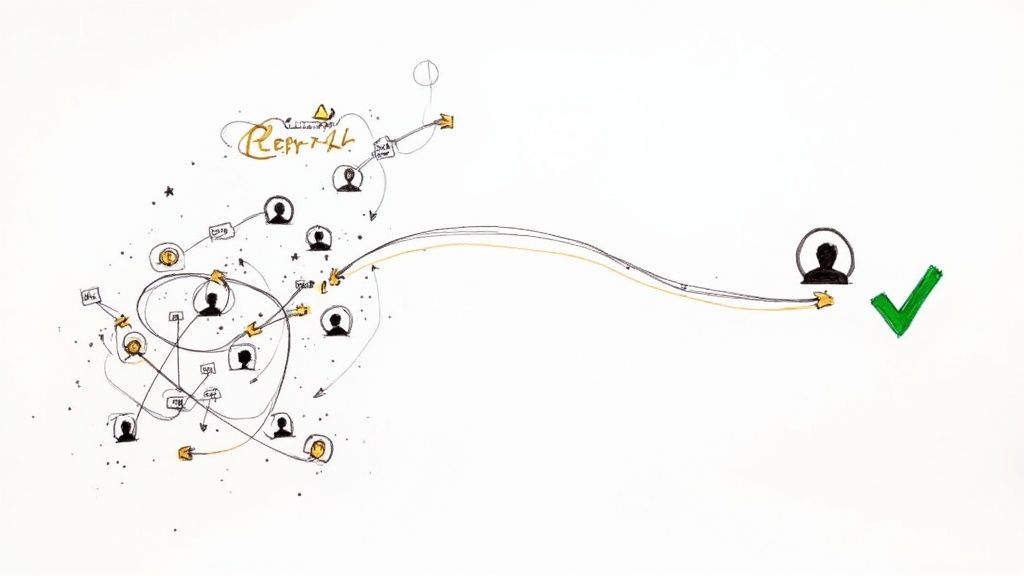
Proper recipient management respects everyone's time and focus. Failing to double-check the recipient list can also lead to embarrassing situations, like sending sensitive feedback to the entire team. A conscious choice between "Reply" and "Reply All" demonstrates respect for your colleagues' digital workspace.
How to Implement This Rule
Before: Replying-all to a 10-person project update email with a simple "Thanks!" or a question only relevant to the sender.
After: Using the "Reply" button to send your question directly to the project manager, ensuring only the necessary person is notified.
Before: Clicking "Reply All" to a company-wide announcement to ask a personal question about payroll.
After: Starting a new message directly to the HR department, keeping the conversation private and relevant.
Actionable Tips for Better Recipient Management
- Pause before you click: Always ask yourself, "Does every single person on this thread need to see my response?"
- Review the recipient list: Before sending, quickly scan the "To" and "Cc" fields to confirm everyone included is an intended recipient.
- Use BCC for mass emails: When sending a newsletter to a large, unrelated group, use BCC to protect recipients' privacy.
- Take sensitive topics private: If a discussion in a group thread turns to a one-on-one matter, move it to a direct message.
7. Respect Response Time and Deadlines
Your response time is a direct reflection of your professionalism. In a fast-paced digital world, timely communication is not just a courtesy; it's a critical component of building trust and maintaining efficient workflows. One of the most important email etiquette rules is to acknowledge messages promptly and adhere to any stated deadlines.
A prompt reply shows that you are engaged, reliable, and on top of your responsibilities. Even a brief acknowledgment can manage expectations and reassure the sender that their message has been received and will be addressed.
How to Implement This Rule
Before: Leaving an urgent email unanswered for two days.
After: "Thanks for this, I've received it. I need to check a few details but will get you a full response by EOD tomorrow."
Before: Missing a deadline without any communication.
After: "I won't be able to meet the Friday 5 PM deadline for the approval. Can we extend it to Monday at 10 AM? I will have the final review ready then."
These "After" examples show proactivity and respect for the other person's schedule, which is key to effective collaboration.
Actionable Tips for Better Response Management
- Acknowledge receipt: If a full reply will take time, send a quick note like, "Got it, will review and respond by Tuesday."
- Use auto-responders: When out of office, set an auto-reply that states when you'll return and who to contact for urgent matters.
- Communicate delays early: If you anticipate missing a deadline, inform stakeholders as soon as possible and propose a new timeline.
- Set team norms: Establish clear expectations with your team regarding acceptable response times for different types of requests.
8. Don't Send Emails When Angry or Emotional
The 'send' button is permanent. Firing off an email in a moment of anger or frustration is a professional misstep that can cause irreparable damage. Emotional emails often contain harsh, accusatory language that you'll regret later, potentially harming relationships and escalating conflicts.
Following this email etiquette rule protects you from yourself. A message written in the heat of the moment rarely solves a problem and almost always creates new ones. Giving yourself time to cool down allows you to approach the situation with logic and professionalism.
How to Implement This Rule
Before: Immediately firing off an angry email when a colleague takes credit for your work.
After: Writing a draft to vent, saving it, and waiting at least two hours. Then, rewriting it to calmly and professionally request a private conversation to clarify contributions.
Before: Sending a frustrated, passive-aggressive email about a slow response on a project.
After: Recognizing that email is the wrong medium. Instead, picking up the phone to discuss the urgency and find a solution together.
Actionable Tips for Maintaining Composure
- Draft, Don't Send: Write out your emotional response in a draft, but don’t put a recipient in the "To" field. This provides an outlet without the risk.
- Implement a Cooling-Off Period: Step away from the computer for at least 2-4 hours. A walk or a different task can provide much-needed perspective.
- Seek a Second Opinion: Share the draft with a trusted mentor or colleague for feedback.
- Use Collaborative Language: When you rewrite the email, focus on the issue, not the person. Phrases like "How can we solve this?" shift the tone from accusatory to cooperative.
9. Use a Professional Email Address and Avoid Sensitive Information
Your email address is your digital handshake. Using a personal or unprofessional address like [email protected] for business correspondence can instantly damage your credibility. Similarly, one of the most critical email etiquette rules is to never send sensitive information over standard email.
Your professional identity and data security depend on this rule. Confidential data, from passwords to financial details, should never be sent in an unencrypted email. This practice protects both you and your recipient from potential legal issues and security breaches.
How to Implement This Rule
Before:
[email protected]After:
[email protected]or[email protected]Before:
Here's my password for the new system: SecurePass123After:
I've set up your credentials. Please access them through our secure, encrypted portal.
The "After" examples demonstrate professionalism and a commitment to security, building trust with your correspondents.
Actionable Tips for Professionalism and Security
- Use your company email for all business-related communications.
- Never send passwords, financial details, or SSNs via a standard email.
- Utilize secure file-sharing services like OneDrive or ShareFile for sensitive documents.
- Mark confidential messages with sensitivity labels if your email client supports it.
- Assume all emails could be shared or become public and write accordingly.
10. Format for Readability and Mobile Optimization
In an age where over half of all emails are opened on mobile devices, formatting is no longer a trivial detail. A dense block of text is difficult to read on a desktop and nearly impossible on a small screen. An impactful email etiquette rule is structuring your message for scannability and mobile-friendliness.
Proper formatting respects the reader's time by making information easy to find and digest. Using short paragraphs, bullet points, and clear headings improves comprehension and projects a polished, organized image. This approach ensures your message gets across effectively.
How to Implement This Rule
Before: A single, large paragraph detailing project updates, action items, and deadlines all blended together.
After: The same information is broken down with bolded headings like "Project Updates," "Action Items," and "Upcoming Deadlines," with key points listed as bullet points under each.
Before: A multi-column layout that looks great on a desktop but becomes unreadable on a phone.
After: A clean, single-column design that adapts seamlessly to any screen size, ensuring a consistent user experience.
Actionable Tips for Better Formatting
- Keep paragraphs short: Aim for a maximum of 2-3 sentences per paragraph to create white space.
- Use lists: Employ bullet points or numbered lists for series of items, steps, or key takeaways.
- Embrace headings: Use simple, bolded headings to break your email into logical sections.
- Limit font styles: Stick to one or two professional, easy-to-read fonts and use bolding sparingly for emphasis.
- Prioritize left alignment: Avoid centered or justified text, as left alignment is easiest to read.
10-Point Email Etiquette Comparison
| Rule | Implementation Complexity 🔄 | Resource Requirements ⚡ | Expected Outcomes 📊 | Ideal Use Cases 💡 | Key Advantages ⭐ |
|---|---|---|---|---|---|
| Use a Clear and Professional Subject Line | Low 🔄 — few minutes to craft; occasional A/B testing | Low ⚡ — minimal time; no special tools | High 📊 — significantly higher open rates (≈45–50%) | Announcements, deadlines, cold outreach | Improves opens, prioritization, professionalism |
| Use Proper Greeting and Sign-Off | Low 🔄 — simple choice based on relationship | Low ⚡ — set signature once; minor effort | Medium–High 📊 — better tone and trust | First contacts, formal communications, client emails | Establishes credibility and provides contact info |
| Keep Emails Concise and Well-Organized | Medium 🔄 — requires editing and structure | Medium ⚡ — time to condense and format | High 📊 — higher read and response rates; less confusion | Status updates, requests, mobile readers | Faster responses, clarity, mobile-friendly |
| Proofread Before Sending | Low–Medium 🔄 — integrates into send workflow | Low ⚡ — time or proofreading tools/peer review | High 📊 — fewer typos; maintains credibility | Client-facing, legal, important announcements | Prevents miscommunication; protects brand |
| Use Appropriate Tone and Avoid ALL CAPS | Low 🔄 — behavioral change; quick edits | Low ⚡ — self-check and minor revisions | Medium–High 📊 — fewer misunderstandings and conflicts | Cross-cultural comms, sensitive topics | Preserves relationships; prevents escalation |
| Reply-All Judiciously and Check Recipients | Low–Medium 🔄 — requires habitual attention | Low ⚡ — moment to review recipients; BCC use | Medium–High 📊 — reduced inbox clutter; fewer leaks | Large distribution lists; confidential chains | Protects confidentiality; saves recipients' time |
| Respect Response Time and Deadlines | Medium 🔄 — needs norms and tracking | Medium ⚡ — auto-replies, flags, calendar blocks | High 📊 — builds trust; keeps projects moving | Project management, client services, SLAs | Reliability; prevents workflow bottlenecks |
| Don't Send Emails When Angry or Emotional | Low–Medium 🔄 — requires discipline and delays | Low ⚡ — time to draft, pause, and review | High 📊 — fewer regretted messages; preserved reputation | Conflict resolution, heated discussions | Reduces escalation; protects professional image |
| Use Professional Email Address and Avoid Sensitive Information | Medium 🔄 — may need IT/policy setup | Medium–High ⚡ — encryption tools; secure platforms | High 📊 — improved security and regulatory compliance | Regulated industries, client data exchanges | Compliance, reduced breach and legal risk |
| Format for Readability and Mobile Optimization | Medium–High 🔄 — design and testing required | Medium ⚡ — templates, responsive testing across clients | High 📊 — better engagement on mobile; improved comprehension | Marketing, newsletters, external communications | Enhanced accessibility; higher open/click rates |
From Draft to Done: Humanize Your Emails for Maximum Impact
Navigating digital communication requires more than just knowing what to say; it's about knowing how to say it. The email etiquette rules we’ve explored are the foundational pillars of effective, professional correspondence. They are the framework that ensures your message is received, understood, and respected.
The core takeaway is that every email reflects your personal brand and competence. A well-organized, concise, and thoughtfully toned message communicates respect for the recipient's time. Conversely, a hasty email can unintentionally signal carelessness and undermine your credibility.
Elevating Your Etiquette with an Authentic Voice
Following these email etiquette rules is the first step. But in an era where many of us use AI assistants to draft messages, there's a new challenge. While AI tools are incredible for speed, they can produce text that sounds sterile or robotic, sabotaging the very etiquette you're trying to practice.
This is where ensuring your writing sounds authentically human becomes crucial. As writers, students, and professionals, your goal is to connect. A robotic tone creates a barrier, and that's where we at PureWrite can help. Our platform is designed to take your AI-generated text and refine it into natural, engaging prose that reflects your unique voice.
Actionable Next Steps for Lasting Impact
To truly integrate these concepts, don't just read them; practice them. Before sending your next important message, consciously review it against the principles discussed.
- Audit Your Last Five Sent Emails: Look at them with fresh eyes. How could you have improved the subject line? Was the tone appropriate?
- Create a Personal Checklist: Based on this article, create a simple, five-point checklist to run through before you hit "send" on critical communications.
- Humanize Your AI Drafts: If you use AI writing tools, ethically refine the output. Focus on improving the tone, flow, and word choice to ensure it sounds like you.
Mastering the art of email is about building stronger relationships and achieving your goals more efficiently. By combining timeless email etiquette rules with modern tools that preserve your authentic voice, you create a powerful formula for success.
Ready to ensure your emails are not only polite but also powerful and personal? Paste your next AI-generated draft into PureWrite and watch it transform into clear, engaging, and human-like prose that leaves a lasting impression. Try Pure Write today and take the final step in mastering your digital communication.