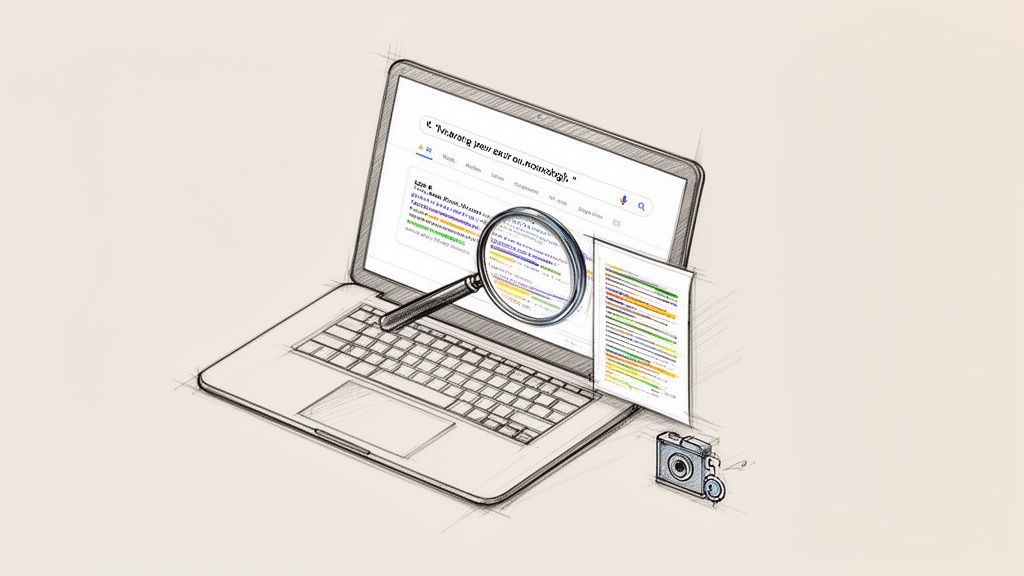
Yes, you can absolutely use Google to check for plagiarism, and it's a surprisingly powerful first step for any content creator. The trick is to copy a suspicious sentence or phrase, paste it into the search bar, and wrap it in "quotation marks."
This simple action forces Google to search for that exact sequence of words across the billions of pages it has indexed. It's a quick, common-sense check you can perform before moving on to more specialized tools, giving you immediate insight into your content's originality.
Why a Quick Google Check Is Still Your First Line of Defense
In an age of sophisticated plagiarism software and AI writing tools, it's easy to dismiss a simple Google search as outdated. But for any writer, student, or marketer who values originality, it remains an essential starting point.
Think of it as your first gut check. A Google search gives you an unfiltered look at how your text appears on the open web, instantly flagging any obvious copy-paste jobs that a paid tool might bury in a detailed report. This saves you time and lets you fix glaring problems right away.
It Builds Better Writing Habits
Getting into the habit of running these quick checks does more than just catch lazy mistakes; it reinforces good writing practices and promotes ethical AI usage.
This simple step forces you to double-check your sources, think more critically about how you phrase things, and ultimately develop a more authentic voice. It's a foundational skill that ties directly into academic integrity and professional ethics.
For content creators and marketers, this is especially important for avoiding duplicate content penalties. Making sure your work is original isn't just about ethics—it’s about providing real value and building authority. A quick search helps confirm your ideas are presented in a fresh, unique way.
The Original Plagiarism Detector
Before dedicated software was the norm, Google was the tool of choice for teachers and editors. As it became the world's most powerful search engine, it also became the original, unofficial plagiarism checker.
An educator could paste a questionable sentence into the search bar and immediately see if it appeared elsewhere online. With Google now indexing hundreds of billions of web pages, this manual method still has a remarkably high chance of catching word-for-word plagiarism from public sources.
A manual Google check is the perfect partner to more advanced tools. It gives you a fast, free, and practical first pass, helping you tackle obvious issues before you dive into a deeper analysis.
When you start with Google, you're not just scanning for copied text; you're sharpening your instinct for what makes writing feel truly original and authentic.
How to Use Google Search Operators Like a Pro
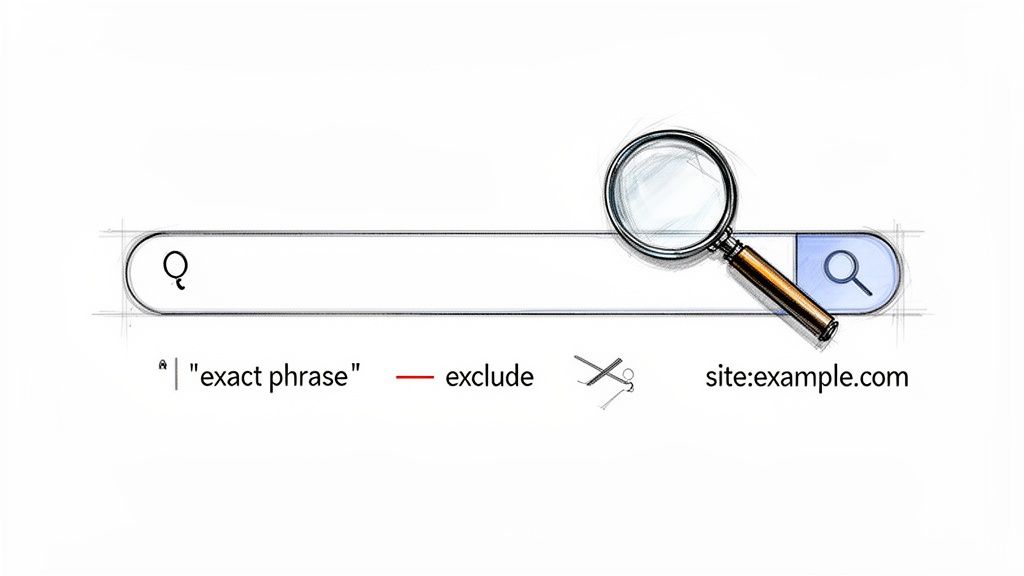
Pasting text into Google is a good start, but to truly investigate your content's originality, you need to use Google's "secret language": search operators. These simple commands transform a basic search into a precision tool for content creators.
The most important operator you'll use is the quotation mark (" "). When you wrap a sentence in quotes, you're telling Google to find that exact string of words, in that exact order. This is your go-to method for spotting blatant, copy-paste plagiarism.
Digging Deeper with Site-Specific and Exclusion Searches
Once you're comfortable with exact-match searches, you can get more specific. For example, what if you find a match but want to know if that text exists anywhere else? This is where the minus sign (-) comes in handy to exclude a specific website from your results.
Let’s say you’re checking a draft produced with an AI writer and search for "the future of sustainable finance is a long-term vision". If you find a match on a competitor’s blog, a follow-up search like "the future of sustainable finance is a long-term vision" -competitorblog.com will show you if that phrase appears on other sites.
On the flip side, you can use the site: operator to only search within a single website. This is a lifesaver when you're worried your content might sound too similar to a major industry publication.
Expert Tip: The real power comes from combining these operators. If you're writing a business article and came up with the phrase "innovative supply chain logistics," a quick search like
site:forbes.com "innovative supply chain logistics"will instantly tell you if Forbes has already published something using that exact phrase.
This level of control allows you to conduct a more thorough investigation into your content's originality, which is a key part of ethical content creation.
A Quick Guide to Search Operators
Here's a quick reference table with the most useful search operators for your plagiarism checks.
Essential Google Search Operators for Plagiarism Checks
A quick reference guide to the most effective Google search operators for finding duplicate content and their specific use cases.
| Operator | Example Usage | What It Does |
|---|---|---|
| " " | "Generative AI is reshaping the content marketing industry" |
Finds the exact phrase, flagging direct copying. |
| - | "ethical AI usage" -wikipedia.org |
Excludes results from a specific site, helping you find other sources. |
| site: | site:techcrunch.com "venture capital trends 2024" |
Limits the search to one specific domain, great for competitive analysis. |
Mastering these simple commands empowers you to take full control over your content verification process. It's a fundamental skill that underpins many SEO content writing best practices and demonstrates a commitment to quality.
While these manual checks are essential, especially when working with AI-generated drafts, they are just one part of the process. After you've done your due diligence with Google, running the text through a dedicated tool like PureWrite can help humanize it, ensuring it's not only original but also connects with your audience.
Making Sense of Your Search Results
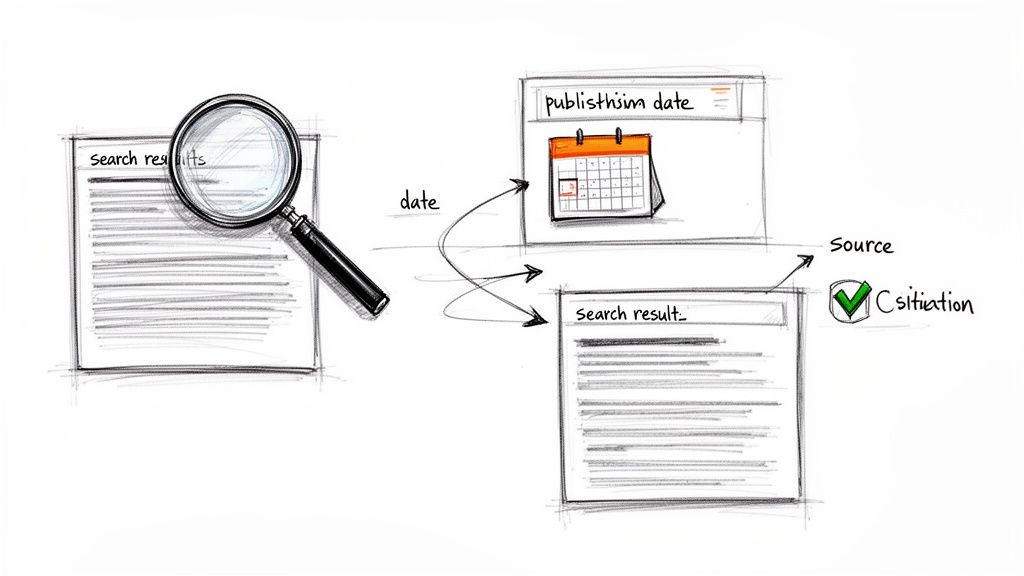
Getting a "hit" on Google is only half the battle; the real work is figuring out what that match means. As a content creator, you must learn to distinguish a genuine problem from a simple coincidence or a properly credited quote.
When you spot a matching phrase, your first instinct might be to panic. Don't. Take a moment to look closely at the snippets Google provides on the results page. These previews often give you enough context to make a quick judgment call.
Is It Plagiarism or Just a Coincidence?
Not every match is a smoking gun. Some phrases are so common they're practically public property—think idioms, standard definitions, or industry jargon. The key is to look at the context and the uniqueness of the matched text.
Here are a few common scenarios you'll encounter:
- Proper Citations: If your text appears on another site wrapped in quotation marks or in a blockquote, that's a good sign. It likely means someone is citing your work correctly.
- Common Phrases: A short, generic phrase like "the key to success is hard work" will have millions of matches. This isn't plagiarism; it's just a common saying.
- Unique, Complex Sentences: This is where you need to be a detective. If a long, distinctive sentence you wrote (or one your AI tool generated) appears word-for-word on another site without credit, that’s a major red flag.
Learning to spot these differences is a crucial skill. It's similar to understanding what Turnitin checks for in academic work—it's all about a nuanced view of what "original" really means.
How to Find the Original Source
Sometimes, you’ll find your text scattered across low-quality blogs or content aggregator sites, which can make things murky. Your goal here is to trace the content back to its first online appearance. The publication date is your best friend.
To narrow things down, click "Tools" under the Google search bar and set a custom date range. By working your way back in time, you can usually find the earliest indexed version of the text. This helps you determine if your content was copied or if you unintentionally used a phrase from an older source.
Key Takeaway: Think of yourself as an investigator. You're looking at evidence—publication dates, source credibility, and context—to piece together the full story before jumping to conclusions.
Developing this judgment is far more effective than just finding a match. And if you're dealing with AI-generated text that needs that final polish to feel genuinely human, let us at PureWrite help you out after you've done your initial checks.
Using Reverse Image Search to Spot Visual Plagiarism
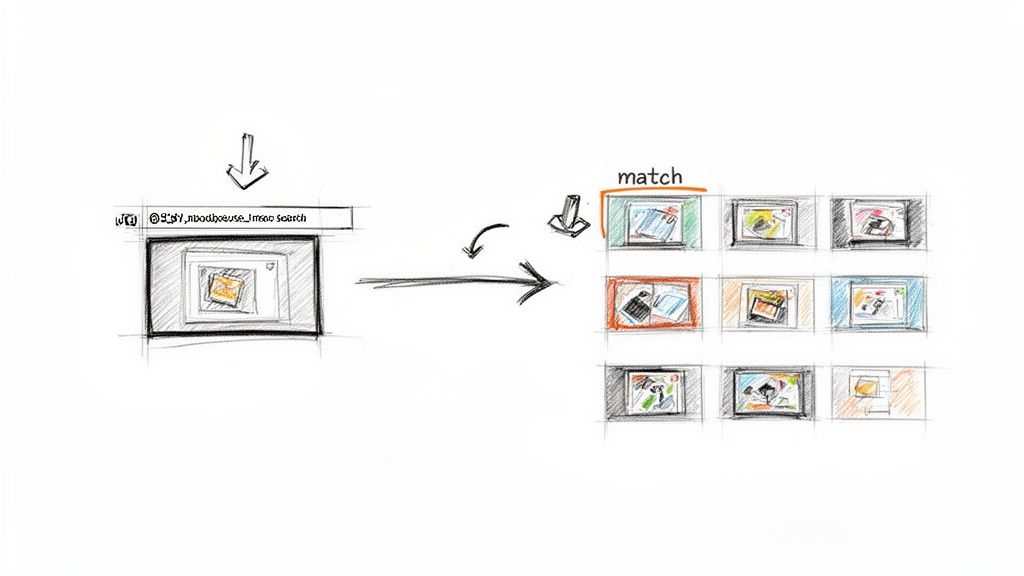
We often focus so much on text that we forget plagiarism can be visual, too. When it comes to images, infographics, and other graphics, originality is just as important. You need to be sure the visuals you're using are either genuinely yours or properly credited.
That’s where Google's Reverse Image Search comes in. It’s a powerful, free tool that lets you search the web using an image instead of text. You can quickly find out where else an image has appeared, who used it first, and if that "custom" graphic you paid for is really custom.
How to Run a Reverse Image Search
Getting started is easy. Just head over to Google Images and look for the camera icon in the search bar. Click it, and you'll get the option to upload an image file from your computer or paste in the URL of an image you found online.
If you want to dig deeper into more advanced visual searching, exploring different reverse image search techniques can give you a real edge. This is especially helpful for protecting your own brand's visual assets online.
Real-World Scenarios for Creators
Let's imagine you’ve hired a freelance designer to create custom illustrations for a major blog post. Before you publish, running a quick reverse image search on each one is a smart move. Here’s why:
- Verify Originality: The search might reveal that your "unique" illustration is just a slightly altered stock photo. Catching this early can save you from a major licensing headache.
- Protect Your Own Work: If you create your own graphics, you should periodically check if they've been used elsewhere without your permission.
- Find a Better Version: Sometimes you find a great image, but it's small and pixelated. A reverse image search can often track down the original, high-resolution version.
Think of it as a final quality check for your visual content, ensuring you uphold your professional standards and respect intellectual property.
Making Sense of the Results
After you search, Google presents a results page packed with information. You'll see visually similar images, but the most valuable part is the list of webpages that contain an exact match.
This is where the real detective work begins. Pay close attention to the domains and publication dates. By tracing the image's online history, you can usually pinpoint its original source and how widely it has been used.
This process tells you whether an image is a common stock photo or a truly unique piece of content. And once you've confirmed your visuals are good to go, you can turn your attention back to the text. Running it through a tool like PureWrite ensures your words are as original and human-sounding as your images.
Knowing When Google Isn't Enough
Using Google to spot-check for plagiarism is a great first-pass strategy, but it’s critical to understand its limits. Think of Google as scanning the surface of the web; it has massive blind spots that can leave you exposed, especially with academic or professional work.
A Google search is like a metal detector on a sandy beach—fantastic for finding coins just on the surface, but it can't see treasures buried deep underneath. Similarly, Google can’t access content behind paywalls, inside private academic databases, or within a company’s internal network, all common places where original source material lives.
The AI Paraphrasing Problem
Modern AI writing tools have introduced another challenge. An AI can easily take a paragraph, swap out words, and restructure sentences to create something that feels new but is just a clever rewrite. This "spun" content is often just different enough to slip past a simple Google search.
This isn't just a hypothetical problem. Research shows that while a basic plagiarism checker might flag 100% of directly copied text, that same checker can miss over 90% of plagiarized content after it has been paraphrased by an AI. This highlights how easily rephrased content can fool basic search methods.
This is a serious risk for any student or professional. The subtle similarities that a Google search misses can still be caught by sophisticated tools like Turnitin, which can lead to harsh consequences.
Why You Need a Dedicated Tool
This is exactly where a purpose-built plagiarism checker comes in. For anyone in academia, a good plagiarism checker for students is essential for protecting your academic integrity. These tools have access to enormous private databases that Google’s search bots can never touch.
So, when is a Google search not enough? Here are a few clear-cut scenarios:
- You're submitting academic work. University assignments are almost always run through databases that contain millions of other student papers and published research.
- You're writing a professional report. Originality is key to protecting your reputation in business proposals, research papers, and client-facing documents.
- You're creating SEO content. To rank well and avoid penalties, your content must be truly unique, not just a rehash of something already out there.
When your reputation is on the line, a dedicated check is non-negotiable. It provides a comprehensive analysis that a surface-level Google search simply cannot match, giving you confidence in your work's originality.
This step is even more crucial for writers using AI to help draft their content. Here at PureWrite, we champion ethical AI usage. Our platform does more than just check for plagiarism; it helps you humanize AI-generated text. This ensures your final piece is not only original but also authentic and engaging.
Your Top Questions About Using Google for Plagiarism Checks, Answered
Using Google to spot-check for plagiarism is a go-to move for many creators, but it's natural to have questions. Let's tackle the most common ones we hear from writers, students, and professionals trying to keep their work original.
Think of this as your practical guide for those moments when you're writing and wonder, "Is this okay?" or "How do I handle this?"
Is a Google Check Reliable Enough for Academic Work?
In a word: no. While a quick Google search is a great first-pass screening tool, it is not sufficient for serious academic submissions.
University tools like Turnitin are powerful because they scan massive private databases filled with past student papers and academic journals that Google's crawlers can't see. A manual Google search only scrapes the public internet.
Relying solely on Google for a dissertation or a critical research paper is a huge gamble. You could easily miss an overlap with a scholarly article that your university's software will flag instantly. Learning the meaning behind a Turnitin percentage gives you a clearer picture of their standards.
What Should I Do If I Find Accidental Plagiarism?
That sinking feeling when you find a match is something most writers have experienced. Don't panic—it's usually a straightforward fix.
First, determine what you're seeing. Is it a common phrase, or is it a unique, substantive sentence that clearly belongs to someone else? If it's the latter, you have a few solid options:
- Cite the Source: If the original idea is essential to your argument, just add a proper citation.
- Rephrase the Idea: Put the concept into your own words. Ensure you're not just swapping synonyms but truly reworking the sentence structure to create something authentic.
- Remove It: Ask yourself if the sentence is truly necessary. If your argument stands without it, the easiest fix is often to just delete it.
The most important thing is to address it right away. Taking care of these overlaps as they appear is the best way to maintain your work's integrity. For an even smoother process, it's worth learning how to check for plagiarism in Google Docs.
Can Google Detect AI-Generated or Paraphrased Content?
This is where Google falls short. It's fantastic at finding exact-match phrases—direct, word-for-word copies. But it struggles to identify content that's been cleverly paraphrased by an AI or a person.
An AI writing tool can easily rephrase a sentence to be just different enough to fly under Google's radar, all while keeping the original author's core idea intact.
The rise of AI-assisted writing has amplified this issue. In fact, a 2023 study found that 60-70% of university students were using AI tools to write their essays. This trend highlights the glaring need for checks that go beyond the surface to ensure authenticity.
This is precisely why you can't stop at just one method. A Google search is great for catching obvious copies. But to find deeper similarities and ensure your work is truly original, you need a tool built for that purpose.
When you've finished your initial checks and want to ensure your AI-assisted draft has a genuine human touch, PureWrite is the perfect next step. We help you refine your text, turning it into authentic, engaging writing that truly connects with your audience. Give PureWrite a try today and humanize your content with confidence.