Master workplace email etiquette: Essential Rules for Professional Communication
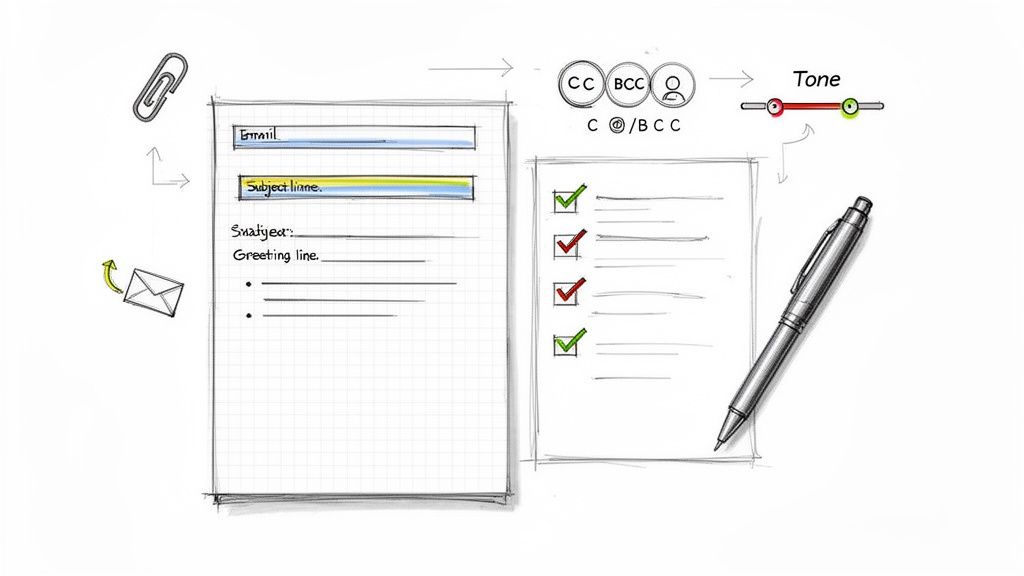
Workplace email etiquette isn't just a list of stuffy rules; it’s the professional code we follow when we send digital messages. Getting it right ensures your communication is always clear, respectful, and effective. It’s the secret to preventing misunderstandings and building a rock-solid professional reputation, one email at a time.
Why Mastering Email Etiquette Is a Career Superpower
In a world that runs on digital communication, your inbox is far more than a simple messaging tool. Think of it as a direct reflection of your competence and professionalism. Every single email you hit 'send' on helps build your personal brand, shaping how colleagues, clients, and your boss see you.
Unfortunately, a single poorly worded message can cause a lot of damage. It can create confusion, strain relationships, or bring a project to a screeching halt—all unintentionally.
That’s why mastering workplace email etiquette is a modern-day career superpower. This isn't about memorizing old-fashioned formalities. It’s about developing a strategic skill that builds trust, shows you respect other people's time, and guarantees your ideas land exactly as you intended.
The Overwhelming Reality of the Modern Inbox
Let’s be honest: our inboxes are overflowing. The average office worker gets around 121 emails per day, and studies show we spend over 90 minutes daily just recovering from the interruptions they cause.
This constant flood of information means your messages are all competing for a sliver of someone's attention. When you practice good email etiquette, you make your messages easier to read, prioritize, and act on. It’s a win for you and for everyone you communicate with.
This guide will break down the essential principles of effective email communication into actionable advice. Here's a quick look at the core pillars we'll be covering.
The Core Pillars of Effective Email Etiquette
| Pillar | Why It Matters |
|---|---|
| Clear Subject Lines | Acts as a headline, telling the reader what to expect and why it's important. |
| Appropriate Greetings & Closings | Sets the tone and shows respect for the recipient and your relationship. |
| Professional Tone | Conveys competence and prevents your message from being misinterpreted. |
| Brevity and Clarity | Respects the reader's time and makes your message easier to understand and act on. |
| Clean Formatting | Improves readability and helps the reader quickly find key information. |
| Mindful Use of CC & BCC | Ensures only relevant people are included, reducing inbox clutter for others. |
| Thoughtful Attachments | Prevents technical issues and ensures files are shared efficiently and securely. |
| Strategic "Reply All" | Avoids unnecessary notifications and keeps conversations focused. |
By focusing on these key areas, you'll not only send better emails but also become a more effective communicator overall.
What You Will Learn in This Guide
At PureWrite, we believe confident communication is the bedrock of professional success. This guide is your complete roadmap to navigating every digital interaction with skill and poise.
We’re going to cover everything you need to know:
- The Core Principles: We'll dive deep into the fundamentals, from crafting killer subject lines to mastering professional tone and formatting.
- Common Scenarios: You’ll get practical templates and advice for handling everyday situations with ease.
- Mistakes to Avoid: We’ll show you how to sidestep the most common email pitfalls that trip people up.
- Advanced Strategies: We’ll explore the nuances of cultural differences, legal risks, and accessibility considerations.
Developing strong email habits is about more than just sending cleaner messages—it's about building a foundation for stronger workplace communication as a whole. This is a skill that will pay dividends throughout your entire career.
The Anatomy of a Perfect Professional Email
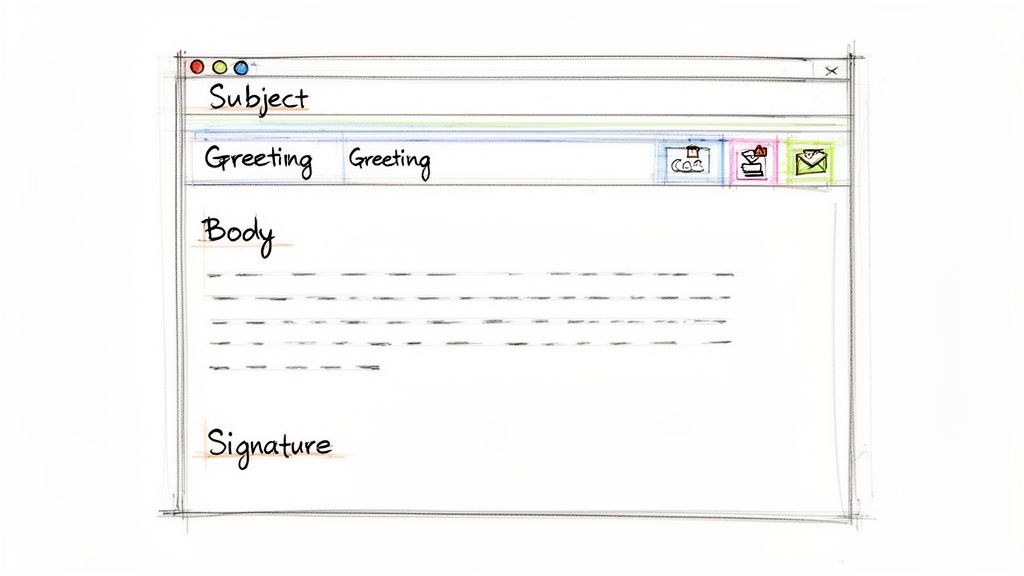
Writing a great professional email is a bit like building something with LEGOs. Each piece—the subject line, the greeting, the body—has a specific job to do, and they all need to click together just right. When you get these fundamentals down, you make sure your message doesn't just get delivered, but that it’s also understood and respected.
Let's walk through the essential building blocks of a truly polished email.
Crafting the Perfect Subject Line
Your subject line is the single most important part of your email. Seriously. Think of it as the headline for your message; it needs to be clear, concise, and give someone a reason to open it. We’ve all seen those vague subjects like "Question" or "Update" that get instantly buried in a busy inbox. Don’t be that person.
A great subject line gives the recipient the gist of your email and any action required before they even open it. A little effort here goes a long way. For a deeper dive, check out our guide on how to write powerful email subject lines.
A strong subject also makes your email easily searchable later on, which is a gift to both you and your recipient. It sets clear expectations and shows that you value their time.
Here's a real-world example of what a difference it makes:
Vague: "Meeting"
Better: "Marketing Budget Meeting - Friday, 10 AM"
Vague: "Project Files"
Better: "Final Designs for Project Phoenix Attached"
Following established email subject line best practices is a simple way to make sure your messages always stand out for the right reasons. It’s a small detail with a massive impact.
Greetings and Sign-Offs That Set the Right Tone
The greeting is your virtual handshake. The level of formality really depends on your relationship with the person you're emailing. When writing to a new contact, a client, or senior leadership, it’s always best to stick with formal greetings like "Dear Ms. Jones" or "Hello Dr. Smith."
If you’re emailing colleagues you work with every day, something more relaxed like "Hi David" or "Good morning team" is totally fine. When in doubt, always lean toward being a little more professional. You can always adjust your tone later.
Your sign-off should be a mirror image of your greeting.
Professional email etiquette is about consistency. A formal "Dear Mr. Evans" followed by a breezy "Cheers" can feel disjointed. Match the tone from start to finish to project a consistent, professional image.
Here are a few options:
- Formal Closings: "Sincerely," "Best regards," "Respectfully"
- Standard Professional Closings: "All the best," "Thank you," "Kind regards"
- Casual Closings (for colleagues): "Best," "Thanks,"
The Email Body: Brevity and Clarity
Now for the main event—the body of your email. The golden rule here is to be direct and make it scannable. Nobody has time to decipher an essay. Stick to short paragraphs, just two to three sentences each, to keep your points crisp and clear.
When you have to include more complex information, use formatting as your friend. Bullet points and numbered lists are perfect for breaking down instructions, action items, or key takeaways. Get your main point out right at the beginning, and then fill in the supporting details. This "inverted pyramid" style means your core message gets through, even if your reader is just skimming.
Attachments, CC, and BCC
Knowing how to handle attachments and recipients is a key skill in workplace communication. If you're sending a file, always call it out in the email body (e.g., "I've attached the Q3 report for your review."). This simple step ensures it doesn’t get overlooked.
Be strategic with your CC and BCC fields. They aren't just there for decoration.
- CC (Carbon Copy): Perfect for keeping someone in the loop when no direct action is required from them.
- BCC (Blind Carbon Copy): Use this one carefully. It's mainly for sending an email to a large group of people who don’t know each other, as it protects their privacy.
And please, think twice before hitting "Reply All." Overusing it or CC'ing people who don't need to be involved just adds to the inbox clutter we’re all trying to escape. A little thoughtfulness here saves everyone a lot of time.
At the end of the day, grammar and professionalism are everything. A staggering 87% of people believe grammar is vital in emails, and 72% of professionals expect a response within 24 hours. These numbers show just how much quality and timeliness matter to your professional reputation. If you're curious, you can find interesting insights about email habits here to see more on these standards.
If you’re ever second-guessing your tone, or if you're a content creator using AI and want to ensure your text is authentic, we invite you to try PureWrite. Our tool can help you humanize AI-generated content or polish your own writing to make sure you always sound authentic, clear, and professional.
Navigating Common Workplace Email Scenarios
Knowing the rules of email etiquette is one thing, but knowing how to use them in the real world is where it really counts. Every day at work throws a new communication puzzle your way, from a simple request for a file to a delicate apology. The trick is to handle each one with clarity, professionalism, and an authentic human touch.
Let's move from theory to practice. Here are some simple, adaptable templates for the most common situations you'll face, designed to give you a solid starting point for any message.
H3: When You Need to Request Information or Action
If you need something from a colleague, your number one goal is to make it incredibly easy for them to help you. A vague or demanding email gets ignored or pushed to the bottom of the pile. Instead, be specific, be polite, and be crystal clear about what you need and when you need it.
Think about the subject line. "Question" is forgettable. "Question re: Q3 Marketing Report - Action Needed by EOD Friday" tells them everything they need to know before they even open the email.
Subject: Question re: Q3 Marketing Report - Action Needed by EOD Friday
Hi [Name],
Hope you’re having a productive week.
Could you please send over the final sales figures for the Q3 marketing report? I need to incorporate them into the slide deck for Monday's presentation.
If you could get them to me by the end of the day Friday, that would be a huge help. Let me know if you have any questions.
Thanks so much,
[Your Name]
This works because it’s direct, gives a clear reason for the request, and sets a fair deadline. It respects their time while getting you what you need.
H3: When You Need to Give a Project Update
Keeping people in the loop is a non-negotiable part of managing any project. A good update email is proactive, brief, and cuts straight to the important stuff. Use formatting like bullet points to make the status scannable for busy team members.
Don't bury the lead. Start with a quick summary before you get into the nitty-gritty.
- Be Proactive: Don't wait for your boss to ask where things stand.
- Keep it Scannable: Use headings and bullet points so people can read it in 30 seconds.
- Highlight Next Steps: Always make it clear what's happening next.
Here’s a real-world template that gets the job done:
Subject: Project Phoenix Update - Week of [Date]
Hi Team,
Here’s a quick update on where we stand with Project Phoenix:
- Completed: The initial design mockups are done and attached for your review.
- In Progress: The development team is currently building the user authentication feature.
- Next Steps: I’ll consolidate feedback on the mockups by Wednesday and schedule a brief review meeting.
Overall, we're on track to meet our deadline. Please let me know if you have any questions.
Best,
[Your Name]
H3: When You Need to Follow Up Without Being Annoying
We've all been there. You sent an important email, and now... crickets. Following up is a necessary evil, but there's a fine line between being persistent and being a pest. The best approach is to be gentle, provide context, and assume they're just swamped, not ignoring you.
The golden rule? Always reply to your original email to keep the entire conversation in one thread. It saves the other person from having to dig through their inbox to figure out what you're talking about. A light touch here goes a long way.
Subject: Re: [Original Subject Line]
Hi [Name],
Just wanted to gently follow up on my email below. Let me know if you have any questions when you have a moment.
Thanks,
[Your Name]
H3: When You Need to Politely Decline a Request
Learning to say "no" at work is a superpower. It's often essential for protecting your time and focusing on your main priorities. A graceful decline is honest, polite, and, whenever possible, offers an alternative solution or suggestion.
You don't need to write a novel explaining why; a brief, respectful reason is enough. This approach maintains the relationship while clearly setting your boundaries. For a deeper dive, you can check out our guide to professional email etiquette examples.
Subject: Re: Request for Help with [Project Name]
Hi [Name],
Thanks for reaching out and thinking of me for this.
Unfortunately, my schedule is fully committed to the [Your Project] deadline at the moment, so I won’t be able to help out.
[Name of Colleague] has some great experience in this area and might be the perfect person to ask.
Wish I could be more help. Best of luck with the project!
All the best,
[Your Name]
Common Email Mistakes and How to Avoid Them
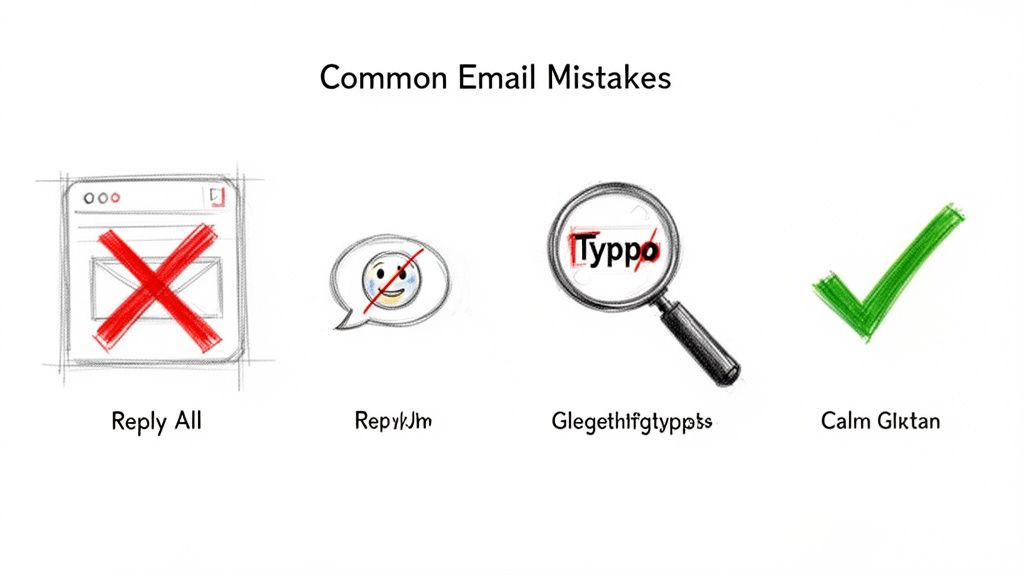
We've all sent an email we wish we could take back. Even the most careful professionals fall into common traps that, while seeming small, can cause real confusion, waste time, and chip away at your professional image. Knowing what these pitfalls are is the first step to avoiding them entirely.
Consider this your field guide to the biggest "don'ts" in the world of email. We'll walk through the most common blunders and give you simple, practical ways to sidestep them. Think of it as a friendly warning system for your outbox.
The Infamous Reply All Button
The Reply All button is easily the most dangerous weapon in your email arsenal. Used properly, it’s a great tool for keeping a whole team in the loop. Used carelessly, it unleashes a notification nightmare, burying everyone in an avalanche of irrelevant messages.
Before your finger even thinks about hitting "Reply All," just pause and ask: "Does every single person on this list need to see my response?" If the answer isn't a clear "yes," then a simple "Reply" to the original sender is the way to go. It’s a small gesture of respect for your colleagues' time and focus.
A study on workplace communication revealed that unnecessary emails are a major cause of stress and kill productivity. Cutting back on "Reply All" is one of the easiest, most impactful things you can do to create a better work environment for your whole team.
Overly Casual Language and Emojis
Let's be clear: a professional email is not a text to your buddy. While a friendly tone is great, getting too casual with slang, acronyms, and a flood of emojis can seriously undermine your credibility. What you think is personable might look unprofessional or just plain confusing to a client or a senior manager.
Save the smiley faces and "LOLs" for your internal team chats on Slack—and only if that fits your company's vibe. When you're writing to anyone else, stick to clear, professional language. It ensures your message is taken seriously. It's always better to be a little too formal than not formal enough.
Forgetting to Proofread
An email riddled with typos sends a silent message, and it’s not a good one. It says you were in a hurry, you weren't paying attention, or you just don't care about the details. These little mistakes can instantly weaken an otherwise powerful message, making you look less competent. We all make errors, but a pattern of them will absolutely damage your reputation.
This step is non-negotiable.
- Read it Aloud: It sounds silly, but this trick is gold. It forces you to slow down and catch awkward phrasing and typos your eyes would otherwise skip right over.
- Take a Break: Just for a minute. Step away from the draft, then come back with fresh eyes for one last look. You'll be surprised what you catch.
- Use a Tool: For an important message, a final check with a writing assistant can be a lifesaver. Here at PureWrite, we built our platform to help you catch those errors and ensure your writing is clear, confident, and authentically human.
Sending Emails While Emotional
We have all been there. A frustrating email lands in your inbox, and your immediate instinct is to fire back a fiery response. Don't do it. This is one of the single biggest mistakes you can make, and it can cause lasting damage to professional relationships.
If you read an email that gets your blood boiling, step away from the keyboard. Seriously. Go for a walk, grab a coffee—do anything but reply. Give yourself time to cool down and think things through. The response you write with a clear head will always be more constructive and professional.
This simple act of pausing isn't just good etiquette; it's a sign of emotional intelligence. And remember, once you hit send, that email is out there forever.
Advanced Email Communication Strategies
Once you've got the basics down, it’s time to move beyond just writing a decent email. Truly skilled communicators understand the subtle, unwritten rules that govern the modern inbox. This is where you graduate from simply being proficient to being exceptional.
We're talking about navigating tricky cultural nuances, sidestepping legal pitfalls, and mastering the art of managing expectations. These advanced skills show you're not just communicating; you're connecting with awareness and empathy. Let's dive into these more complex layers of digital correspondence.
Navigating Cultural Differences in Email
In today's global workplace, your inbox is a melting pot. You're constantly emailing people from different countries and cultural backgrounds, and what's polite in one place can come across as blunt or even rude in another. Some cultures, for instance, build relationships with a warm, personal introduction, while others prefer you get straight to business.
A little awareness here goes a very long way. Taking a moment to consider your recipient’s cultural norms can prevent awkward misunderstandings and help you build much stronger working relationships across borders.
- Formality: Don't be surprised if some colleagues always use formal greetings like "Dear Mr. Smith" and "Sincerely." In many cultures, this is a standard sign of respect, no matter how well you know them.
- Directness: What you see as a straightforward request might need to be softened with more polite phrasing for someone else. The direct "I need this by Friday" might be better phrased as "Would it be possible to have this by Friday?" to avoid causing offense.
- Pacing: Remember that in some cultures, building a relationship comes before talking business. This can show up in the tone and length of their emails, which might feel more conversational at first.
Legal and Accessibility Considerations
Here’s a hard and fast rule: not everything belongs in an email. Every email you send creates a permanent, searchable record. This means it can become a huge legal liability if it contains sensitive, confidential, or proprietary information. Always steer clear of discussing things like HR issues or trade secrets over email.
Crucial Takeaway: Treat every single work email like it could be forwarded to the entire company or read aloud in a courtroom. If the information is even remotely sensitive, pick up the phone, have a face-to-face chat, or use a secure messaging platform.
On top of that, making your emails accessible is a non-negotiable part of modern workplace email etiquette. This is about making sure colleagues who use screen readers or other assistive tech can understand your message just as easily as anyone else.
Here’s how to make your emails more accessible:
- Use descriptive link text. Instead of "Click here," write something like, "You can read our Q3 performance report."
- Never use color alone to signal importance (e.g., "Urgent items are in red").
- Structure your message with clear headings and simple bullet points to make it easy to follow.
Managing Response Times and Expectations
One of the biggest sources of workplace stress is the unspoken pressure to be available 24/7. While being responsive is great, being chained to your inbox is a fast track to burnout. The solution is to manage expectations proactively.
If a complex request lands in your inbox and you can't tackle it immediately, send a quick holding email. A simple, "Thanks, I've received this. I'll take a look and get back to you with a full response by tomorrow afternoon," works wonders. It shows you're on top of it while giving you the breathing room to craft a thoughtful reply. To go deeper, check out our guide on best practices for professional email communication.
These principles are part of a bigger picture. For a broader look at improving how you interact in all situations, resources on overall communication skills training can be incredibly valuable.
Ultimately, mastering these advanced strategies is what separates the good communicators from the great ones. It shows a high level of professionalism and emotional intelligence. When you're ready to ensure every message you send hits the mark, give PureWrite a try. Our tool helps you polish your writing until it’s clear, authentic, and perfectly tuned for any audience.
Your Pre-Send Checklist for Flawless Emails
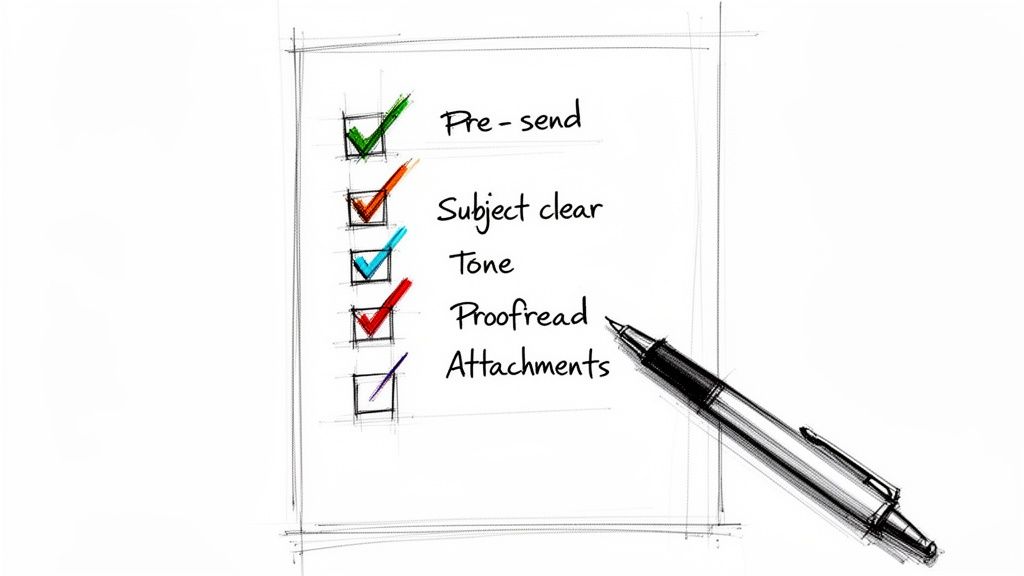
Before your finger even hovers over the 'Send' button, pause. Taking just a moment for a final review is probably the single most powerful email habit you can build. It's your last line of defense against embarrassing typos, confusing messages, or an email that just doesn't land right.
Think of it like a chef giving a dish one last taste before it goes out to the customer. This final check is what separates good communication from great communication, ensuring your message perfectly represents you and your intent.
The Essential Last-Look List
For any important email, run through this quick mental scan. It takes less than 60 seconds but can save you from a world of trouble and follow-up questions. This is the heart of responsible workplace email etiquette.
- Is the subject line clear and specific? If the recipient saw only the subject, would they know what the email is about and why it matters?
- Are the right people included? Give the
To,CC, andBCCfields a final glance. Is everyone who needs this included? More importantly, is anyone on there who doesn't need to be? - Is the tone right for the audience? Try to read the email from their perspective. Does it sound respectful and professional, and does it fit your relationship with them?
- Is the main point impossible to miss? Your key message or question should be right near the top. Don't make them hunt for it.
Proofreading and Polishing Your Draft
The final, non-negotiable step is a thorough proofread. Nothing undermines your credibility faster than a glaring typo or a sloppy grammar mistake. A quick once-over is good, but a more focused approach is even better. This isn't the same as editing the content itself; you can learn more about the crucial differences between copy editing vs. proofreading in our detailed guide.
Your email is a direct reflection of your professionalism. A polished, error-free message signals attention to detail and respect for the recipient's time, reinforcing your competence with every word you send.
This is where a tool can be your best friend. Popping your draft into PureWrite gives you an instant second opinion on its tone, clarity, and overall feel. For content creators using AI, we ethically designed our platform to act as a safety net, catching awkward phrasing or subtle robotic tones before your message is sent. It helps you make sure every email you send is polished, professional, and sounds genuinely human.
Ready to send every email with total confidence? Try PureWrite today and experience the difference a final polish can make.
Answering Your Top Email Etiquette Questions
Even with the best intentions, we all run into those tricky email situations where the "right" answer isn't obvious. You're staring at the screen, wondering, "How long is too long to wait before replying?" or "Is a smiley face okay here?"
Let's clear up some of the most common gray areas. Think of this as your quick-reference guide for navigating those head-scratching moments.
How Quickly Should I Respond to a Work Email?
For most non-urgent emails, replying within 24 hours is a solid rule of thumb. It shows you're on top of things without chaining you to your inbox. It sets a reasonable expectation that you're responsive but focused.
But what if the email needs a detailed response you can't give right away? Don't leave them hanging. A quick acknowledgment works wonders. A simple, "Got this, thanks! I'll need to look into a few things and will get back to you with a full response by tomorrow," is perfect. It manages expectations and lets the sender know their message didn't disappear into a black hole.
Is It Okay to Use Emojis in a Professional Email?
This one is all about context. It really boils down to your company culture and how well you know the person on the other end. If you're emailing a teammate you have a great rapport with, a quick smiley face or a thumbs-up emoji can add a bit of warmth and personality.
However, when you're writing to a new client, senior management, or anyone you don't know well, it's best to play it safe and leave them out. Professional language ensures your message is taken seriously and avoids any chance of misinterpretation. My personal motto is: When in doubt, leave it out.
What’s the Best Way to Follow Up on an Unanswered Email?
First off, be patient. People are busy, and inboxes get flooded. Give it at least two or three business days before you nudge them.
When you do follow up, the best approach is to reply directly to your original email. This keeps the whole conversation in one thread and gives the recipient all the context they need without making them search for it.
Keep the follow-up note light and friendly. Something like, "Hi Sarah, just gently bumping this up in your inbox when you have a moment," works beautifully. Always assume good intent—that they're busy, not ignoring you. A polite, non-accusatory tone will always serve you well and keep your professional relationships strong.
Making sure your emails are clear, professional, and genuinely sound like you is key to great communication. If you're using AI to help draft content and want to give your drafts a final polish to be certain your tone is just right, PureWrite can help refine your message until it sounds perfectly human. You can try our AI text humanizer at https://purewrite.io and hit "send" with total confidence.