How to Write Technical Documentation: A Practical Guide for Creators
Great technical documentation translates complex ideas into simple, actionable steps. It’s about knowing your audience, structuring information logically, and keeping everything current. The real goal is to empower your users to get a job done without frustration.
Why Your Technical Docs Are More Than Just a Manual
Let's be honest: many people dread reading technical documentation. It's often seen as a necessary evil, written more out of obligation than a genuine desire to help. But what if your documentation could be a strategic asset for your business?
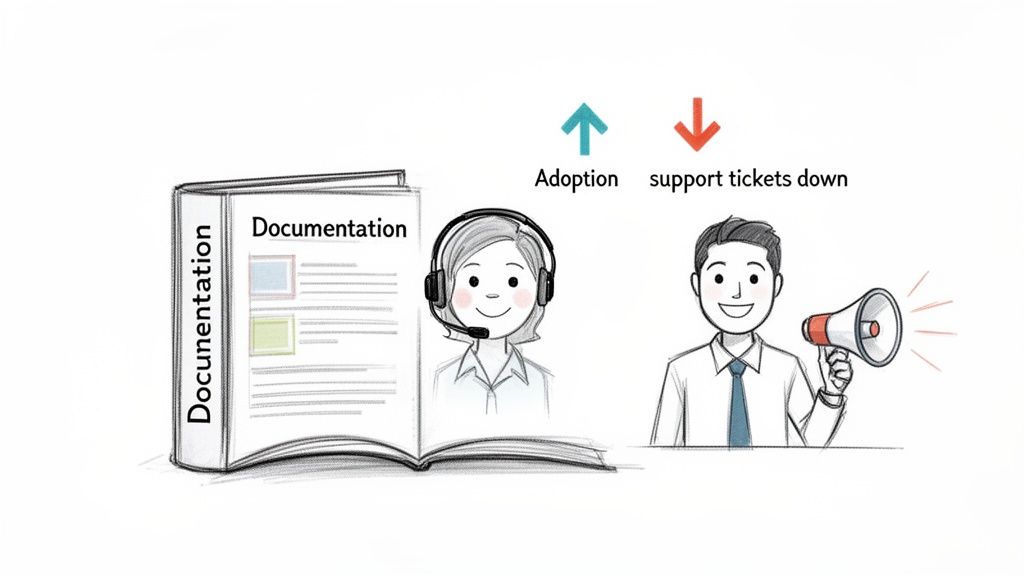
When done right, great documentation works for you 24/7. It acts as your best salesperson and most patient support agent, making users feel confident. Guides that are clear and focused on user goals can dramatically boost product adoption, cut down on support tickets, and get new developers up to speed in record time.
The Business Impact of Excellent Documentation
The hidden costs of poor documentation are immense, showing up as user churn and bloated support queues. If a user can't find a simple answer, they might abandon your product or clog support channels, driving up operational costs.
Think of it as a strategic investment. Studies show that well-documented projects can be completed up to 25% faster. On the flip side, poor documentation has been a notorious factor in countless project failures over the years.
Good documentation is proactive problem-solving. It anticipates user questions and provides clear answers before they even have to ask, building trust and fostering loyalty.
Turning Manuals into Strategic Assets
Start thinking of your docs as a core feature of your product, not an afterthought. This simple shift in mindset changes everything. Your objective is no longer just to "document features" but to "empower users," which requires a solid content development strategy built around clarity.
This also means seeing your documentation as part of a bigger picture. It's a critical piece of your company's knowledge management strategy, ensuring information is consistent and accessible for everyone.
When you invest in quality documentation, you’re building a scalable foundation for growth. If you're using AI writing tools to create this content, it’s vital that the final output sounds authentic. At PureWrite, we built our tool to help you humanize robotic AI drafts into helpful content your users will actually want to read.
Start by Understanding Your Reader's Mindset
Great technical documentation starts with empathy, not code. Before you write about a single feature or API endpoint, you have to get inside your reader's head. Think of it like a conversation—you can't have a good one without knowing who you're talking to.
Imagine explaining a complex topic. You'd use different words and examples for a seasoned developer versus a new user, right? If you don't, you risk boring the expert and completely losing the beginner.
Create Simple User Personas
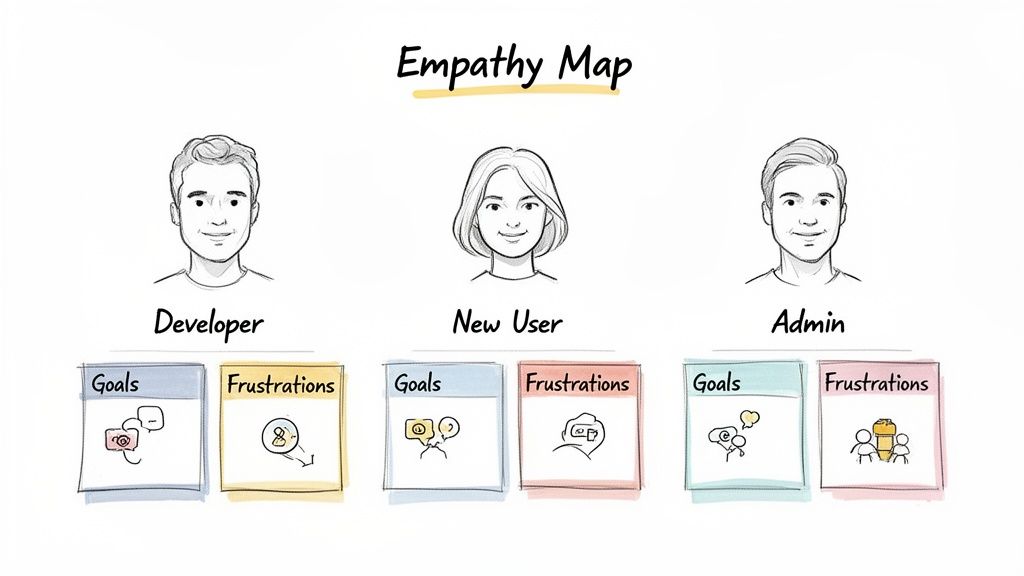
You don't need a massive marketing study to understand your audience. Start with simple, practical user personas, a cornerstone of writing technical documentation that genuinely helps people.
For each of your main audience types, just ask a few key questions:
- What's their technical comfort level? Are they a true beginner or an expert? This dictates the jargon you can use and how much background you need to provide.
- What are they trying to do right now? A developer's goal is to integrate a feature, while a project manager might just need a high-level overview.
- What will make them frustrated? Anticipating where they might get stuck is a superpower. It lets you smooth over the rough patches before they even get there.
If you want to go deeper on this, we've put together a full guide on what is audience analysis that breaks down more structured techniques.
Set Clear Objectives for Your Documentation
Knowing your audience is half the battle; the other half is defining what success looks like for your documentation. It needs to achieve something specific and measurable.
Vague goals like "explain the feature" don't cut it. Instead, you need to connect your content directly to what helps your users and your business.
Defining clear objectives turns your documentation from a simple cost center into a strategic asset. Every word you write should serve a purpose, guiding the user toward a successful outcome.
A much stronger objective would be something like: "Reduce support tickets related to user onboarding by 40%." Or perhaps: "Decrease the average API integration time for new developers by three hours." These goals force you to focus on the user’s real-world journey.
This approach is also a game-changer when working with AI writing assistants. Instead of a lazy prompt like "write about our new dashboard," you can provide a much more effective one: "Write a guide for a non-technical marketing manager explaining how to generate their first report on the new dashboard." The quality of the first draft will be worlds apart.
From there, a tool like PureWrite can help you polish that AI-generated text into something that sounds genuinely human. We designed it to take that robotic first draft and refine it into clear, approachable language that speaks directly to the personas you've built.
Choosing the Right Structure for Your Content
You can have the most accurate, brilliantly written content in the world, but if your readers can't find what they need, it's useless. A confusing structure is the fastest way to make someone give up. The secret to great technical documentation is to think less like a writer and more like an architect.
Think about assembling a bookshelf with jumbled instructions—it would be a total mess. Your documentation works the same way. Every piece of content needs a clear purpose and a predictable home.
Companies like Stripe have absolutely nailed this. Their docs are neatly divided into distinct sections, making it immediately obvious where to go for a quickstart guide versus a deep dive into their API reference.
This kind of organization meets users exactly where they are, whether they're a new developer just starting out or a seasoned pro looking for a specific detail.
The Four Core Documentation Types
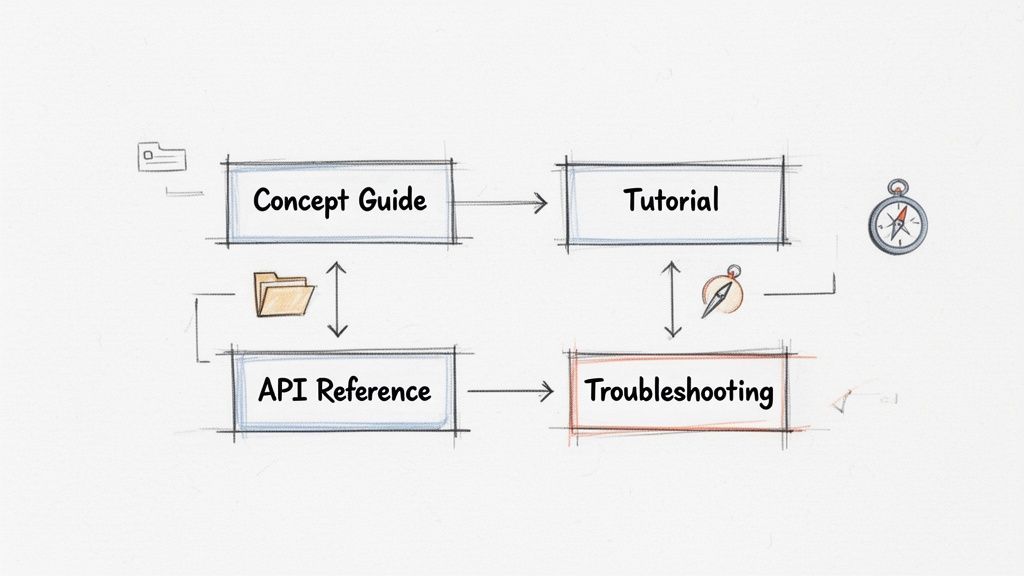
Most world-class technical documentation is built on four core formats. Understanding what each one does is the key to building a resource that feels comprehensive, not chaotic.
To make this crystal clear, here’s a quick breakdown of the four main types of documentation, what they're for, and when you should use them.
Choosing the Right Documentation Format
| Documentation Type | Primary Goal | Best For | Example |
|---|---|---|---|
| Concept Guide | Explain the "why" | Building a user's foundational understanding of a system, architecture, or core idea. | A document explaining the principles of your platform's security model. |
| Tutorial | Show the "how" | Guiding a new user through their first successful project or a specific, tangible task. | A step-by-step guide to deploying a sample application using your API. |
| API Reference | Describe the "what" | Providing an exhaustive, searchable dictionary of every endpoint, parameter, and return value. | A detailed entry for the POST /users endpoint, listing all possible parameters. |
| Troubleshooting | Answer "what if?" | Solving common errors, answering FAQs, and helping users get unstuck from specific problems. | A page titled "Resolving '401 Unauthorized' Errors" with common causes and fixes. |
Each format solves a different problem for the reader. The magic happens when you know which one to reach for.
Putting the Right Content in the Right Place
Knowing the difference is one thing; using these formats correctly is where the real skill comes in. You have to anticipate your user’s mindset. A developer in a hurry doesn't want to sift through a long-winded tutorial to find a simple answer.
One of the most common mistakes is mixing these formats together. Burying a big conceptual explanation in a step-by-step tutorial will only frustrate an expert who just wants the commands. To learn how to make these connections feel seamless, check out this guide on using transitional words and phrases.
A well-structured documentation hub acts as a GPS for your user. Whether they need a 30,000-foot overview or turn-by-turn directions, the right path should always be clear.
Tying It All Together
These four formats shouldn't live in isolation. The best documentation sites link them together into a cohesive web of information.
A good concept guide should link out to relevant tutorials where the user can see the ideas in action. A tutorial might, in turn, point to the detailed API reference for more advanced configuration options. Your troubleshooting section is the safety net, linking back to concepts or tutorial steps a user may have misunderstood.
Crafting Content That’s Actually Clear and Human
With a solid structure in place, it’s time to write. This is where you turn raw information into guidance that genuinely helps people. The goal isn't just to be technically accurate; it's to write something that feels like it was written by a human, for a human.
That means putting clarity above everything else. Fight the urge to use jargon to sound smart. Your reader is here for an answer, fast.
Get to the Point with Active Voice
One of the fastest ways to make your writing more direct is to use the active voice. In an active sentence, the subject does the action. It’s the difference between "The button should be clicked" (passive) and "Click the button" (active).
The active voice is punchier and easier to follow. It gives your instructions a sense of momentum and authority.
- Passive: "The configuration file is then updated by the system after the settings are saved."
- Active: "The system updates the configuration file after you save the settings."
See how the active version is shorter and clearer? This small change makes a massive difference in readability.
Explain Jargon Without Talking Down to People
Every technical field has its own jargon. You can't always avoid these terms, but you must explain them. The trick is to define jargon the first time you use it in a way that’s helpful, not patronizing.
A simple definition in parentheses or a quick explanatory sentence is usually all it takes. For example, "Next, you’ll need to configure your API key (a unique code that authenticates your requests)." This approach respects your reader's intelligence while making sure no one gets left behind.
The best technical writers are translators. They bridge the gap between expert knowledge and a user's immediate need, making complex terms empower the reader instead of scaring them away.
Getting this balance right is key to building trust. When you explain things clearly, you show the reader you've thought about their experience.
The Magic of Visuals and Scannable Formatting
Let’s be honest: nobody wants to read a wall of text, especially when they're trying to solve a problem. In fact, research shows that only about 16% of people read online content word-for-word; most just scan. Good document management is built on this principle of structured, digestible information.
The global market for document management systems is expected to hit USD 37.13 billion by 2035, partly because well-organized content is easier to use. You can dig into the specifics in this detailed document management system market report.
Here’s how to make your content scannable and easy on the eyes:
- Short Paragraphs: Stick to 2-3 sentences max to create white space.
- Bulleted Lists: Turn long sentences with multiple clauses into a simple list.
- Annotated Screenshots: A picture with arrows pointing to exactly what the user needs is a lifesaver.
- Simple Diagrams: Use tools like Lucidchart to create a quick flowchart that illustrates a tricky process.
This approach is also becoming crucial for how AI finds information. The principles of creating content that directly and authoritatively answers a user's question are vital for making sure your docs get surfaced by answer engines.
Humanizing Your AI-Generated Drafts
Many teams use AI writing tools to get a first draft on the page, which can be a fantastic shortcut. But raw AI output can sound robotic and repetitive. It often misses the nuance and authentic tone that make for great technical writing.
This is where you, the human editor, are indispensable. Your job is to take that AI-generated text and polish it until it reads like an authentic, helpful guide. That’s exactly what we built PureWrite for. Our tool analyzes AI-generated text for patterns of "AI-ness" and gives you smart suggestions to make it sound more natural.
For example, an AI might spit out: "Utilization of the API endpoint necessitates the provision of valid authentication credentials."
With PureWrite, you can ethically and easily turn it into: "To use this API endpoint, you need to provide valid credentials." It’s still your original idea, just communicated more clearly. To dive deeper, check out our guide on the importance of conciseness in writing.
Ready to make your documentation more human? Try PureWrite today and see how easy it is to transform robotic AI text into clear, engaging content.
Building an Efficient Documentation Workflow
World-class documentation isn't born from a single sprint before launch. It’s the result of a smart, sustainable process. When you build an efficient workflow, documentation becomes a natural part of your development cycle.
Modern teams are shifting to integrated systems designed to make collaboration seamless and updates practically effortless. This is where your choice of tools and methodologies can make all the difference.
Adopting a Docs-as-Code Approach
One of the most powerful changes in technical writing is the docs-as-code workflow. This method treats your documentation with the same rigor as your source code. It lives in the same repository (like Git), goes through the same peer review process, and is versioned alongside the product it describes.
This approach builds a crucial bridge between writers and engineers. When a guide update is bundled into the same pull request as a new feature, your docs can't fall out of sync. It fosters a culture where everyone feels ownership over documentation quality.
The docs-as-code workflow is a game-changer. It ensures your guides are always in sync with product updates and turns documentation into a living, reliable resource.
This shift in process helps you maintain consistency across the three pillars of great writing: voice, tone, and visuals.
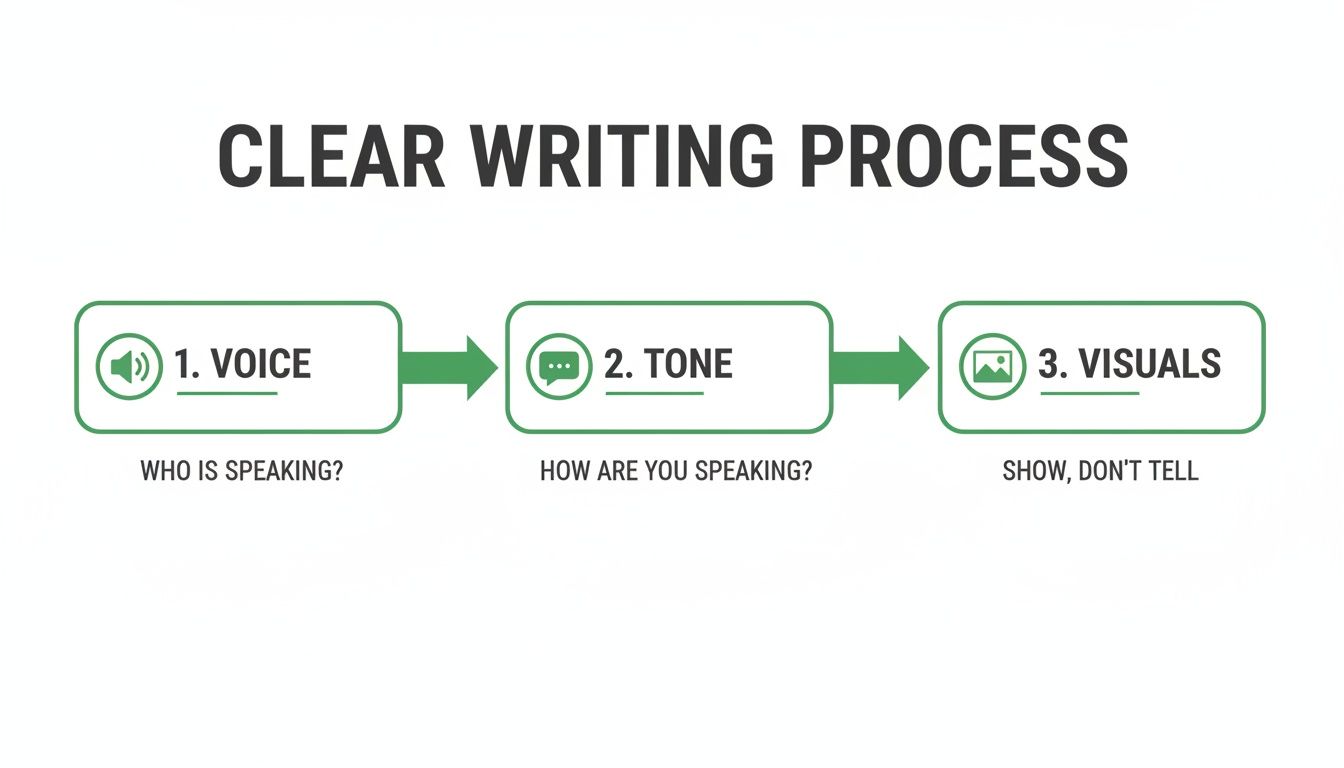
As the diagram shows, a solid workflow is what allows you to consistently manage these elements and produce high-quality content every time.
Choosing the Right Tooling
The docs-as-code philosophy is supported by a fantastic ecosystem of tools. Many teams simply rely on Markdown, a lightweight markup language that’s incredibly easy for anyone on the team to learn and use.
From there, platforms like Docusaurus or GitBook take over. They are designed to transform your simple Markdown files into beautiful, fully-featured documentation websites with minimal fuss.
They typically come with powerful features built right in:
- Full-text search, so users can find what they need in seconds.
- Versioning, which is essential for keeping docs for different product releases organized.
- Customizable themes that let you match your brand’s look and feel.
This modern stack removes friction from the creation process, freeing up your team to focus on writing clear, helpful content. For more insights on refining your methods, explore this guide on the 5-step writing process.
Keeping Your Documentation Alive and Accurate
Hitting "publish" on your documentation isn't the end of the road; it's just the beginning. A guide is only as good as it is accurate, and in a world where products are constantly changing, content can go stale in a heartbeat.
Think of your documentation as a living part of your product. This mindset is what separates decent instructions from a truly reliable resource that people trust. It's all about continuous improvement.
Establishing a Practical Review Cycle
The key is to build a sustainable review process, not a massive annual chore. You want small, consistent checks built right into your regular workflow.
For your review team, you'll want a few different perspectives:
- Subject Matter Experts (SMEs): Your engineers and product managers who can verify technical accuracy.
- Editors or Writers: Someone with a keen eye for consistency in tone, style, and clarity.
- Users: Your most valuable source of truth. Actively listen to their feedback to see what’s actually working.
Using Feedback to Guide Your Updates
Your users are in the trenches every day and will spot confusing sections long before your internal team does. Make it dead simple for them to flag things with a "Was this page helpful?" widget or a feedback link.
Pair that direct user feedback with basic analytics. Look at which pages have high bounce rates or low time-on-page. These are often red flags that the content is either irrelevant or confusing.
Your documentation is a direct conversation with your users. Listening to their feedback is the most effective way to ensure your guides are solving real-world problems.
This commitment to quality is also a major economic driver. The document outsourcing services market is projected to hit USD 14.3 billion by 2035 because industries are demanding high-quality, maintainable guides. You can read more about this trend and its impact on the industry.
Pruning and Perfecting Your Content
Finally, get a recurring event on your calendar for a quick content audit. The goal isn't to rewrite everything; it's to prune what's no longer relevant and spot new knowledge gaps.
Ask a few simple questions for each piece of content:
- Is this information still accurate?
- Does this article reflect our latest UI or API version?
- Are there new features we haven't mentioned yet?
This simple, repeatable process turns your documentation into a rock-solid resource. If you’re using AI to help draft updates, we can help ensure the new content sounds just as human as the original. Try PureWrite to quickly refine AI-generated text and keep your documentation clear and authentic.
Common Documentation Questions Answered
When you're first learning how to write technical documentation, a few questions always pop up. Getting straight answers can make the difference between feeling overwhelmed and feeling confident. Here are a few common ones we hear.
What Is the Most Important Skill for a Technical Writer?
It's easy to assume it's just being a good writer, but that's only part of the story. The single most critical skill is actually empathy.
You have to be able to put yourself in your user's shoes. What is their technical background? What are they trying to accomplish? Empathy is what turns raw information into something genuinely helpful.
How Can I Make Technical Documentation More Engaging?
Here's a little secret: stop trying to make it "engaging" and start trying to make it empowering. Nobody reads technical docs for fun; they read them to solve a problem.
Your goal is to help them do that as quickly and painlessly as possible. You can do this by:
- Using a conversational but professional tone.
- Explaining complex ideas with simple analogies.
- Adding visuals like diagrams, screenshots, or short videos.
- Keeping paragraphs short and using clear, scannable headings.
The best documentation makes a user feel smart and capable. When someone can find what they need, solve their problem, and get back to work, that's the ultimate form of engagement.
Ultimately, every single piece of documentation should help your reader achieve a concrete goal.
How Often Should Technical Documentation Be Updated?
The short answer is: as often as your product changes. The best-case scenario is to treat your documentation like code ("docs-as-code") and update it alongside every feature release.
Beyond those real-time updates, it's a good practice to audit your entire documentation library every 6 to 12 months. This is your chance to look for bigger knowledge gaps or areas that need a strategic overhaul. Consistency is key to building trust with your users.
Maintaining a natural, human tone can be tough, especially when using AI writing tools. PureWrite helps you ethically polish AI-generated text or your own drafts to ensure they sound authentic and are easy for anyone to understand. You can try it for free at https://purewrite.io.