What CC in an Email Really Means and How to Use It Right
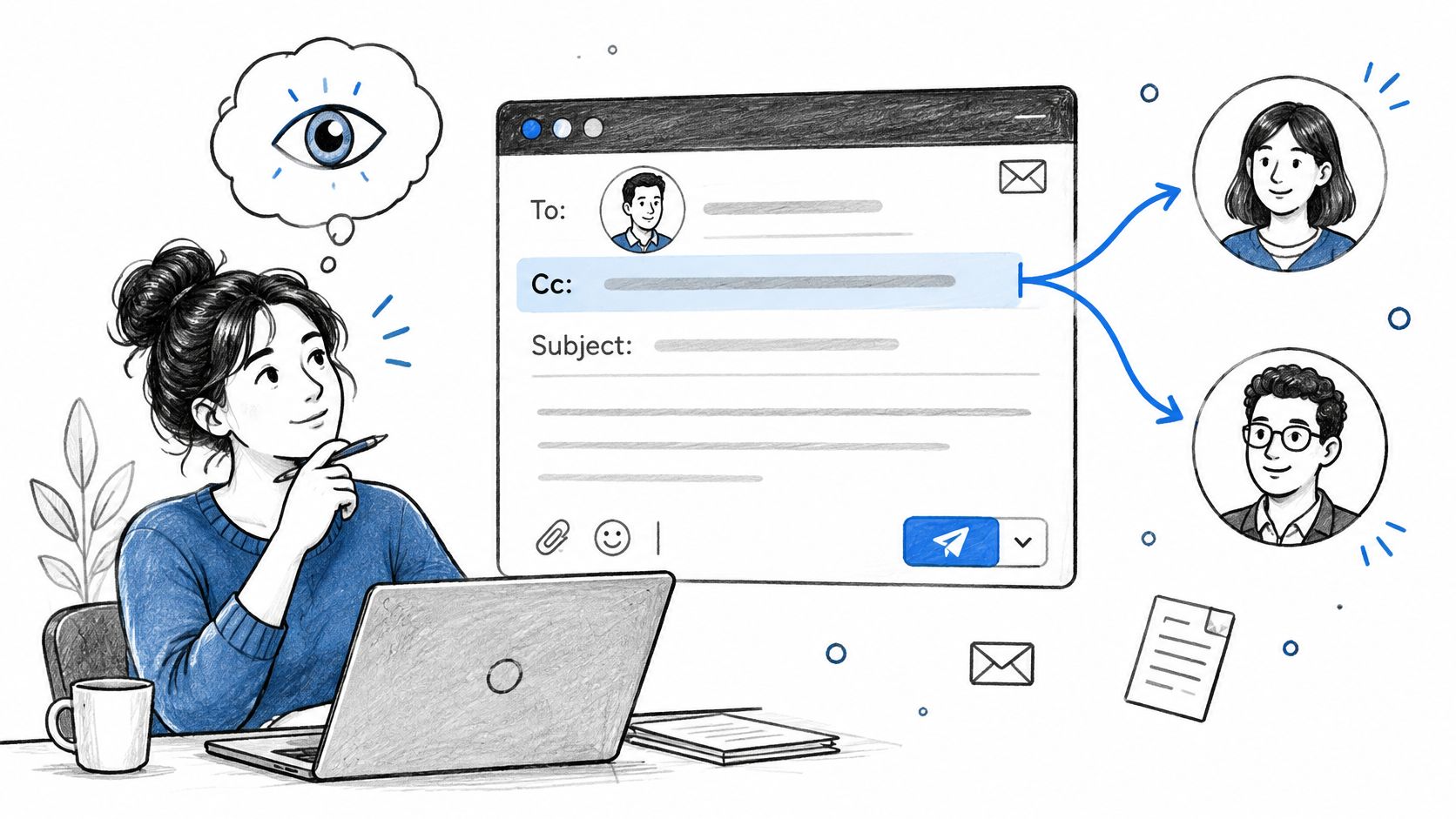
You're about to reply to a client's email when you notice your manager, a freelance writer, and an unfamiliar address in the recipient list. Your answer includes an internal question about the draft. Before you hit Send, you need to decide who should read it.
That's the practical challenge of CC in an email. The field is easy to fill, but choosing the audience takes more judgment than choosing an address.
The Email Habit Almost Everyone Gets Wrong
Consider a familiar scenario: a content marketer receives a client's feedback, then selects Reply all to ask a colleague whether the requested revisions are included in the contract. The client is still on the thread. An internal scope question has just become a client-facing conversation.
This is an illustrative situation, not a reported case study. It shows why copying someone isn't a courtesy. You're deciding who gets access to the discussion and who might interpret your words differently.
The risky habit is inheriting the audience without reviewing it. Someone copied a department head earlier, so everyone keeps including them. A vendor joined for a scheduling question and remains on later messages about budget or performance.
Treat the recipient list as an editorial decision
Writers already make audience decisions when drafting a blog post, essay, or campaign. Email deserves the same care, especially when an AI tool has helped produce a polished response that you're tempted to send quickly.
Before composing, ask:
- Who needs to act? Identify the person who can answer, approve, or complete the task.
- Who needs the outcome? Some stakeholders need a final update, not the whole discussion.
- Who shouldn't receive this context? Separate internal deliberation from external communication.
- Why is each copied person included? Give every name a purpose you could explain openly.
Practical rule: Don't carry yesterday's recipient list into today's conversation without checking it.
You don't need a complicated approval process for ordinary email. You need a brief pause between drafting the message and choosing its audience.
That pause also belongs after AI-assisted editing. Clearer wording doesn't make an inappropriate recipient list safer, and a confident tone doesn't mean the message is ready to send.
What CC Actually Stands For and How It Works
CC means carbon copy. The term comes from office correspondence, when carbon paper between sheets produced a duplicate as someone typed. Electronic mail retained the familiar distinction between the main addressee and people receiving copies, as described in this history of CC and BCC.
Think of an email as a meeting invitation: To identifies the people you're addressing, Cc identifies visible observers, and Bcc provides hidden delivery. That metaphor helps with responsibility, although the fields themselves don't enforce who must respond.
To vs Cc vs Bcc at a Glance
| Field | Primary purpose | Visibility to other recipients | Best use |
|---|---|---|---|
| To | Address the main recipient or action owner | Visible to recipients | Questions, approvals, assignments |
| Cc | Keep relevant people informed | Visible to recipients | Shared context and intentional oversight |
| Bcc | Send without displaying blind-copy addresses | Hidden from To and Cc recipients and other Bcc recipients | Appropriate announcements where addresses should remain private |
Google's Gmail recipient guidance explains that Bcc recipients can still see the To and Cc fields. It also notes that read-receipt requests go to To and Cc recipients, but not Bcc recipients.
BCC doesn't make the email confidential. It changes recipient visibility, not what someone can do with the message after receiving it. Treat the contents as information you're deliberately sharing.
Why the labels haven't disappeared
CC and BCC appeared as message-header fields in RFC 733 in 1977, continued through RFC 822 in 1982, and eventually carried into RFC 5322, as documented in the historical reference above. They aren't inventions of a particular modern email provider.
The useful distinction is between delivery and responsibility. Adding a colleague to Cc delivers the message, but it doesn't clearly assign a task. Your wording must do that.
For example, if you're preparing investor outreach with a resource such as Gritt.io's Email top United States investors, write individual, relevant messages rather than treating a research list as a ready-made Cc audience. Access to contact information isn't a reason to expose contacts to one another.
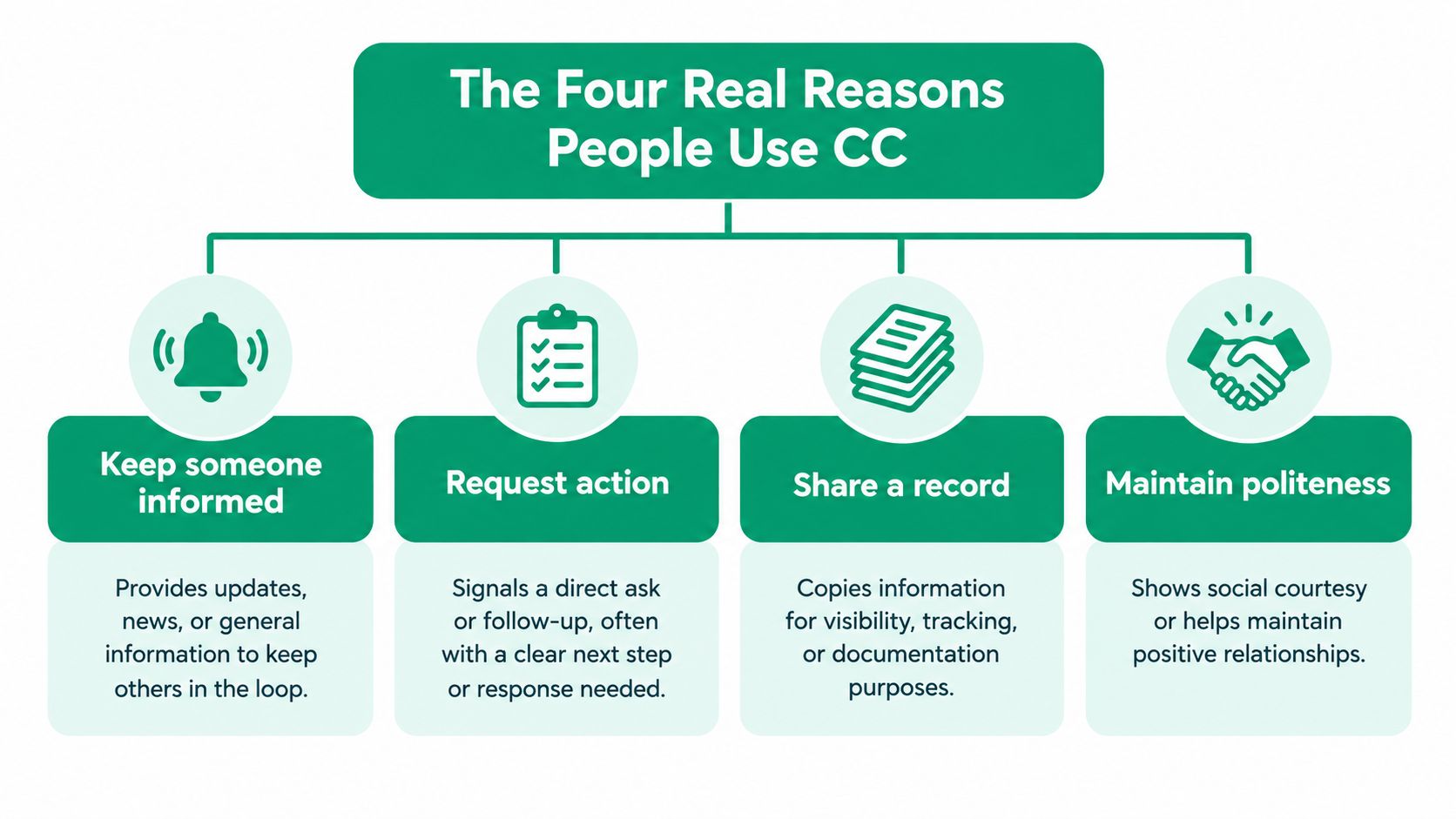
The Four Real Reasons People Use CC
Before adding a name, finish this sentence: I'm including this person because… If your answer is vague, reconsider whether they need the message.
This visual summarizes common copying motives, including courtesy. Courtesy alone, however, shouldn't outweigh a clear operational purpose.
Inform someone without assigning work
A writer sends a revised article to the commissioning editor and copies the account manager. The account manager needs awareness, but the editor owns the next step.
Try: “I've copied Maya so she has the latest draft for the account record. Jordan, please confirm whether it's ready for publication.”
Request input without hiding the ask
An optional invitation can suit a copied colleague: “Sam, I've copied you in case you have context on the audience research. No response is needed unless there's something we've missed.”
Required feedback is different. If publication depends on Sam's approval, put Sam in To and state the request directly. Don't assign essential work through an FYI.
For a complementary explanation of the email fields, this video provides another format.
Document an agreed decision
After a planning discussion, you might copy the campaign owner on a confirmation: “We've agreed to use the revised headline and retain the original launch date. I'm copying Priya for the campaign record.”
Make clear whether you're recording agreement or seeking it. “Please approve” and “For your records” aren't interchangeable.
Escalate a problem transparently
An escalation asks someone with authority to help resolve a blocker. State the issue and the decision needed rather than adding a senior name without explanation.
- Awareness only: Copy the manager and explain why they need context.
- Decision required: Address the manager in To and name the decision.
- Private advice: Start a separate conversation rather than secretly adding an observer to an active dispute.
These distinctions support clearer workplace communication: match the audience, request, and wording instead of expecting recipients to infer your intention.
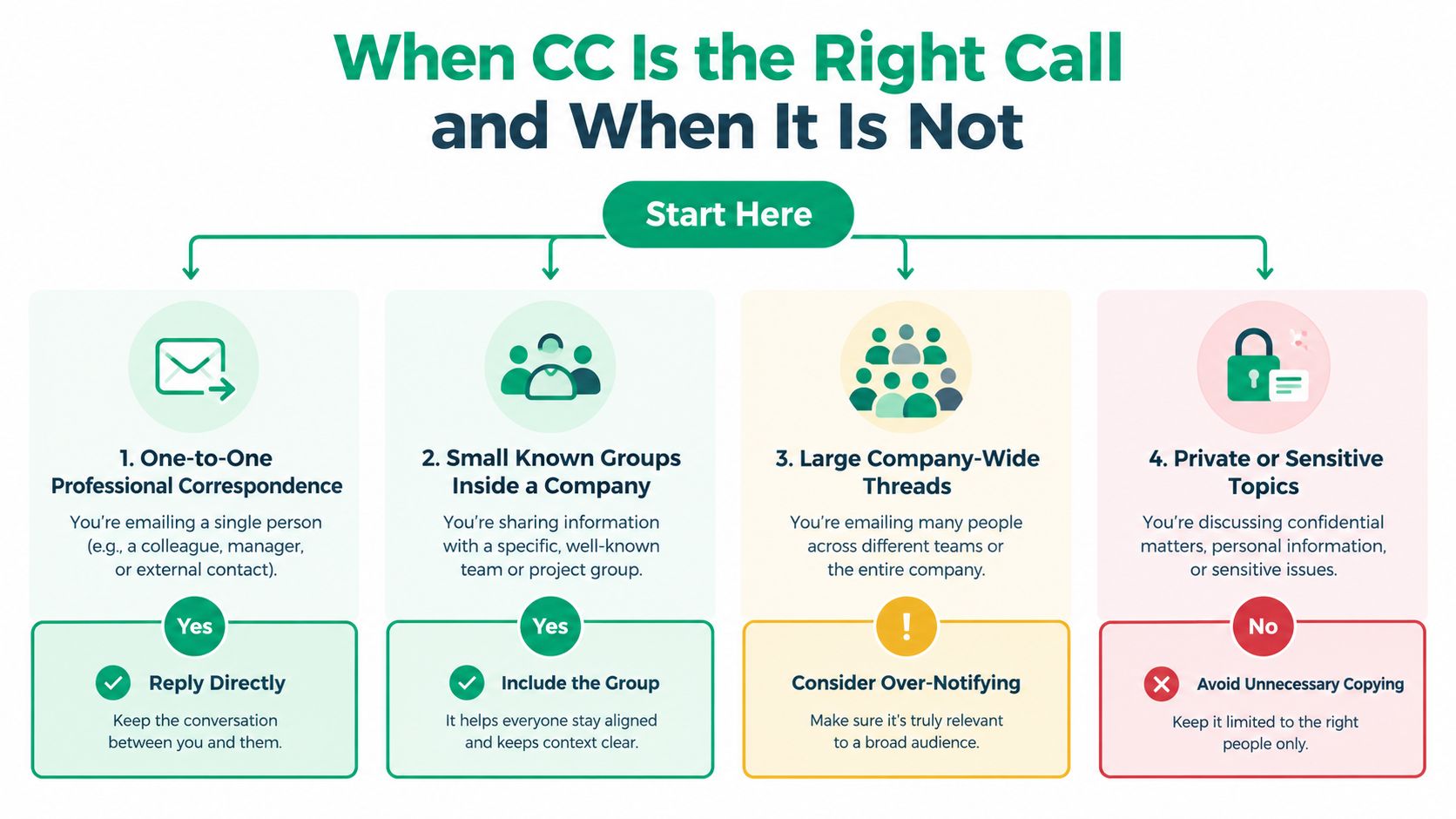
When CC Is the Right Call and When It Is Not
The useful decision isn't “Cc or Bcc?” It's which communication method suits this audience and this information?
Use the following flowchart as a starting point, then account for sensitivity and the reason people need the message.
Match the method to the situation
| Situation | Recommended approach | Reason |
|---|---|---|
| A direct question to a client | To, with no unnecessary copies | Keep the exchange focused |
| A project update for a known working group | To for owners, Cc for relevant observers | Shared context is intentional |
| An announcement to unrelated customers | Approved mailing platform, or Bcc for an appropriate nonsensitive message | Avoid exposing the audience |
| Sensitive personal or regulated information | An approved secure workflow | Recipient hiding alone isn't enough |
For one-to-one correspondence, start with the person you need. A student asking an instructor about an assignment usually doesn't need to copy classmates or department staff.
For small known groups, consider whether everyone needs the same information. A designer, writer, and client lead may all need a production update, but vendor pricing negotiations might belong in a separate exchange.
For customer announcements, don't assume that knowing your business means customers know one another. Ireland's Data Protection Commission advises using Bcc when recipients' addresses must remain private in its guidance on email correspondence and data breaches.
When Bcc is still insufficient
For sensitive personal information, the UK Information Commissioner's Office recommends considering bulk-email platforms, mail merge, or secure data-transfer services rather than relying on Bcc alone. Its email security guidance also discusses safeguards such as autocomplete controls, send delays, and warnings about multiple recipients.
An address that identifies an individual may itself be personal data. A disclosure can therefore happen through the recipient list, even if the message body seems harmless.
Choose the delivery method for the information you're sharing, not just for the number of people receiving it.
Finally, consider the next reply. Reply all can distribute additional information across the visible conversation, so distinguish a private question from a group update before responding.
Build those audience checks into your email communication practices, alongside subject lines and attachment checks. They're part of responsible handling, not optional finishing touches.
Sentence Templates You Can Copy Today
A good CC sentence explains the audience without turning the opening into administrative clutter. Use these examples as adaptable drafts, not language you must preserve.
The aim is plain, direct writing, like the simple statement shown below.
For updates and feedback
Project update with a manager copied
“Hi Jordan, the revised landing-page copy is ready for your review. I've copied Maya for visibility; Jordan, please confirm whether the headline is approved.”
This names the action owner and explains the manager's presence. Replace “for visibility” with a concrete reason when you have one, such as “so she can update the production schedule.”
Optional feedback from a peer
“Alex, please review the introduction before we send the draft to the client. Taylor, I've copied you in case you'd like to add audience context, but your feedback isn't required for approval.”
This separates required work from an invitation. Don't use the optional wording if you plan to wait for Taylor.
Client note with a delivery partner
“Hi Morgan, attached is the updated brief. I've copied our designer, Riley, who'll join the discussion about image requirements.”
Explain the partner's role before they begin contributing. That's more helpful than “Adding Riley,” especially when the client hasn't met them.
For difficult or broad messages
Polite escalation
“We're still waiting for approval of the revised scope, which we need before continuing. I'm including Jamie to help resolve the approval question; could you confirm who can authorize the change?”
This describes the blocker without assigning motives or blame.
Announcement without a reply request
“This message confirms the updated submission process. No reply is needed; please send individual questions directly to the editorial team.”
Use the audience method selected earlier rather than adding everyone visibly.
For additional starting points, Approved Lux Personal Assistant's professional email templates that save time can sit alongside your own sentence bank. Adapt templates to the relationship and actual task rather than copying their formality automatically.
When refining these drafts, follow the same principles used to write professional emails: preserve the meaning, remove unnecessary apologies, and make the request easy to find. If you use AI assistance, check that it hasn't invented a deadline, agreement, attachment, or promise.
The Social Side of CC Most Guides Ignore
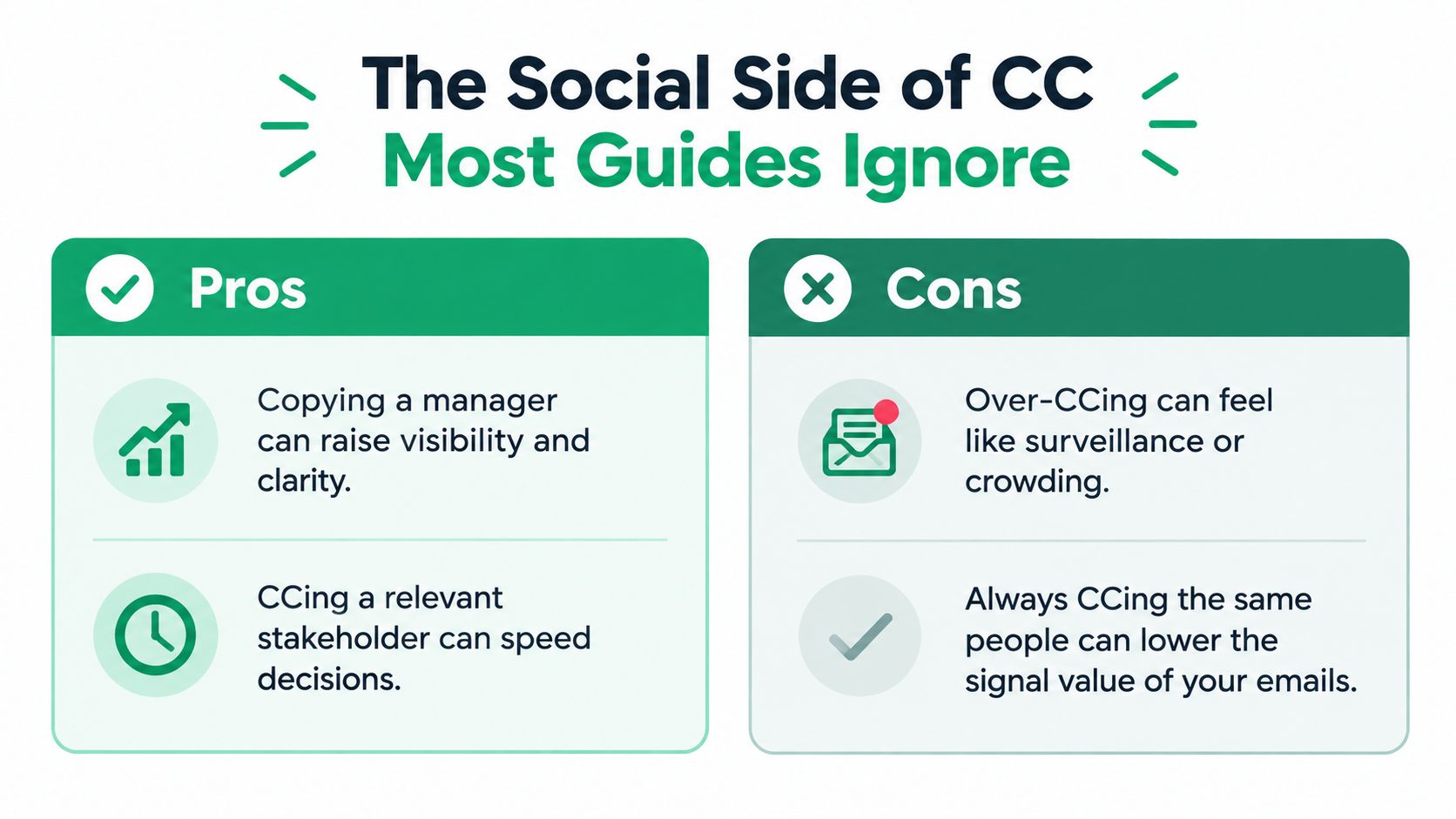
Copying the boss can look like accountability to the sender and distrust to the recipient. Both interpretations can exist in the same thread.
Experimental research involving 594 working adults found that recipients felt significantly less trusted when supervisors were always copied than when supervisors were copied sometimes or almost never, as discussed in this examination of CC and workplace trust. That finding challenges the assumption that more managerial visibility is always helpful.
Separate support from pressure
Consider a writer asking a designer for missing graphics. Copying the creative director on the first reminder could make a routine coordination request feel like a performance complaint.
If the director must resolve competing priorities, including them has a clear purpose. Explain it: “I'm bringing Casey in to help us choose between the competing deadlines.”
The same name can therefore carry different meanings depending on the context and explanation. The practical question is whether the senior person can contribute something necessary.
Use an escalation threshold
Agree on when managers should join a conversation before a disagreement arises. That agreement gives people a shared expectation instead of leaving them to interpret a surprise addition.
- Routine coordination: Speak directly to the colleague responsible.
- Unresolved blocker: Describe what's missing and ask for a workable next step.
- Authority needed: Include the person who can decide, with a neutral explanation.
- Stakeholder reporting: Send a concise outcome update rather than the entire negotiation.
A useful test: Would you feel comfortable explaining to the recipient why you copied their manager?
If the honest answer is “to make them respond faster,” consider whether a direct deadline or explicit escalation would be more respectful. Hidden pressure isn't a substitute for a clear request.
For distributed teams, document these expectations in your workplace email etiquette. Don't assume that colleagues across departments or cultures interpret senior names in the same way.
Fewer recipients can support clearer accountability when you pair the smaller audience with a named owner and an explicit next step. The objective isn't less visibility at any cost; it's visibility that serves the work.
How to Add CC in Gmail, Outlook, and Apple Mail
The recipient decision comes first; the interface comes second. Labels and controls can vary by app version, but these are the usual routes.
Gmail
In a new message, select Cc beside the To field, then enter the copied recipients. Choose each intended contact carefully and confirm the completed address before adding another.
To move someone from To to Cc, cut the recipient address, paste it into Cc, and verify that it appears only where intended. That method also works when dragging recipient chips isn't available.
Google Workspace allows up to 2,000 total recipients per message across To, Cc, and Bcc, including a maximum of 500 external recipients, according to Google's sending-limit documentation. Sending method matters, so check the applicable limits rather than treating that ceiling as universal.
Outlook
Open a new message and look for the Cc line beneath To. If it's hidden, use the recipient or message options to display it; the exact control varies between classic Outlook, new Outlook, and the web app.
- Add recipients deliberately: Select the intended address, not merely the first autocomplete suggestion.
- Inspect look-alike contacts: Check the full address when names are similar.
- Recheck moved recipients: After cutting and pasting an address between fields, confirm the original entry is gone.
Apple Mail
On Mac, start a new message and use the header controls to show Cc if it isn't displayed. On iPhone or iPad, tap the Cc/Bcc, From area to expand the recipient fields, then enter the address in Cc.
Across clients, explore available send-delay or undo-send settings before you need them. Treat these as a buffer, not a dependable way to recall an already delivered message.
For formatted newsletters, recipient checks and layout checks are separate tasks. A tool such as MailAdept's email rendering test can be part of the layout workflow, but it doesn't replace reviewing addresses, permissions, or message content.
Polishing the Message Before You Hit Send
A Radicati Group estimate puts an office worker's inbox at approximately 120 received emails and 40 sent emails per day, as reported in this overview of CC and BCC usage. Treat that as an estimate rather than a universal workload, but the practical lesson is straightforward: don't make readers work to discover your request.
Pre-Send CC Checklist
| Check | Why it matters | Quick test |
|---|---|---|
| Subject line | Signals the task or outcome | Does it distinguish an update from an approval request? |
| Opening line | Establishes the purpose | Can the reader identify why you're writing immediately? |
| Action ownership | Prevents implied assignments | Is a person named for each required action? |
| Recipient review | Matches the audience to the content | Can you explain every included address? |
| Tone and accuracy | Preserves meaning and relationships | Did editing add blame, certainty, or promises? |
| Attachments | Keeps the message complete and appropriate | Are the right files included for this audience? |
Read the message from the busiest recipient's perspective. Replace “Thoughts?” with the actual question, and move a buried approval request near the opening.
Choose an appropriate greeting using these email salutation examples, then keep the rest consistent with that relationship. A warm opening won't undo a threatening or ambiguous request.
Questions that come up before sending
Do copied recipients have to reply?
Not automatically. If you need their answer, make the request explicit and reconsider their placement.
Should you explain every copied person?
Explain additions when the role isn't obvious, especially on client-facing messages. Established working groups don't need a repeated roll call.
Can AI polish the message for you?
Yes, but review the result yourself. Remove confidential material before using an unapproved service, preserve your intended meaning, and never let a rewrite invent facts or commitments.
Ethical AI assistance supports authentic writing rather than disguising responsibility. You remain accountable for the audience, the wording, and anything you promise.
At Pure Write, we offer AI-text humanizing and writing enhancement to help you refine clarity, tone, and concision while preserving your voice. Visit Pure Write to polish a nonconfidential email draft, then check the recipients and action owners yourself before sending.